"Flowchart" is a broad term. The basic top-to-bottom diagram with boxes and arrows is one type, but several related formats exist — each suited to a different kind of process. Choosing the right one makes a diagram easier to read and faster to draw.
This guide covers the eight flowchart types you are most likely to need, what each is for, and when to reach for it. For a primer on the shapes that appear in all of them, see the flowchart symbols guide. For the basics of the format itself, see What Is a Flowchart?.
1. Process Flowchart
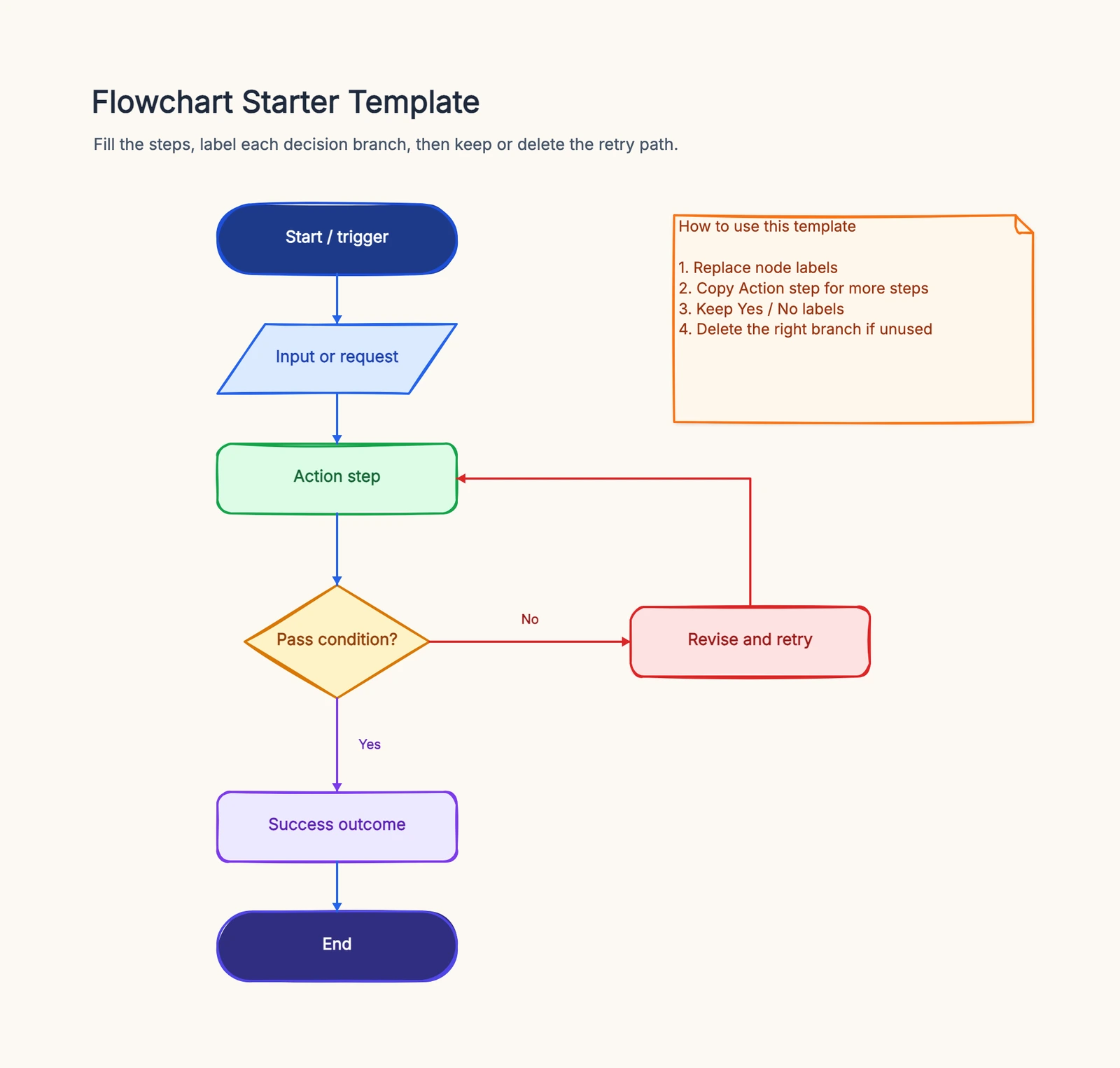
What it is: The default format. Steps flow top-to-bottom or left-to-right, with decision diamonds where the path branches.
When to use it: Almost anything — documenting a procedure, explaining how a feature works, mapping a task from start to finish. If you are not sure which type you need, start here.
A process flowchart is the right answer most of the time. The other types on this list are specializations you reach for only when a process flowchart can't show something it needs to. E-commerce order processing, a hiring process, or an incident response flow — all of these are typical process flowcharts. Open the flowchart template to start from a ready-made one.
2. Swimlane Flowchart
What it is: A process flowchart divided into lanes — horizontal or vertical bands, one per person, team, or system. Each step sits in the lane of whoever performs it.
When to use it: When more than one party is involved and you need to show who does each step, not just what happens. Swimlanes make handoffs visible: every time an arrow crosses a lane boundary, responsibility changes hands — and that's exactly where processes tend to break down.
An approval process is a classic example: a request moves from requester, to manager, to finance, each in their own lane — see the approval flowchart. A returns flow is often modeled as a swimlane too, since customer support, warehouse, and finance each have visible actions. See the swimlane template or the approval flowchart template for ready-made layouts.
3. Workflow Diagram
What it is: A looser, less rigidly standardized flowchart focused on the steps and ownership of a business process rather than technical precision.
When to use it: Business process documentation, where the audience is non-technical and the goal is clarity about who does what, in what order. A workflow diagram trades the strict symbol rules of a formal flowchart for readability.
The line between a workflow diagram and a process flowchart is blurry — in practice, "workflow" signals a business audience and "flowchart" a more technical one. An employee onboarding flowchart is a typical workflow.
4. Data Flow Diagram (DFD)
What it is: A diagram focused on how data moves through a system — where it originates, what processes transform it, and where it gets stored. It uses a distinct notation (processes, data stores, external entities, data flows) rather than standard flowchart symbols.
When to use it: Software and systems analysis, when the question is "where does this data come from and go?" rather than "what are the steps?" A DFD answers questions about information, not control flow.
Start from the data flow template if you are mapping how information moves between components.
5. Decision Tree
What it is: A flowchart where almost every node is a branching decision. It fans out from a single starting question into a tree of outcomes.
When to use it: Diagnostic and classification tasks — troubleshooting guides, eligibility checks, "which option should I pick?" flows. When the entire process is a series of branching questions, a decision tree is clearer than a general flowchart cluttered with diamonds.
A support troubleshooting flowchart often behaves like a decision tree: each symptom leads to a question, each answer to the next. Real customer service flows often use the same pattern — incoming issues fan out by type into different handling paths.
6. Cross-Functional Flowchart
What it is: A swimlane diagram organized specifically around organizational functions — sales, engineering, support — rather than individual people.
When to use it: When you want to show how work moves across departments and where the inter-team handoffs are. It's the right lens for spotting bottlenecks that live in the gaps between functions rather than inside any one of them.
Functionally it's a swimlane diagram; the difference is what the lanes represent. Employee onboarding and incident response are cross-department flows that fit this format well. The swimlane template works for both.
7. Process Map
What it is: A higher-level view of a process, often less detailed than a step-by-step flowchart, used to give an overview before drilling into specifics.
When to use it: Process improvement and analysis, where you first want to see the whole process at a glance — its major phases and decision points — before documenting every step. Process maps are common in operations and Lean/Six Sigma work.
The process map template gives you a starting structure for an end-to-end overview.
8. System / API Flow
What it is: A flowchart that shows how a technical system or API request moves through components — services, queues, databases — rather than human steps.
When to use it: Software architecture and integration documentation, when the "actors" are systems, not people. These diagrams help engineers reason about request paths, failure modes, and dependencies.
The API workflow template is built for this kind of technical flow.
Pick a Type by Business Scenario
Most people search "types of flowcharts" because they have a specific thing to diagram. Here's the mapping from common business scenarios to the right type — jump straight to what you need:
| Scenario | Type to use | Reference |
|---|---|---|
| Approval / expense / leave request | Swimlane (multi-role handoff matters) | Approval flowchart |
| Order fulfillment (e-commerce, payment, out-of-stock) | Process flowchart with decision branches | Order processing flow |
| Employee onboarding / offboarding | Workflow diagram or cross-functional | Onboarding flowchart |
| Hiring / interview loop | Process flowchart or swimlane | Hiring process flowchart |
| Customer support intake / issue triage | Decision tree | Customer service flow |
| Returns / refunds | Swimlane (support, warehouse, finance) | Return process flow |
| Production incident / outage response | Cross-functional (multi-team) | Incident management flow |
| System architecture / request paths | System / API flow | — |
| Data pipeline / ETL | Data flow diagram (DFD) | — |
| High-level business overview | Process map | — |
If you can't decide, ask "who is doing this?" first — single actor → process flowchart; multiple roles / departments → swimlane or cross-functional. That call alone settles ~80% of cases.
How to Choose
Run a one-sentence test before opening a diagram tool. Finish this sentence: “The reader needs to understand ___.” If the answer is sequence, use a process flowchart. If it is ownership and handoffs, use swimlanes. If it is data moving between stores and systems, use a DFD. If it is messages exchanged over time, use a system or sequence-style flow. If it is the consequence of each choice, use a decision tree.
Do not combine formats merely because a tool offers every symbol. A diagram that mixes data stores, department lanes, decision branches, and system messages often answers four questions badly. Create a small overview first, then link to a specialized diagram when readers need more detail.
A quick way to pick:
- One straightforward process? → Process flowchart
- Multiple people or teams handing off? → Swimlane / cross-functional
- Business audience, ownership matters? → Workflow diagram
- About data, not steps? → Data flow diagram
- Every node is a branching choice? → Decision tree
- Need a high-level overview first? → Process map
- Systems and APIs, not people? → System / API flow
When in doubt, start with a process flowchart and switch only if it can't express what you need. Most diagrams never need anything more.
Frequently Asked Questions
What is the most common type of flowchart?
The process flowchart is by far the most common. It shows steps top-to-bottom or left-to-right with decision branches, and it covers most everyday needs.
What is the difference between a flowchart and a swimlane diagram?
A swimlane diagram is a flowchart divided into lanes, one per person, team, or system. A plain flowchart shows what happens; a swimlane flowchart also shows who is responsible for each step.
Which type of flowchart should I use?
For most tasks, start with a standard process flowchart. Switch to a swimlane diagram when multiple people or teams are involved, a data flow diagram when the focus is how data moves, and a decision tree when every node is a branching choice.
Ready to draw one? Open the flowchart maker template, then choose “Use this template” to enter the editor — no signup required.
Related Reading
- What Is a Flowchart? — the basics of the format
- Flowchart Symbols Guide — every shape explained, with pictures
- How to Make a Flowchart — step-by-step tutorial
- Free Flowchart Makers — tool comparison