The best Milanote alternatives depend on what you want to keep: choose Excalidraw or CodePic for drawing-first thinking, Miro or FigJam for a shared brainstorming session, Canva for a visual board that feeds a design, and Obsidian Canvas for arranging local notes. If collecting creative references is already working well, staying with Milanote can be the sensible choice.
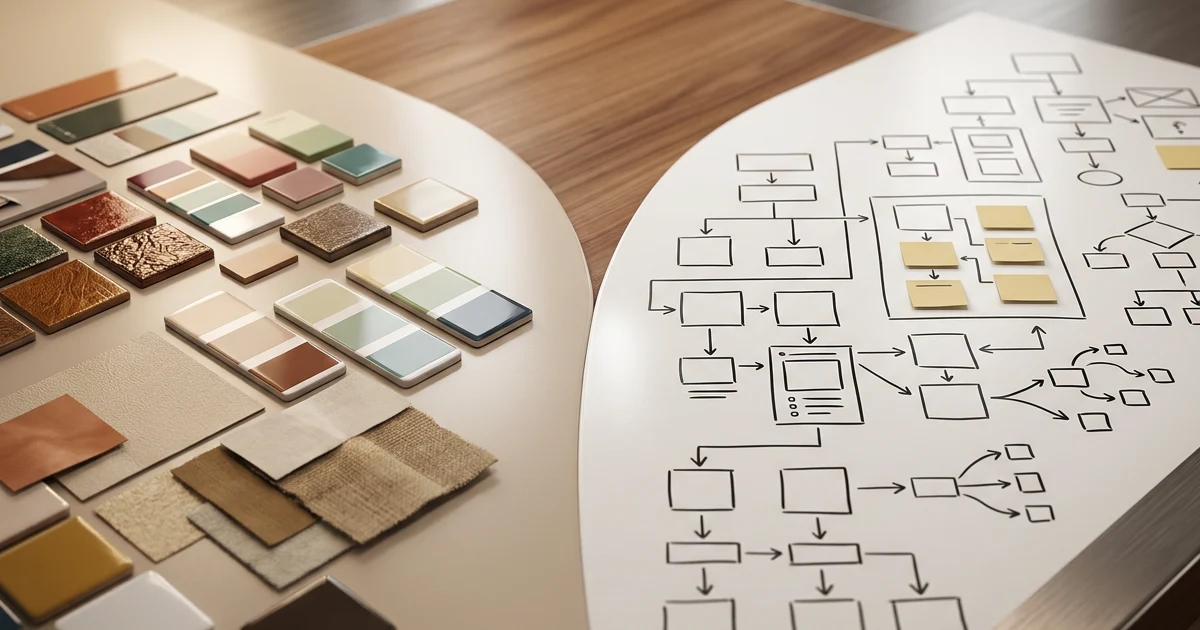
The important distinction is between a reference board, a whiteboard, and a note workspace. They can all display images and text, but they answer different questions: “What inspires this project?”, “How does this idea work?”, and “Where is the supporting research?” Switching because two screenshots look similar can leave you rebuilding the part of the workflow you valued most.
Quick comparison: replace the task, not just the app
| Alternative | Start here when you need | Main trade-off to test |
|---|---|---|
| Excalidraw | A quick hand-drawn sketch or visual explanation | Reference collection versus drawing |
| Miro | A team board for workshops and shared planning | Editable-board allowance and participant access |
| CodePic | A direct, drawing-first infinite whiteboard | Whether a canvas covers your reference-management needs |
| FigJam | Brainstorming alongside a Figma design workflow | How collaborators enter and revisit the file |
| Canva Whiteboards | An inspiration board connected to visual design work | Board editing versus the final presentation format |
| Obsidian Canvas | Spatial research built around local notes | Your responsibility for files, sync, and sharing |
These are six workflow options, not a universal ranking. A novelist collecting locations and character references has a different requirement from a designer running a critique. For a wider team-board comparison, see Miro alternatives; the choices below stay focused on people moving from Milanote.
Before switching, name the limit you actually hit
Milanote's official plans page lists a free tier with no time limit, 100 notes, images or links, 10 file uploads, and unlimited shared boards on the check date. Count content, not just boards: a growing image collection and a small set of project boards can create very different needs.
Write down one concrete reason to move. It might be “I need to sketch relationships between ideas,” “my research belongs beside local Markdown files,” or “six colleagues need to change the board in a meeting.” Those statements produce a useful shortlist. “I want something with more features” usually does not.
Also separate the working board from the deliverable. A client may need a clean image of the approved direction, while you need editable source material for next week's revision. Decide whether the replacement must support both. If the real task is a structured brainstorm, our online mind-map walkthrough shows a different way to organize the first draft.
1. Excalidraw: for sketches that explain an idea
Excalidraw is an open-source, hand-drawn whiteboard with shapes, text, arrows, images, and drawing export. It is a strong candidate when your Milanote board keeps turning into a rough diagram: an arrangement of concepts, a page layout, or a sketch you want someone else to understand.
Imagine a photographer planning a small set. A reference board answers what the shoot should feel like. A sketch answers where the subject, backdrop, and camera should go. Choose the drawing workspace for that second job; do not assume it replaces a carefully maintained reference library.
Test before choosing: move the main subject in your sketch, change its label, and revise a relationship. Keep the editable drawing as well as the image you send. The test is whether a small change remains easy after the first draft, not whether the first screenshot looks attractive. For another lightweight canvas option, compare Excalidraw and tldraw.
2. Miro: for a board a whole team works on
Miro is worth evaluating when your next step is a shared workshop rather than a personal inspiration archive. Its official plan page distinguishes the Free plan's three editable boards from paid allowances and facilitation features. Check the actual plan, especially when board privacy or guest editing matters.
A useful trial is a campaign-planning meeting. Put proposed directions in one area, questions in another, and the agreed next actions in a third. Ask a colleague to add and move an idea using the access they would have in a real project. You are testing a working relationship between people and a board, rather than the size of the template catalogue.
Test before choosing: can the host, a teammate, and an external reviewer each do their intended job? A share link that works for an administrator may behave differently for a client. If your shortlist also includes Figma's whiteboard, Miro vs FigJam goes deeper into that decision.
3. CodePic: for a drawing-first whiteboard you can try now
CodePic is our hand-drawn infinite whiteboard. Consider it when the part of Milanote you need is space to arrange ideas, add text and images, sketch shapes, and connect thoughts. It is a canvas for making an explanation, rather than a promise to reproduce Milanote's reference-capture or project-board system.
Try a small creative brief: place the project question at the top, add three possible directions, and sketch how one direction becomes an outcome. Change a label, move a direction, and add one connection. That gives you something to judge beyond a product screenshot. The entry below opens a whiteboard without requiring registration to start.
Test before choosing: can you make the change you expect to make most often? If the answer involves collecting hundreds of references or navigating nested project boards, evaluate those requirements separately. We do not claim a lossless Milanote importer. If your work is primarily local research rather than drawing, the Obsidian Canvas vs Excalidraw comparison may be a better next stop.
4. FigJam: for discussion close to a design workflow
FigJam focuses on collaborative brainstorming, diagrams, and workshops. It deserves a place on the shortlist when the people making decisions already work around Figma files. The benefit to evaluate is continuity between an early conversation and the design review that follows.
For a website concept, try arranging user concerns, possible approaches, and unresolved questions before opening detailed mockups. Ask reviewers to explain their preferred direction on the board. This helps you judge whether the workspace supports the conversation you need, rather than encouraging premature polishing.
Test before choosing: invite the person least familiar with the design tools. Can they find the relevant section and make the intended contribution? Check current seat and access rules before rolling it out. A mood board kept for months and a one-hour workshop are different workloads. Our FigJam alternatives covers other options if that design-team context is not a fit.
5. Canva Whiteboards: for inspiration that leads to a design
Canva Whiteboards provides an infinite collaborative canvas with design elements and templates. Try it when visual references are the beginning of a presentation, campaign, or other designed output, especially if Canva is already where you prepare that output.
For example, build a small direction board for a community event: a few reference images, a color direction, an audience note, and the intended mood. Then consider what must leave the board as a final design. That handoff matters more than making the planning surface look finished immediately.
Test before choosing: use the assets your actual account can access and inspect the output you intend to deliver. A free whiteboard does not automatically make every image, template, or adjacent design feature free. If the main job is arranging references over time, compare the day-to-day collection process with Milanote before moving. See Canva Whiteboard alternatives for more drawing-oriented options.
6. Obsidian Canvas: for research connected to local notes
Obsidian Canvas arranges notes, images, files, and web pages on a spatial canvas. Its local, open JSON Canvas format makes it relevant when the board belongs with a collection of notes, rather than in a separate cloud workspace.
A writer might place a scene note next to a location reference and a research question. The board becomes a way to navigate material that already has a home. This is a different migration from replacing a sketching tool: the important objects are often the notes and their connections, not the outlines drawn around them.
Test before choosing: reopen the canvas after moving or synchronizing the underlying files. Check that the notes and attachments you need remain available. Plan backup and shared access deliberately; local ownership does not, by itself, establish a collaborative review process. Our Obsidian Canvas comparison explains where note arrangement and freehand drawing diverge.
Free Milanote alternatives: compare the limit that matters
“Free” can mean a board allowance, a content allowance, a browser drawing session, or a local application. Those are not interchangeable offers. Before committing, check these four points against one representative project:
- Content capacity: count references, attachments, and active boards separately.
- Editing access: check what an invited person can do, not only what the owner can do.
- Persistence: reopen the work later and identify how you will recover it or keep a backup.
- Output: verify both the editable source and the format the recipient actually needs.
Avoid selecting a subscription only by its advertised monthly equivalent. Billing term, seats, and the particular capabilities you need can change the comparison. Current vendor pages are the authority for an actual purchase. For a drawing-specific decision, Excalidraw alternatives is the narrower shortlist.
Test migration with one real creative brief
Use a small but representative project before moving an archive. For example, plan a short film with six location references, four scene notes, three open questions, and a rough sequence of events. These are suggested trial quantities, not product limits or measured results.
Recreate the material in your two strongest candidates. Keep the original references and source links, label the areas consistently, and ask another person to locate the selected direction. Then change one scene, replace one reference, and revisit the project later. Notice where the work becomes awkward: capture, arrangement, revision, retrieval, or sharing.
Do not count a screenshot as a successful migration. It may preserve the appearance while losing the ability to edit text, follow links, or rearrange individual objects. This article does not verify a full Milanote import path for the listed tools. Keep the original workspace until you have checked what survives and what needs rebuilding. If a simple visual outline is enough for the pilot, use the mind-map template as a starting structure.
When staying with Milanote makes more sense
Stay when your reference collection is useful, collaborators know where to find it, and the current plan covers the work. A replacement only helps if it improves the recurring task enough to justify moving and maintaining the material.
You can also keep separate tools for separate stages. Collect references in Milanote, draw an explanation on a whiteboard, and produce the final design elsewhere. That is a practical choice when each stage has a clear owner and you know which version is authoritative. If you need one shared team surface instead, return to the Miro alternatives comparison and test the access model with your collaborators.