For Kling vs Veo, shortlist Kling when your task depends on the reference and sequence controls exposed by its selected mode. Shortlist an available Veo route when its documented image-and-sound workflow fits your project and your account can access it. Neither choice establishes better dialogue or motion quality until you test the same assignment and inspect the downloaded results.
Access is an immediate decision factor. Google's documentation says the listed Veo 3.1 Preview endpoints in the Gemini API closed on October 22, 2026. This comparison, checked October 29, separates that shutdown from other documented deployments. It provides a task-based evaluation plan, not an invented side-by-side benchmark.
Check the route before choosing the model
A model name does not identify a complete production workflow. You may reach it through the provider's creative app, a cloud deployment, or another platform. Each route can expose different inputs, account requirements, controls, output handling, and billing.
The Gemini API Veo page explicitly names the closed Preview endpoints. Do not build a new workflow around an old code sample merely because the example remains farther down the page. A deprecation notice near the top takes precedence when deciding whether that route is current.
Google also maintains a Veo 3.1 cloud model page documenting a GA model identifier and its capabilities. That is a separate deployment route, not a promise that your account is provisioned for it. Confirm project eligibility, region, quota, and billing before estimating production capacity.
For Kling, identify the selected version and platform. Its 4.0 page describes reference and keyframe features, while some high-resolution availability remains qualified as coming soon. Use the controls your account actually exposes. The Runway vs Kling comparison explains why a model hosted in another platform needs its own workflow label.
Compare the documented inputs without mixing versions
| Project need | Kling documentation to inspect | Veo documentation to inspect | Practical question |
|---|---|---|---|
| Repeated visual subject | Reference workflow for the selected Kling version | Asset-reference support for the selected Veo deployment | Can the actual mode accept your approved inputs? |
| Guided sequence | Keyframe controls described for Kling 4.0 | First/last-frame or extension capabilities of the selected route | Are the required controls available together? |
| Spoken scene | Audio and speaker guidance for the selected Kling mode | Sound-generation capability and audio prompting | Are words, voice, and timing usable in your language? |
| Deliverable | Platform output and account settings | Deployment-specific output settings | Can you download the required file and edit it? |
A maximum reference count does not tell you whether a model preserves a particular person or object better. A longer supported duration does not prove a longer interval will survive editing. Compare the task, not the largest number in a feature list.
Kling's 3.0 guide describes native audio and multi-shot work for that version. Keep it labeled 3.0; do not silently apply every detail to 4.0 or another hosted mode. Likewise, do not combine capabilities from different Veo variants into an imaginary all-features endpoint.
For a basic image-led shot, use the image-to-video workflow. For a scene invented from language, the text-to-video exercise helps define what the model is being asked to create.
Test dialogue as words, voice, and picture
Our original evaluation line is a fictional shopkeeper saying, “Your parcel is ready,” followed by a short pause. Use one speaker and one language first. The goal is to understand which part of the speaking workflow is acceptable before adding a conversation.
Evaluate the words separately from the voice. Did the result say the approved sentence? Was the language and pronunciation appropriate? Then inspect timing, mouth movement, facial identity, and the pause that an editor needs after the line. A fluent-sounding voice can still say the wrong words.
Do not rank dialogue from one attractive clip. Keep the same script, comparable framing, and an equal revision budget. Record every accepted and rejected attempt. If a route does not expose the required audio workflow, mark that task unavailable through that route rather than inventing an equivalent result.
When exact speech is essential, approving a separate audio recording and evaluating a suitable synchronization workflow may be more controllable than regenerating picture and dialogue together. The AI lip-sync guide distinguishes a constant offset, timing drift, and incorrect mouth movement. Those failures should not be collapsed into a single vague “audio quality” score.
Build a shared three-shot test board
Use a small fictional repair-shop sequence. The same blue parcel, cream doorway, and authorized adult shopkeeper appear across the brief. Keep an approved reference pack and write the required relationship for each shot.
Shot A is a static close view of the parcel in a wicker bicycle basket, with a small settling motion. Shot B is the shopkeeper delivering the short line. Shot C is a slow camera reveal of the door opening. These three tasks cover object identity, speech, and camera continuity without requiring a full short film.
| Shot | Accept when | Reject when |
|---|---|---|
| Parcel | One recognizable parcel remains supported in the same basket | Object changes, disappears, or loses contact |
| Dialogue | Approved words and identity remain clear in the selected interval | Missing words, distracting mouth error, changed face |
| Reveal | Door, wall, and movement keep a coherent relationship | Geography rearranges or camera move breaks the intended reveal |
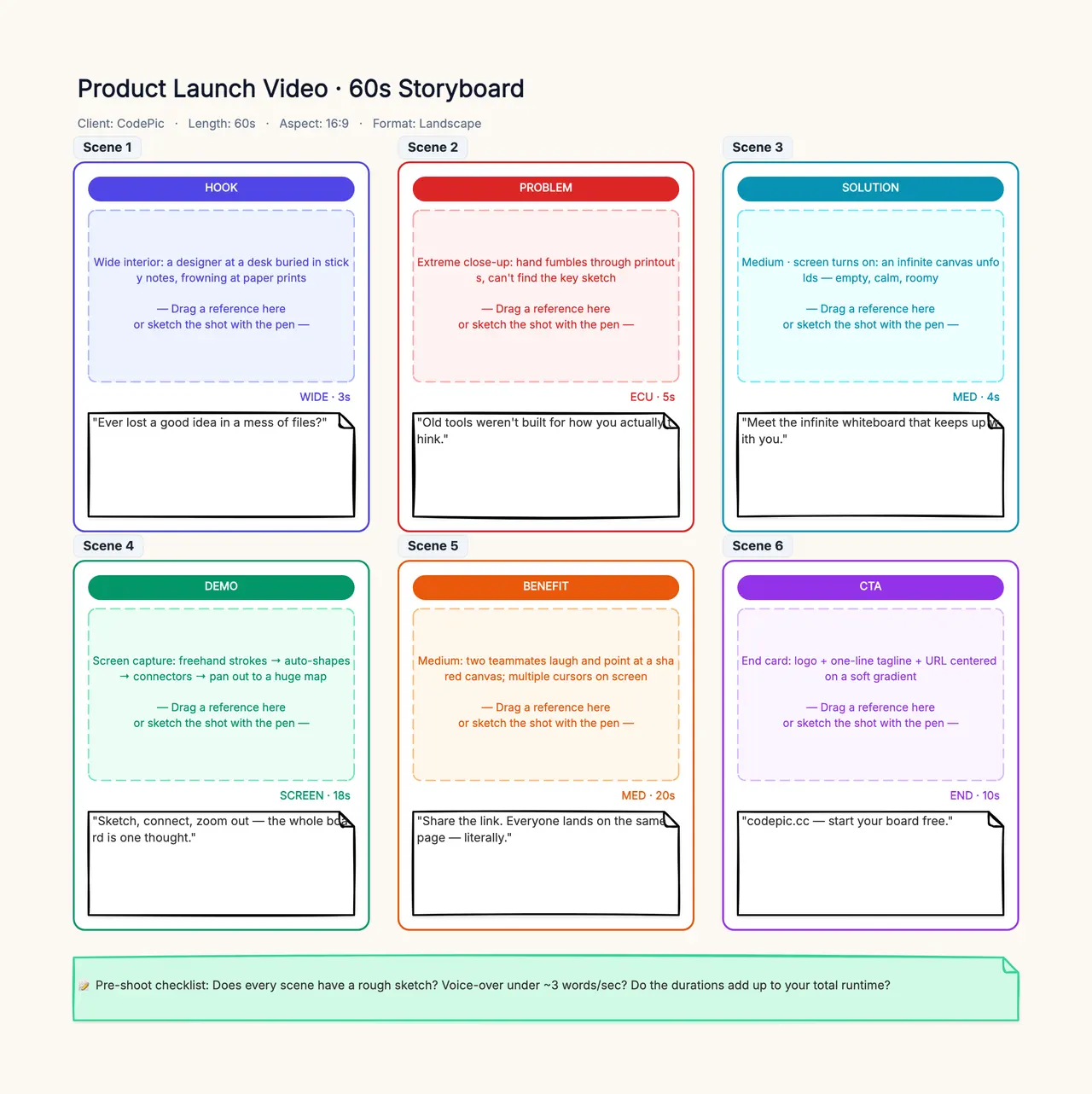
Put the brief and references in the storyboard template. It serves as a shared planning and review canvas, not as the video-generation engine. Add separate columns for candidate route, exact version, input assignment, observed output, and accepted interval. Someone reviewing the choice later should be able to reconstruct the assignment without guessing what “same prompt” meant.
Treat reference images as instructions with limits
A first frame, an asset reference, and a keyframe can have different roles. One establishes a starting composition; another guides appearance; another may indicate a moment in a sequence. Confirm the selected mode's semantics rather than treating every image slot as an identity lock.
Use the same approved source pack where supported. If one route accepts several references and another accepts only the required first frame, document that difference. You can evaluate a common-input baseline and a separate best-supported workflow, but do not mix those two experiments into one quality claim.
Avoid mutually inconsistent references. A parcel photographed under different lighting is manageable; a reference set that changes its shape or color gives the system conflicting instructions. Correct the pack before blaming the model for identity drift.
Inspect the moments between key poses. A correct starting and ending frame can still contain a distorted transition. If the shot is for a real product, use the stricter product-video review. For a recurring person, keep an independent identity checklist rather than judging only the speaking moment.
Compare motion in the selected interval
For the reveal, use a modest instruction: “The camera slides slowly right as the cream door opens inward, keeping the doorway and blue wall coherent.” Start with one camera action and one subject action. A complicated orbit with several cuts would obscure which relationship failed.
Watch normal-speed playback, then inspect the entrance, middle, and exit of the selected interval. Does the door remain attached to its frame? Does the background move consistently with the camera? Is there a usable pause for the next cut? A model's maximum clip length does not answer those questions.
Separate camera adherence from aesthetic preference. One take might be more colorful but move in the wrong direction. Another may be visually restrained yet fit the edit exactly. Record both observations rather than letting visual appeal erase a hard requirement.
If you revise, change one major instruction and keep the remaining settings fixed. A new seed, mode, duration, and prompt all at once create a new experiment, not an isolated wording improvement. The video prompt examples provide concrete ways to narrow the requested motion.
Budget the accessible route, including retries
Do not quote a nominal per-second price without naming the deployment, model variant, resolution, duration, audio setting, and billing unit. A subscription's included credits and a cloud model's account requirements are not directly comparable production capacity.
Record the estimate before submission and actual charged usage afterward where the platform exposes it. Include rejected attempts, any export or upscale step, and editing effort. Keep queue time separate from active work and from the model's processing duration.
Use cost per accepted interval or accepted second for the project, with the calculation method visible. If no result passes, state that the task remains incomplete within the budget; the denominator is zero and a useful unit cost cannot be calculated. Do not turn an unsuccessful trial into a claim that the model is universally unusable.
For this article, current account-specific quotes and equivalent rendered outputs have not been collected. Consequently it does not name a cheaper winner. The free-tool worksheet provides a compact way to record access, allowance, export, and revision behavior before making a purchasing decision.
Make a provisional choice that someone can review
Choose the route that supports your required input and produces acceptable shots under the agreed constraints. If references and sequence controls are decisive, evaluate the relevant Kling mode directly. If your project already has access to a documented Veo deployment and needs its image-and-sound workflow, evaluate that exact route with the same brief.
If the required route is unavailable, change the workflow or defer that candidate. Do not interpret an endpoint shutdown as a model-quality result. Do not interpret a feature announcement as evidence of account access. Those are different findings with different next actions.
Keep a decision packet containing the route, version, date, references, script, settings, all attempts, rejected intervals, accepted files, and actual spend. State what remains untested. A small controlled test can support a practical project decision while leaving broader performance claims unresolved.
Kling vs Veo becomes a useful comparison when dialogue, motion, references, access, and cost each have their own evidence. Use the production workflow template to assign those reviews, then let the actual deliverable determine the choice.