For Runway vs Kling, begin with the control your shot needs. Put Runway on the shortlist when you want to evaluate its documented text/image generation workflow in a creative workspace. Put Kling on the shortlist when reference-driven performance or keyframe-led sequence planning is central. Then test the exact available model and mode against the same brief; documentation alone cannot establish a quality winner.
This comparison was checked on October 29, 2026. It reviews current official pages and supplies a three-shot evaluation plan. It does not report side-by-side rendered results, measured success rates, or a hands-on ranking. Model capability, platform access, and project cost are treated separately.
Compare models and platforms at the right level
Runway is both a creative platform and the developer of its own models. Kling is a model family and a product environment, and Kling models can also appear on other platforms. Comparing “Runway” with “Kling” without writing down the chosen model can mix several different questions.
For a model comparison, name the models and input modes. For a platform comparison, name the account, editing environment, available controls, exports, and billing route. If you use Kling inside Runway, you are not comparing two separate creative platforms, even though you may be comparing different models within one.
Runway's pricing page currently lists Kling 4.0 among its offerings. That makes this distinction practical rather than theoretical. The page does not establish that every Runway plan exposes every Kling feature available in Kling's own interface.
Write a comparison label such as “Runway Gen-4.5 image-to-video in the Runway app versus Kling 4.0 image-to-video in the selected Kling platform.” If a mode or version is not displayed, record that gap. Do not silently fill it with a version name taken from a marketing article. The Kling vs Veo comparison applies the same discipline to provider and API access.
What the official controls establish
| Decision | Runway evidence | Kling evidence | What still needs a project test |
|---|---|---|---|
| Text or image input | Gen-4.5 creation documentation covers both modes | Kling 4.0 page describes text, image, and reference routes | Available mode in your actual account |
| Motion instructions | Image-to-video guide explains motion-focused text | Motion Control guide describes reference-driven character motion | Whether your subject follows the required action |
| Sequence planning | Plan separate shots and inspect selected output | Kling 4.0 page describes keyframe guidance | Whether identity and geography survive the sequence |
| Final deliverable | Confirm the chosen plan and export path | Confirm the chosen platform and mode | File dimensions, marks, audio, editability, and usable interval |
Sources: Runway Gen-4.5, Runway motion prompting, Kling Motion Control, and Kling 4.0.
These are documented routes, not comparative accuracy results. A reference control gives you a way to express intent; it does not guarantee a faithful hand, face, logo, or physical interaction. Choose the mode that can represent your input, then inspect the result using criteria written before generation.
Do not merge older and newer Kling specifications
Kling's 3.0 guide remains useful for understanding that documented version. It should not be presented as the full current Kling lineup. The 4.0 feature page describes longer generation and keyframe/reference controls, while also marking some high-resolution options as coming soon.
That page contains ambitious capability language alongside availability qualifications. Treat the “coming soon” wording as a reason to verify the account, not as proof that the announced output is currently selectable. A separate platform may expose a different output option under the same family name.
Do the same with Runway. A creation guide, a pricing table, and a model selector describe different parts of the workflow. Keep their dates and scope visible. If they appear inconsistent, note the conflict and use the actual selected control to define what your test can evaluate.
This is especially important for cost tables. A rate associated with one duration, resolution, or promotion cannot be treated as a universal model price. For a straightforward starting task, the image-to-video tutorial shows which input and settings to record.
Use one shared three-shot brief
Before comparing quality, build a small evaluation board with the same approved references. Our original exercise uses a fictional courier at a repair shop, a blue parcel, and a cream doorway. The task has three different demands rather than three versions of an easy landscape.
Shot A asks for a stable object and modest movement: a blue parcel settles in the basket of a stationary red bicycle. Shot B asks for performance: an authorized adult character turns slightly toward the doorway and gives one small nod. Shot C asks for camera behavior: a slow lateral reveal shows the cream door opening inward.
| Shot | Required information | Reject when |
|---|---|---|
| A: object | Same parcel, basket, and bicycle remain recognizable | Parcel disappears, basket geometry breaks, or object floats |
| B: person | Identity and small gesture remain coherent | Face changes, gesture becomes unrelated, or body deforms |
| C: camera | Doorway geography and reveal remain consistent | Background rearranges or movement loses the intended direction |
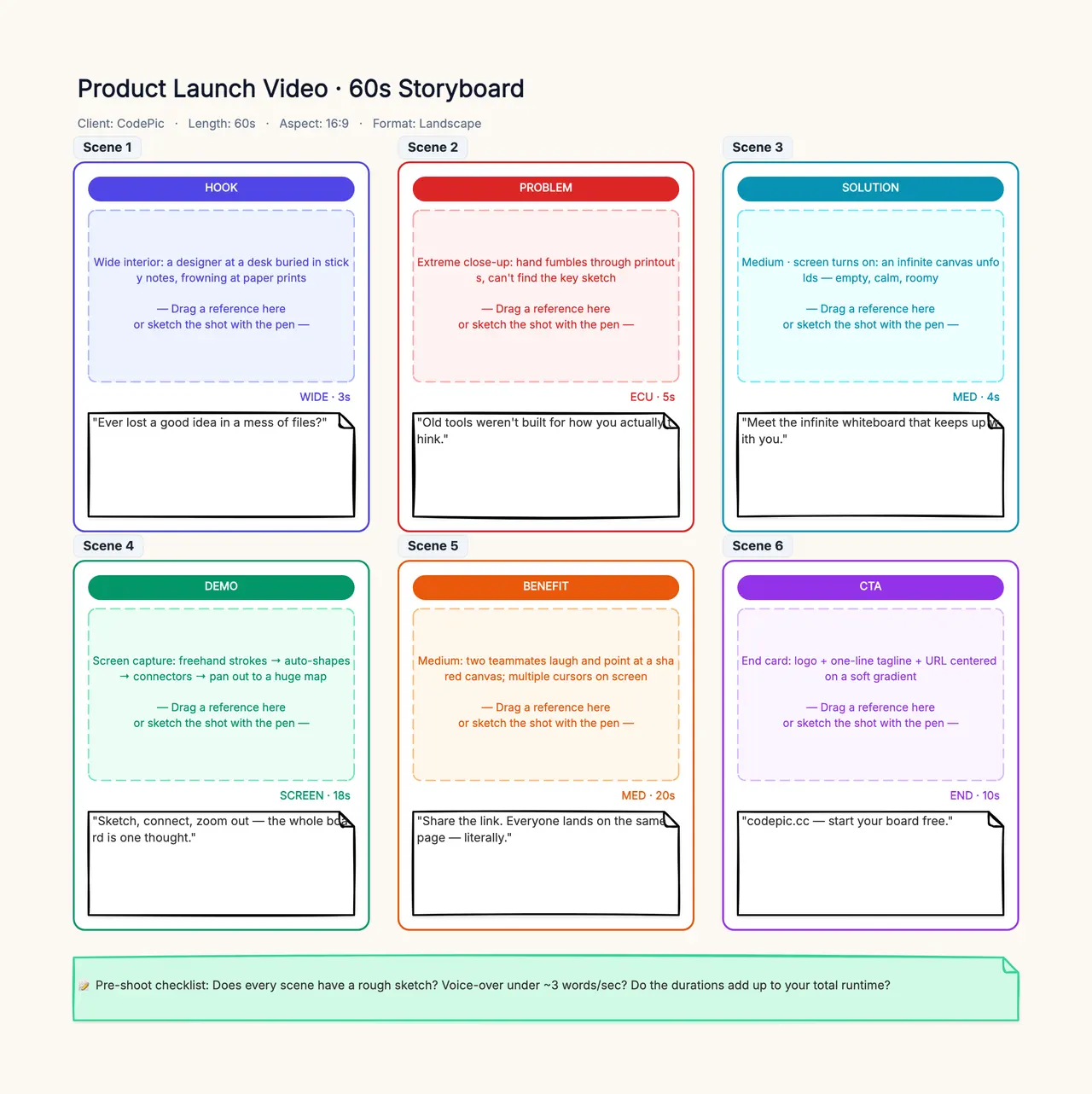
Place the three tasks in the storyboard template. Add reference files, intended edit role, and a short acceptance note for each. The template organizes the evaluation; it does not generate the video. This gives both candidates the same job and makes a later decision reviewable by someone who did not write the prompts.
Hold the brief constant without forcing identical syntax
Use the same source files, output ratio, intended action, and acceptance conditions. Choose comparable supported durations and record any unavoidable difference. If one candidate cannot accept the required input type, report that as a workflow limitation instead of swapping in an easier task unnoticed.
Begin with equivalent plain-language intent. A possible object prompt is: “The blue parcel settles slightly in the stationary bicycle basket. The camera remains fixed; the bicycle and doorway stay unchanged.” Keep elaborate style instructions out of the first pass so the required relationship is easy to judge.
Provider-specific controls may require different syntax or file assignments. That is acceptable when documented and recorded. Fairness means a comparable assignment and revision budget, not copying an unsupported command into both boxes and blaming one result for ignoring it.
Set the same attempt budget per task. Save every candidate and note the reason for rejection. If one model receives ten carefully revised attempts and the other receives one generic prompt, the result measures unequal effort. The AI video prompt guide provides a way to revise one missing relationship at a time.
Judge accepted intervals rather than showcase frames
Watch each downloaded clip at normal speed before inspecting individual frames. A shot can have a striking thumbnail and a visibly broken middle. Define the usable interval, including enough entry and exit for the planned edit.
Check identity, action, physical contact, background coherence, and editability separately. For the character shot, compare the face with the approved reference around the turn and nod. For the reveal, inspect whether the door and wall retain their relationship throughout the move.
Use simple status categories: accepted, accepted with a stated edit, or rejected. Keep “not tested” separate from “failed.” If you prefer numeric scoring, define each score in advance and retain the underlying observations; a total without rejection notes hides important differences.
A small project test can support a decision for those inputs and settings. It cannot establish that one model always handles people or motion better. If the results vary strongly across takes, report that variability and consider whether the workflow's revision budget can tolerate it. Product tasks also require the stricter accuracy review.
Calculate the real project cost
Record the displayed rate for the exact model, mode, duration, resolution, and audio setting on the date of the test. Include failed and rejected attempts if they consumed credits. Convert credits to money only using the relevant billing arrangement, keeping annual and monthly commitments distinct.
Do not compare credit counts across platforms as if they were the same currency. Report both generation spend and editing time. If a subscription is already in use, you may show marginal cost separately from an allocated project share, but label the method consistently for both candidates.
A hypothetical example illustrates the calculation: six generated candidates consume 120 units of a project's accounting currency, and twelve seconds survive review. Generation cost per accepted second is ten units. Those figures are arithmetic examples, not actual Runway or Kling prices or measured outputs.
If zero seconds survive, cost per accepted second is undefined. The meaningful statement is that the task was not completed within the chosen budget. Also record elapsed production time separately from generation latency: waiting in a queue is not the same as time spent actively revising or editing.
Choose the workflow that completes your next project
If your immediate job is a short image-led insert, shortlist the platform that exposes the needed mode and lets you reach a usable download efficiently. If your brief depends on performance references or keyframes, evaluate those controls explicitly rather than choosing from general visual reputation.
If you already work in Runway and it exposes the Kling mode you need, compare models within that environment before assuming you need a separate subscription. If a required control exists only elsewhere, include the cost of moving references, outputs, and review notes between platforms.
Make the decision with a small evidence packet: exact versions, shared brief, source references, attempts, accepted intervals, rejection reasons, export checks, and actual project spend. If any of those remain missing, label the recommendation provisional.
Runway vs Kling is most useful as a project decision, not a universal leaderboard. Keep your own production workflow and review criteria stable, then choose the candidate that delivers the required shots within your accuracy, time, and budget constraints.