Mermaid earned its place as the default diagram-as-code tool by doing one thing no competitor does: rendering natively in GitHub and GitLab markdown. Write a fenced code block, and it becomes a diagram in your README, wiki, or issue. No rendering step, no external service, no image export. For inline developer documentation, nothing else comes close.
But Mermaid has real limits. The layout engine produces awkward results on diagrams with more than a dozen nodes. The diagram type coverage — while good — stops short of formal UML, C4 model, or deployment diagrams. And if you need precise control over styling and positioning, Mermaid's "mostly automatic" approach can be frustrating. Here are six alternatives that address different combinations of these trade-offs.
What to Look For in a Mermaid Alternative
Before comparing tools, identify which of Mermaid's limitations actually matter to your workflow.
Layout quality. This is Mermaid's biggest weakness. On diagrams with many nodes or complex relationships, the automatic layout can produce tangled, hard-to-read results. Some alternatives invest heavily in their layout engines.
Diagram type coverage. Mermaid covers flowcharts, sequence diagrams, ERDs, Gantt charts, class diagrams, state diagrams, pie charts, and more. But it lacks network topology, deployment diagrams, C4 model, and deeper UML support. If you need types Mermaid doesn't cover, look at PlantUML or draw.io.
Rendering integration. Mermaid's killer feature is native GitHub/GitLab rendering. Every alternative requires at least one extra step — a local server, a CLI command, a CI job. Decide whether this matters to you.
Syntax ergonomics. Mermaid's JavaScript-inspired syntax is intuitive for web developers. Alternatives use different syntax philosophies — Java-like (PlantUML), Go-like (D2), or declarative configuration (D2, Structurizr).
When You Should Not Leave Mermaid
Not every Mermaid alternatives search should end in migration. Mermaid has one advantage that is hard to replace: it appears directly where developers already write and review text.
If your diagrams are small, mostly flowcharts or sequence diagrams, and live in GitHub markdown, Mermaid is still hard to beat. The right move may be to improve naming, split a large diagram into smaller ones, or add a rendering check in CI rather than switching tools.
Look for alternatives when the pain is structural: layout becomes unreadable, UML needs exceed Mermaid's coverage, reviewers need precise visual control, or non-engineers need to edit the diagram. In other words, leave Mermaid when the diagram has outgrown text, not merely because a newer tool looks cleaner.
1. PlantUML
Type: Text-to-diagram (Java) GitHub integration: Via plugin or CI rendering step Diagram types: All 14 UML types, plus wireframes, mind maps, Gantt, JSON/YAML viz
PlantUML is the heavyweight — if there's a diagram notation that exists, PlantUML probably supports it. Class diagrams with full stereotype support, sequence diagrams with activation bars and notes, component diagrams, deployment diagrams, timing diagrams — the UML coverage is the deepest of any text-based tool.
The syntax is more verbose than Mermaid but more expressive. You can control colors, line styles, layout direction, and stereotypes in detail. The trade-off is rendering: PlantUML requires Java and Graphviz to render. Most teams use the public plantuml.com server, a Docker container, or a CI step with the PlantUML CLI. VS Code and JetBrains plugins handle this transparently in-editor.
For Java/enterprise teams, PlantUML is often already in the stack. For Node.js or Python teams, it adds a Java dependency. For teams that need formal UML and are willing to set up the rendering pipeline, PlantUML is the best alternative to Mermaid.
Best for: Teams that need comprehensive UML coverage in a text-based, version-controllable format.
2. D2
Type: Text-to-diagram (Go) GitHub integration: Via CLI rendering to SVG/PNG Diagram types: Flowcharts, sequence, ERD, class, grid, network, SQL tables, and more
D2 is the newest major player in diagram-as-code, and its standout feature is layout quality. The constraint-based layout engine consistently produces cleaner, more readable diagrams than Mermaid or PlantUML — especially on complex diagrams with many nodes and relationships. It's the tool you reach for when Mermaid's layout gives you tangled lines and you don't want to manually position anything.
The syntax is clean and Go-inspired — readable even by non-developers. It looks like declarative configuration rather than code, which makes it approachable for teams where not everyone writes code daily. A D2 sequence diagram reads almost like structured English.
The limitations: D2 is newer, so the ecosystem is smaller. Fewer editor plugins, fewer CI integrations, and no native GitHub rendering. The diagram type coverage is narrower than PlantUML but covers the most common developer needs. Rendering requires the D2 CLI (a single Go binary, easy to install).
Best for: Teams that prioritize layout quality above all else and are comfortable with a younger ecosystem.
3. Graphviz
Type: Text-to-diagram (C) GitHub integration: Via build step Diagram types: Directed/undirected graphs, network diagrams, dependency maps
Graphviz is the oldest tool on this list — it's been around since the 1990s — and it's still the best at what it does: automatically laying out large, complex graphs. Mermaid focuses on hand-crafted diagrams of manageable size. Graphviz focuses on rendering graphs that are too large to lay out manually — 50 nodes, 200 edges, and the layout still looks readable.
The DOT language describes nodes and edges with optional styling. Graphviz then computes the layout using multiple algorithms (hierarchical, force-directed, radial, circular). You can switch algorithms with a single line change and get fundamentally different layouts.
Graphviz isn't a general diagramming tool. It doesn't do flowcharts, sequence diagrams, or UML — it does graphs. But for dependency maps, call graphs, network topologies, and state machines with many transitions, nothing else handles scale as well.
Best for: Large, automatically-generated graphs where manual layout isn't feasible.
4. draw.io
Type: WYSIWYG with text export GitHub integration: Via VS Code extension or file export Diagram types: UML, BPMN, network, ERD, cloud architecture (AWS/Azure/GCP), and more
draw.io isn't diagram-as-code, but it earns a spot on this list because many developers who start with Mermaid for simple diagrams eventually need icon-accurate cloud architecture diagrams or formal technical documentation. draw.io's shape library is the deepest available at any price — AWS, GCP, Azure, Kubernetes, Cisco, and deep UML coverage.
The VS Code extension lets you edit .drawio files without leaving the editor. The format is XML — diffable in git (messy, but possible), and some teams check in both the .drawio source and an exported SVG. For architecture diagrams that need precise icon placement, draw.io is the standard.
Best for: Formal cloud architecture and technical documentation, especially when combined with Mermaid for inline docs.
5. CodePic
Type: Visual + AI (MCP) GitHub integration: Via MCP with Claude/Cursor Diagram types: Flowcharts, sequence, ERD, org charts, mind maps, wireframes, swimlanes
CodePic is a hand-drawn infinite whiteboard. If your immediate goal is to change a flow without learning more syntax, start with an editable flowchart: replace a step, move the decision, and keep or remove the retry branch. The example opens directly in the browser without an account or an AI-tool setup.
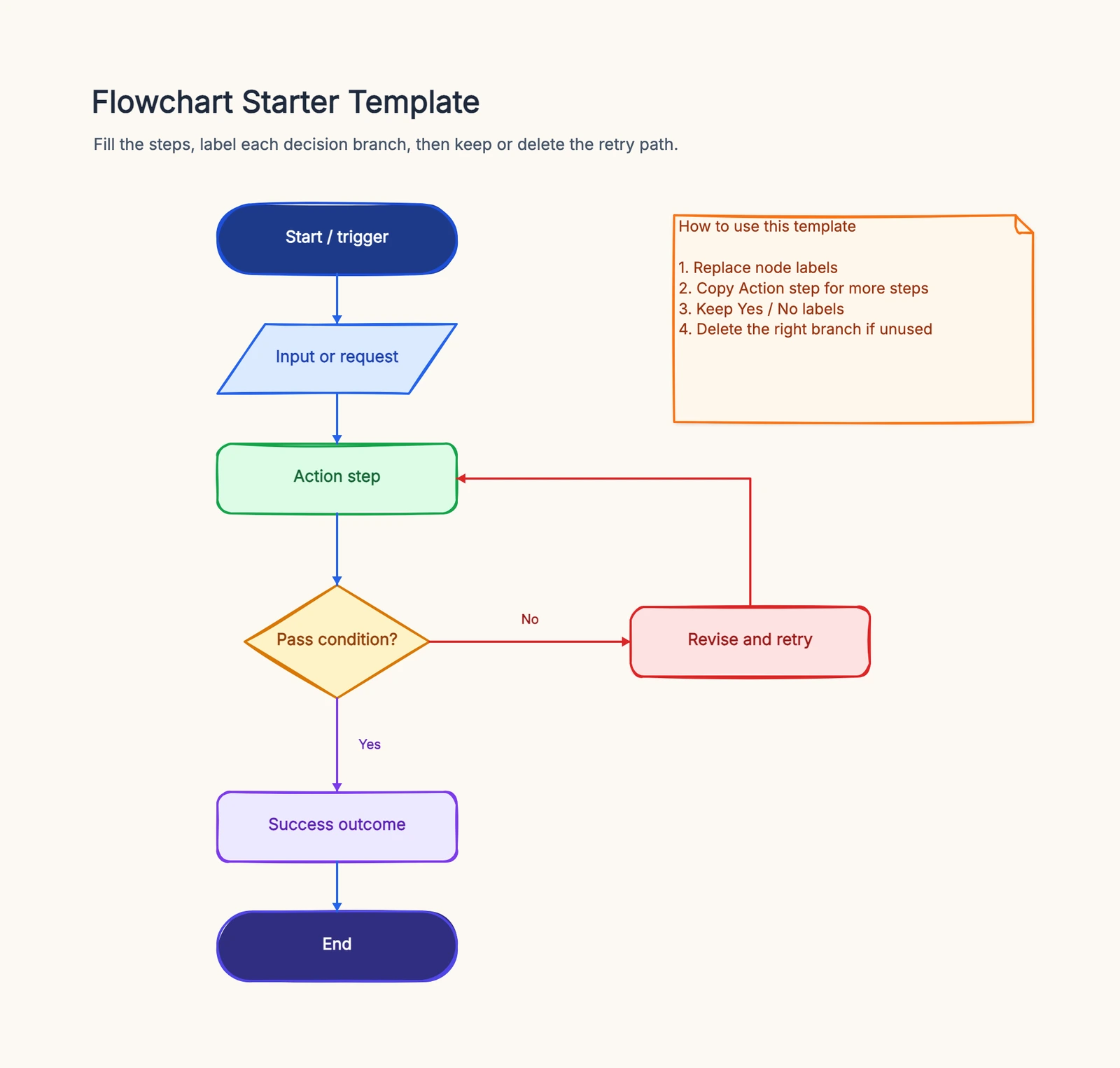
For developers who also want AI-assisted drafting, MCP integration is a separate option: connect CodePic to Claude or Cursor and describe the diagram there to generate editable shapes on the canvas. The browser example above is for direct visual editing; it does not require MCP and does not turn pasted Mermaid code into a diagram.
The trade-off: no text source to version-control. If diagram-as-code in git is a hard requirement, stick with Mermaid or PlantUML. If fast iteration from natural language matters more, CodePic fills a gap.
Best for: People who want to edit a diagram visually on a whiteboard, with optional AI-assisted drafting through Claude or Cursor.
6. Structurizr DSL
Type: Architecture-as-code (Java DSL) GitHub integration: Native (text format) Diagram types: C4 model only (Context, Container, Component, Code)
Structurizr is purpose-built for the C4 model — Simon Brown's hierarchical approach to software architecture diagrams. You describe your system once in a Java-based DSL, and Structurizr generates multiple diagram views from that single model. Change a relationship, and every diagram updates automatically.
This model-driven approach is fundamentally different from Mermaid's "draw each diagram separately" model. It's more initial work to set up, but it eliminates diagram drift — where different views of the same system show different, inconsistent information.
The scope is intentionally narrow: C4 model only. It's the best tool for C4 architecture documentation, not a general-purpose diagramming tool.
Best for: Teams that have adopted the C4 model and want model-driven, always-consistent architecture diagrams.
Quick Comparison
| Tool | Type | Layout Quality | Diagram Depth | GitHub Native | Best For |
|---|---|---|---|---|---|
| Mermaid | Text-to-diagram | Good (small), fair (large) | Good | ✓ | README, inline docs |
| PlantUML | Text-to-diagram | Good | Excellent (UML) | Plugin/CI | Full UML in git |
| D2 | Text-to-diagram | Excellent | Good | CLI only | Best auto-layout |
| Graphviz | Text-to-graph | Excellent (large) | Narrow | Build step | Large graphs |
| draw.io | WYSIWYG + XML | Manual | Excellent | VS Code ext | Cloud architecture |
| CodePic | Visual + AI | Manual + AI | Good | MCP (Claude) | AI-assisted sketching |
| Structurizr | Architecture DSL | Automatic | Narrow (C4) | Native | C4 model docs |
How to Choose
Most teams that use Mermaid eventually use at least one alternative alongside it. The combination depends on what Mermaid isn't handling:
If Mermaid's layout frustrates you on complex diagrams: Try D2. The layout quality difference is noticeable on any diagram with more than 10-12 nodes. PlantUML also handles complex layouts better than Mermaid.
If you need diagram types Mermaid doesn't cover: PlantUML for UML, Structurizr for C4, Graphviz for large graphs, draw.io for cloud architecture.
If you don't want to learn diagram syntax at all: CodePic's AI approach — describe in words, get editable shapes — is the lowest-syntax path. draw.io's visual editor is the traditional alternative.
If you're happy with Mermaid for inline docs but need more for formal docs: draw.io for architecture diagrams, PlantUML for UML. Check both sources into the repo alongside your Mermaid blocks.
Related Reading
-
Eraser.io alternatives: source, canvas and team handoff — Compare text diagrams, AI editing and migration checks.
-
Mermaid vs PlantUML vs D2 — Compare the three leading text-first choices by syntax, UML depth, layout, and CI workflow.
-
Mermaid Timeline Syntax: 8 Copy-Paste Examples — Build timelines with sections, multiple events, vertical layouts, and themes.
-
Mermaid vs PlantUML: Which Diagram-as-Code Tool Fits Your Workflow? — Deep head-to-head of the two leading text-based tools.
-
Mermaid vs draw.io (2026): Diagram-as-Code or Visual Editor? — When to go visual.
-
Mermaid vs Lucidchart (2026) — Free diagram-as-code vs paid visual platform.
-
Best Diagramming Tools for Developers in 2026 — Developer-focused tool roundup.
-
draw.io vs Lucidchart (2026): Pricing, Features & Which to Pick — Paid vs free diagramming.