This draw.io vs Lucidchart pricing and feature comparison is updated for 2026. The headline difference is simple: draw.io's core web and desktop editors cost $0, while Lucidchart combines a limited free tier with paid Individual and Team plans.
Price is only the starting point. draw.io uses a file-oriented model and leaves storage, permissions, and much of collaboration to the system hosting the file. Lucidchart charges for a managed workspace with native comments, permissions, document history, and integrations. The sections below compare the listed prices, free-plan limits, collaboration, AI, imports, offline use, UML, ERD, and the hidden costs of each model.
TL;DR — Which One Should You Pick?
If you don't have time to read the full comparison:
- Pick draw.io if you're an engineer, work mostly solo or in a small team, need offline access, draw a lot of UML / network / cloud architecture diagrams, or simply want a free tool with no document limit. It's open source, has a desktop app, and integrates well with Confluence/Jira/VS Code.
- Pick Lucidchart if your team relies on real-time multi-cursor co-editing, lives inside Google Workspace or Microsoft 365, needs to auto-generate diagrams from Excel/CSV, or has enterprise requirements like SSO and SOC 2.
- Cost matters: draw.io's core editor is free and needs no account. Lucidchart Free has 3 editable documents with 60 shapes each; Individual is $9/month plus tax, and Lucid's current guide lists Team at $10.
- AI workflows: both now generate diagrams with AI and provide MCP paths; compare how source files, plan limits, and editing handoff work.
draw.io vs Lucidchart at a Glance
| Dimension | draw.io | Lucidchart |
|---|---|---|
| Pricing | Free open-source core editor; some host integrations paid | Free: 3 docs/60 shapes; Individual $9/mo + tax; Team listed at $10 |
| Account required | No | Yes |
| Real-time co-editing | Via supported storage/integrations | Native, multi-cursor |
| Comments & @mentions | No (relies on host platform) | Native |
| Shape libraries | Very large (UML, BPMN, circuits, network) | Large, polished, cloud-focused |
| Template gallery | ~150+ community templates | 1,000+ professionally curated |
| AWS / GCP / Azure icons | Yes (community + official) | Yes (official, more frequently updated) |
| Data workflows | Text, CSV, SQL generation/import | Persistent data linking + spreadsheet imports |
| Version history | File-system / Git based | Built-in, with branching & restore |
| Offline / desktop app | Yes (Windows / macOS / Linux) | No (web only) |
| Mobile app | No (responsive web only) | Yes (iOS & Android) |
| Confluence / Jira integration | Native plugin (one of most-installed Atlassian apps) | Native, but plugin requires paid plan |
| Google Workspace / Microsoft 365 | Via Drive / OneDrive only | Deep native integration |
| VS Code extension | Yes (official) | No |
| Public API | No | Yes (REST API for Enterprise) |
| Embed in webpages | Yes (iframe, free) | Yes (embed link, paid feature) |
| Whiteboard / sticky-notes mode | Limited | Yes (Lucidspark, separate product) |
| Export formats | PNG, SVG, PDF, HTML, XML, VSDX | PNG, JPG, PDF, SVG, Visio |
| File format | Open XML (.drawio) | Proprietary; exports VDX/SVG/PDF |
| SOC 2 / GDPR compliance | Self-hosted possible (compliance is your responsibility) | SOC 2 Type II, HIPAA, GDPR certified |
| SSO / SAML | Not native (relies on host) | Yes (Enterprise plan) |
| AI / MCP integration | Text generation + official MCP server | Lucid AI + MCP connectivity |
| Best for | Engineers, technical diagrams, budget teams | Cross-functional teams, managed enterprises |
draw.io vs Lucidchart Pricing Comparison (2026)
| Plan | draw.io | Lucidchart | What the price means |
|---|---|---|---|
| Free | $0 for the core web and desktop editors; no document limit | $0; 3 editable documents, 60 shapes per document, 100 basic templates | draw.io is practical for ongoing free use; Lucidchart Free is better for evaluation and small diagrams |
| Individual | No core-editor subscription | $9/month plus tax | Lucidchart removes document and shape limits and adds premium libraries and templates |
| Team | No core-editor subscription; storage or host integrations may add cost | Lucid's current guide lists $10 | Lucidchart adds team-oriented administration, revision history, developer tools, and integrations |
| Lucid Suite | Not applicable | Individual $13; Team $15 | Bundles Lucidchart with the Lucidspark whiteboard product |
| Enterprise | Self-hosting and administration costs depend on your stack | Custom quote | Compare SSO, compliance, support, provisioning, and data residency rather than seat price alone |
Prices were checked on August 29, 2026 against Lucid's Individual plan offer and official pricing guide. Taxes, billing cycles, regional prices, promotions, add-ons, and enterprise terms can change, so confirm the checkout total before purchasing.
What Are These Tools?
draw.io (also known as diagrams.net) is a free, open-source diagramming tool that's been around since 2005. It runs entirely in the browser, has a desktop app, and lets you save files locally or to cloud storage like Google Drive and OneDrive. It's widely used by developers, IT teams, and anyone who needs a no-cost diagramming solution.
Lucidchart launched in 2010 with a focus on team collaboration and professional diagramming. It has a more modern interface, deep integrations with Google Workspace, Microsoft 365, and Salesforce, and a feature set designed for organizations that diagram at scale.
What You Actually Pay Beyond the Listed Price
The subscription line does not capture the whole cost. The two products make you pay for different things.
The core draw.io editor is free with no required account or document limit. Some host-specific products, such as Atlassian Marketplace apps, are priced separately. A team may also spend time choosing storage, setting permissions, recovering versions, maintaining conventions, and supporting less experienced users. Those costs are operational rather than an editor subscription.
Lucidchart turns more of that work into a per-seat subscription. The Free plan is capped at 3 editable documents and 60 shapes per document. Individual costs $9 per month plus tax, while Lucid's current guide lists Team at $10. Larger teams should multiply the applicable seat price, then check whether they also need the $15 Lucid Suite Team bundle, enterprise controls, or paid add-ons.
Bottom line: draw.io has the lower cash price. Lucidchart can still have the lower coordination cost when comments, permissions, revision history, and workspace administration replace a collection of separate tools and manual processes.
What's New in 2026
A few shifts worth noting if you're comparing these tools right now rather than relying on older reviews:
Lucidchart bundled with Lucidspark. Lucid now positions Lucidchart and Lucidspark (its whiteboard product) as a combined "Visual Collaboration Suite." Team plans include both, which adds value if you also want a sticky-note brainstorm canvas — but it doesn't change the core diagramming experience.
draw.io still has no native account system. Despite being the more popular tool by raw user count, draw.io has explicitly chosen not to build a cloud account layer. As of 2026, collaboration still happens through whatever you host your .drawio files on. This is by design — and is what keeps it 100% free.
Both tools now support serious AI workflows. draw.io can generate from text,
Mermaid, SQL, and CSV, and its official MCP server can create and open
.drawio files. Lucid AI generates editable flowcharts, ERDs, mind maps,
architecture diagrams, BPMN, and UML, and Lucid also offers MCP connectivity.
The decision is no longer “which has AI?” but which file ownership, plan limits,
and review workflow fit the team.
Pricing in 2026: Lucidchart's Individual plan is $9/month plus tax, and its current guide lists Team at $10. The Lucid Suite bundle is listed at $13 for Individual and $15 for Team. Its Free plan allows 3 editable documents with 60 shapes per document. The draw.io core editor remains free, while some platform-specific integrations are separate products.
Features: Different Strengths for Different Needs
Both tools cover the basics well, but each has a distinct area of strength.
Where draw.io excels:
- Extensive shape libraries covering flowcharts, UML, network topology, circuit diagrams, BPMN, and more
- XML-based file format that integrates easily with other tools and version control
- A large community contributing templates and custom shape libraries
- Works offline; your data stays wherever you choose to store it
Where Lucidchart excels:
- Data-linked diagrams: import from Excel or CSV to auto-generate visuals
- Official icon sets for AWS, GCP, and Azure — useful for cloud architecture diagrams
- More robust version history and document management
- Support for embedded links and in-diagram comments, making it better suited for presentations
If your work involves technical diagrams — UML class diagrams, network topology maps, or software architecture — draw.io's depth is hard to beat. If you're building data-driven visuals or working in a cloud environment, Lucidchart's integrations are genuinely useful.
If you mainly need a quick flowchart maker or ER diagram maker without setting up an account, a lightweight in-browser tool is usually a better starting point than either of these.
Test Both with One Approval Flow
Start with the same flowchart instead of comparing empty canvases. Edit the approval flow below in a browser, then reproduce it in draw.io and Lucidchart. Have a teammate change one decision and leave one review comment.
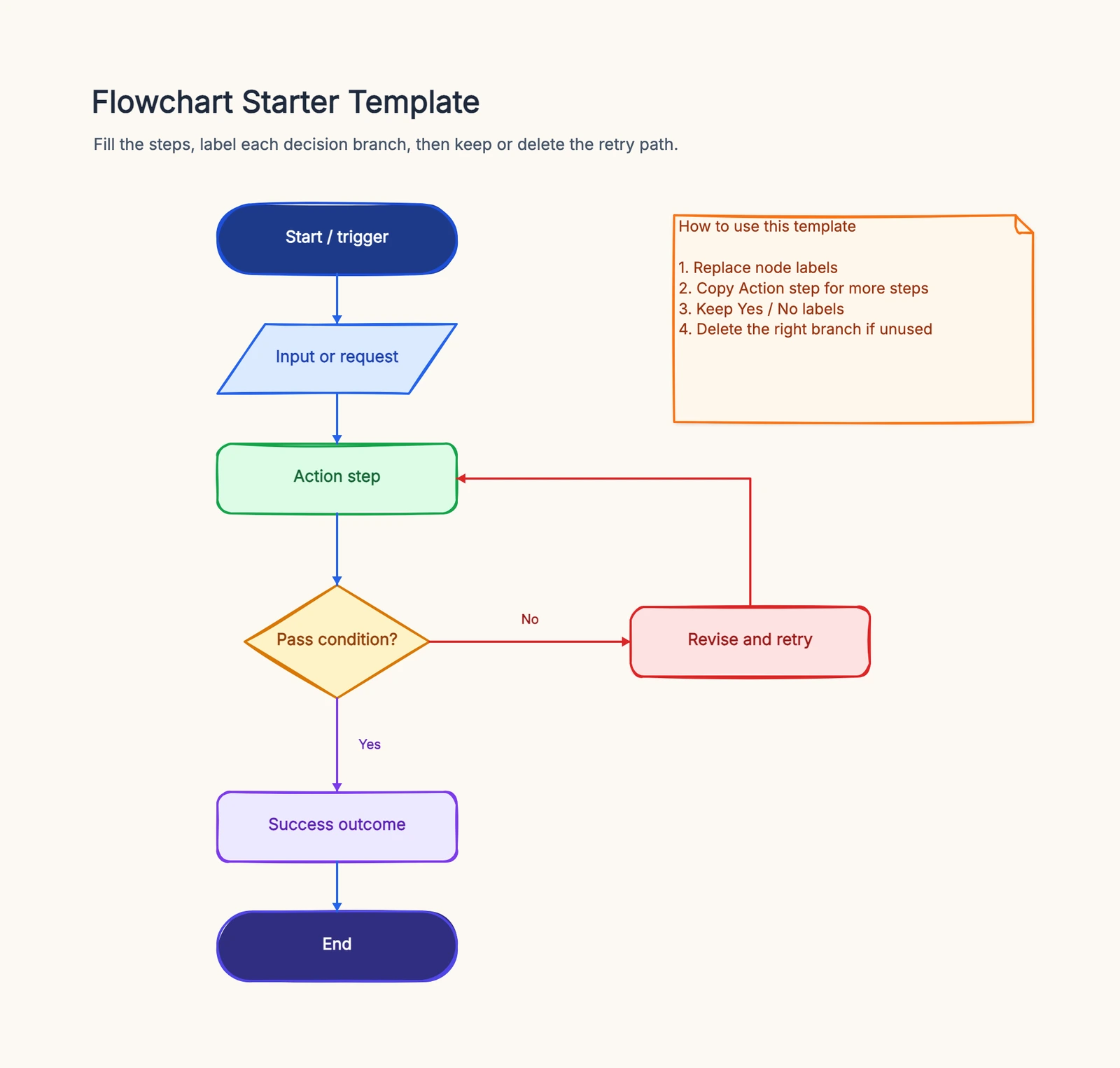
Flowchart Starter Template
Try this templateThis tests the parts that matter after initial creation: shape depth, handoff, review friction, file ownership, and the speed of later revisions.
Collaboration: Where Lucidchart Pulls Ahead
This is the second dimension where the gap between the two tools is most noticeable.
draw.io doesn't have a native account system or cloud storage. Collaboration depends on external services such as Google Drive, OneDrive, or Confluence. Supported modes provide concurrent editing and can show live cursors, while permissions and version history remain tied to the host platform.
Lucidchart was built with collaboration in mind. Real-time co-editing, inline comments, @mentions, and tiered permissions (viewer, editor, admin) are all native to the platform. For teams that review and iterate on diagrams frequently, these features meaningfully reduce friction.
Bottom line: If your team collaborates on diagrams regularly, Lucidchart's experience is noticeably smoother.
Ease of Use: Both Have a Learning Curve
Honestly, neither tool is particularly beginner-friendly.
draw.io's interface is functional but dated — the toolbar is dense, the panel layout can feel overwhelming on first open, and discoverability of features isn't great. That said, there are plenty of tutorials and community resources to help you get up to speed.
Lucidchart has a more modern UI and a guided onboarding flow that helps new users orient themselves faster. The drag-and-drop behavior feels more intuitive, and the overall experience is more polished.
Neither tool will have you productive in five minutes. If your team is already comfortable with diagramming tools in general, the adjustment period will be short for both. If you're starting from scratch, expect to invest some time either way.
Which One Should You Choose?
After looking at all the dimensions, the right choice tends to be fairly clear:
Go with draw.io if you:
- Need a free tool with no feature restrictions
- Work mostly as an individual or in a small team without heavy collaboration needs
- Want full control over where your files are stored
- Regularly create technical diagrams (UML, network topology, circuit diagrams)
Go with Lucidchart if you:
- Need real-time collaboration with your team
- Are already embedded in Google Workspace or Microsoft 365
- Want to generate diagrams from data sources like Excel or CSV
- Need robust version control and fine-grained permissions
How to Migrate Between draw.io and Lucidchart
If you've decided to switch, both products now provide import paths, but feature-level conversion is still not perfectly symmetric.
Converting Lucidchart to draw.io. draw.io lists Lucidchart diagram files as a supported import format. For a single diagram it also documents selecting the content in Lucidchart and copying it into a blank draw.io canvas. Test custom shapes, data-linked fields, comments, multiple pages, and connector routing before retiring the source workspace.
Converting draw.io to Lucidchart. This is the easy direction. Lucidchart can import .drawio / .xml files directly — go to File → Import → draw.io in Lucidchart and the diagram comes in as editable native shapes, with most layout and connections intact.
The practical takeaway: .drawio XML is convenient for file ownership and
version control, while Lucidchart provides managed documents and collaboration.
Whichever direction you move, keep originals until a representative complex
diagram passes visual and editability checks.
Which to Pick by Diagram Type
The right tool often depends less on your team and more on what you're actually drawing:
- ERD / database diagrams → draw.io has solid entity-relationship shape libraries and the XML format diffs cleanly in Git, which database teams care about. Lucidchart can auto-generate ERDs from imported data, so if your schema lives in a spreadsheet, that's a real edge.
- UML diagrams (class, sequence, state) → draw.io. Its UML libraries are deeper and engineers generally prefer it for technical specs that live alongside code.
- Cloud architecture (AWS / GCP / Azure) → roughly a tie. Lucidchart's official icons are slightly more polished and update faster; draw.io covers all the standard services for free.
- Flowcharts & process maps → either works, but if you just want a quick flowchart without an account, a lightweight in-browser flowchart maker gets you there faster than setting up either tool.
- Org charts & data-driven diagrams → Lucidchart, because of its Excel/CSV auto-generation.
A Different Kind of Diagramming Tool
If your needs don't fit neatly into either category — or if speed of iteration matters more than precision — it's worth knowing about CodePic.
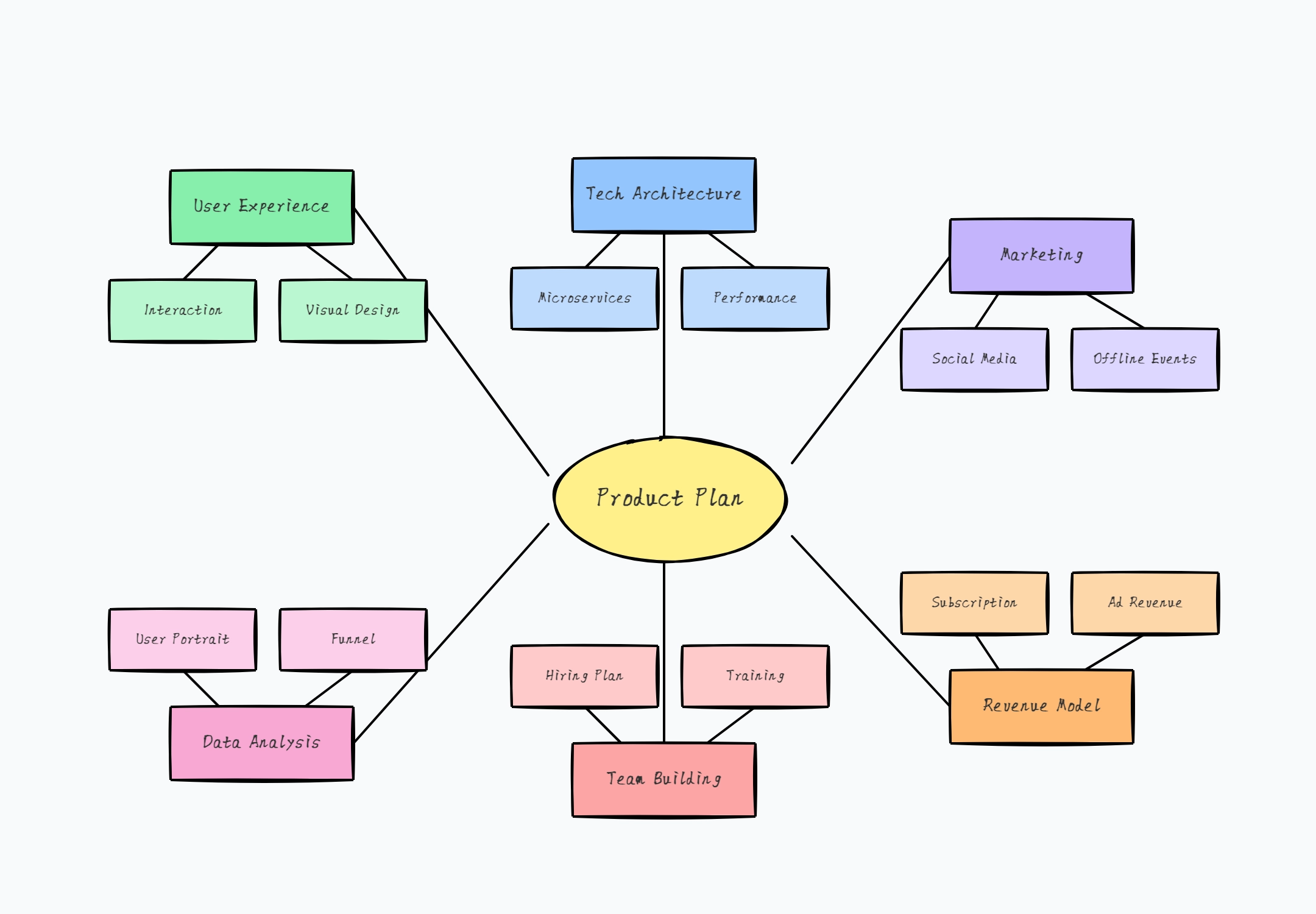
CodePic takes a different approach: hand-drawn style diagrams that feel more like whiteboard sketches than formal charts. This makes it particularly well-suited for early-stage brainstorming, technical discussions, and architecture walkthroughs where you want ideas to feel approachable rather than final.
What sets it apart is native AI integration. Through the MCP protocol, CodePic connects directly with tools like Cursor and Claude — so you can describe a diagram in plain language and have AI generate it for you. For teams where AI is already part of the daily workflow, this is a genuinely different kind of leverage.
CodePic is currently free to use.
Frequently Asked Questions
Is draw.io really 100% free?
The core draw.io web and desktop editors are free, open source, and have no document limit or required account. Some host-specific products, including Atlassian Marketplace integrations, are separately priced.
How much do draw.io and Lucidchart cost in 2026?
The core draw.io web and desktop editors cost $0. Lucidchart Free allows 3 editable documents with 60 shapes per document. Lucid lists its Individual plan at $9 per month plus tax and its Team plan at $10; enterprise pricing and some billing terms require a current quote.
Is Lucidchart worth paying for if I already use draw.io?
Pay for Lucidchart when your team needs a managed document workspace, native comments and permissions, persistent data linking, or deep Google Workspace and Microsoft 365 integration. draw.io can also collaborate and generate from data, but relies more on files and host integrations.
Does draw.io support real-time collaboration like Lucidchart?
Yes, through supported storage and host integrations. Depending on where the file lives, draw.io supports concurrent editing and live cursors, while permissions and history belong to the host. Lucidchart keeps those collaboration controls in one managed workspace.
Which tool is better for software architecture and UML diagrams?
draw.io. Its UML class diagram, sequence diagram, and network topology shape libraries are deeper, and the XML file format works well with version control. Lucidchart can do these too, but engineers most often prefer draw.io for technical diagrams.
Which is better for cloud architecture diagrams (AWS, GCP, Azure)?
Both ship official AWS, GCP, and Azure shape libraries. Lucidchart's icons are slightly more polished and update faster after vendor rebrands, but draw.io covers all the standard cloud services and is sufficient for most architecture diagrams.
Can I import draw.io files into Lucidchart, and vice versa?
Yes. Lucidchart imports draw.io files, and draw.io imports Lucidchart diagram files. draw.io also documents a copy-and-paste workflow for individual diagrams. Test data links, custom shapes, comments, and styling before completing a migration.
Which one is better for non-technical teams (marketing, ops, HR)?
Lucidchart. Its onboarding, templates, and collaboration features are designed for cross-functional teams. draw.io is technically capable but has a denser UI and assumes more comfort with diagramming concepts.
Can I use draw.io or Lucidchart offline?
draw.io has an official desktop app (Windows, macOS, Linux) that works fully offline. Lucidchart is web-only and requires an internet connection; offline editing is not supported.
What are the main free alternatives to both tools?
The most popular free alternatives are CodePic (hand-drawn style with AI generation), Excalidraw (sketch style, open source), Whimsical (clean look, limited free tier), and Miro (large free canvas but diagramming features are basic). See our deeper looks at Excalidraw vs draw.io and Miro vs draw.io for two of the most common alternative matchups.
Do draw.io and Lucidchart work with AI tools like ChatGPT or Cursor?
Both do. draw.io provides text-based generation and an official MCP server. Lucid AI generates and iterates on editable diagrams, and Lucid also provides MCP connectivity. Compare usage limits, file ownership, and the handoff from generation to editing.
How do I convert a Lucidchart file to draw.io?
Import the Lucidchart diagram file into draw.io, or copy the selected diagram from Lucidchart into a blank draw.io canvas. Keep the original until connectors, custom shapes, data-linked fields, comments, and page structure have been checked.
Can draw.io open Lucidchart files directly?
Yes. draw.io lists Lucidchart diagram files among its supported import formats and documents a copy-and-paste conversion workflow. Import quality depends on the source features used.
How does Gliffy or Visio compare to draw.io and Lucidchart?
Gliffy is a paid, Atlassian-focused tool similar in spirit to Lucidchart but with a smaller feature set. Visio is Microsoft's desktop-first option, powerful but Windows-centric and expensive. For most people the decision still comes down to draw.io (free, open) vs Lucidchart (collaborative, paid); Gliffy and Visio are mainly relevant if you're already locked into Atlassian or Microsoft ecosystems.
Summary
draw.io and Lucidchart are both solid, proven tools — the choice between them really comes down to your context.
For individuals or teams with limited budgets: draw.io. For teams that collaborate heavily in a managed environment: Lucidchart.
The best approach is to try both with a real diagram from your work. The one that gets out of your way faster is probably the right one.
For more alternatives to consider, see our draw.io alternatives guide and Lucidchart alternatives guide.


