For Creately alternatives, shortlist draw.io or Lucidchart for technical diagrams, Miro for workshop participation, and CodePic, Excalidraw or tldraw for sketching. Stay with Creately if its relationships and linked information are central to the work: those can cost more to rebuild than the visible boxes.
Use Creately's current free baseline when comparing: its plan page lists 40 shapes per diagram and real-time collaboration. Do not decide from an old three-document or unlimited-public-diagrams description. The six options below differ in source files, collaboration and ongoing maintenance.
What to Look For in a Creately Alternative
List the diagram types you actually produce before you compare anything. If your work is mostly UML, ERDs, and network diagrams, the shape library is the deciding factor. If your work is sticky notes, journey maps, and sprint planning, collaboration and templates matter more than shape depth.
Pricing structure matters too. Some tools are free forever, some have free tiers with document caps, and some price per user per month. A tool that looks cheap per seat gets expensive across a team of twenty. Check whether the free tier is genuinely usable for your volume or just a trial.
Templates and ease of use are worth their own question: can a new teammate produce something decent in the first session? A steep learning curve cancels out a powerful feature set if nobody in the group wants to open it.
The Creately Exit Map
Creately alternatives fall into different lanes depending on what made Creately feel wrong in the first place.
If the problem is too many features in one interface, move toward a simpler canvas like CodePic, Excalidraw, or tldraw. You keep speed and reduce the number of decisions needed before drawing.
If the problem is technical diagram depth, move toward draw.io or Lucidchart. Those tools are less playful but stronger for UML, ERDs, network diagrams, and structured documentation.
If the problem is team rituals, move toward Miro. Creately can support collaboration, but Miro is built around workshops, retrospectives, and planning sessions. That difference matters when the diagram is only one part of a larger meeting.
This Creately alternatives list is easiest to read as an exit map: leave toward simplicity, precision, or facilitation depending on what actually slowed your team down.
1. Lucidchart
Free tier: 3 documents
Style: Clean, professional
Best for: Formal, data-linked diagrams
Lucidchart is the closest in scope to Creately among the paid options. It covers flowcharts, org charts, network diagrams, UML, wireframes, and more, with deep integrations for Google Workspace and Microsoft 365. Teams already living in the Google or Microsoft stack tend to find it slots in naturally.
Its standout feature is data-linked diagrams. Import a CSV or a spreadsheet and Lucidchart generates an org chart or a system inventory that updates when the source data changes. For anything where accuracy against a live dataset matters, that's a real advantage over drawing by hand.
The limitations mirror the strengths. The free tier caps you at three active documents, paid plans start around $9 per user per month, and the interface can feel dense for casual users. It's a professional diagramming tool, not a sketching surface.
Best for: Teams that need formal, data-accurate diagrams with enterprise integrations.
2. draw.io
draw.io is a file-oriented diagram editor with a free browser and desktop core. Keep the native .drawio/XML source for later edits and export a separate reader copy. Atlassian apps and other integrations can have their own commercial terms, so “free core” does not mean every deployment is free.
Real-time editing is available through supported hosts, including Google Drive or OneDrive. Check the host's setup and permissions rather than calling draw.io a tool with no co-editing. Local storage is another option; choose a deployment that matches your data-handling needs instead of assuming every export and external resource request stays on the device.
For technical work, test the actual shapes, branch labels and a moved connector. Import support does not establish lossless export back to the source format. In particular, the current open-source build does not enable VSDX export, so do not promise a Visio round trip.
3. Miro
Free tier: 3 boards
Style: Clean
Best for: Team collaboration and workshops
Miro is the market-leading online whiteboard, and it competes with Creately more on collaboration than on diagram depth. Sticky notes, mind maps, flowcharts, journey mapping, retrospectives, sprint planning — Miro handles a huge range of team activities on an infinite canvas.
The template library is the deepest in this category, and real-time collaboration is smooth with granular permissions. For a team that runs workshops and wants diagrams as part of a larger planning flow, Miro is a strong choice.
What Miro won't give you is diagramming precision. Its shape library is adequate for standard diagrams but thinner than draw.io or Lucidchart for technical types like UML or network topology. The free tier is limited to three boards, and per-seat pricing climbs across a large org.
Best for: Mid-size to large teams that prioritize collaboration and templates over deep technical shapes.
Test the Exit with One Flowchart
Use the flowchart below to test migration friction. Import or rebuild it, change a decision, invite a reviewer, and confirm that the export remains editable.
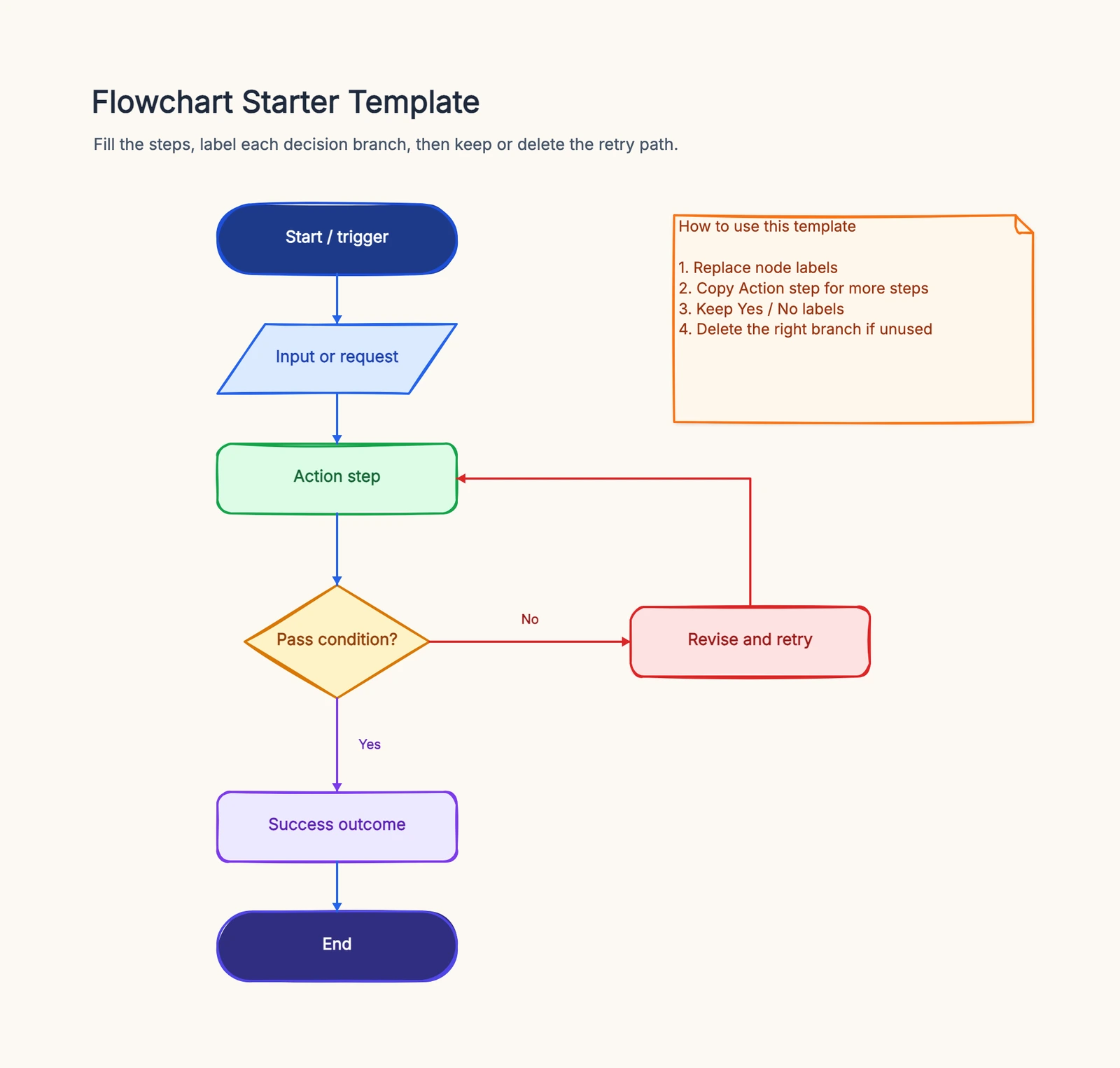
The exercise reveals whether your priority is technical notation, workshop collaboration, fast sketching, AI assistance, or ownership of local files.
4. CodePic
Free tier: Unlimited
Style: Hand-drawn
Best for: Free sketching with AI integration
CodePic is a free, hand-drawn alternative with MCP AI integration. It's an infinite whiteboard, so the day-to-day experience is loose and canvas-first — sticky notes, freehand, connectors — similar in spirit to Excalidraw but with more structure available when you need it.
The structure comes as a broad shape library and a template library covering flowcharts, sequence diagrams, system architecture, ERDs, org charts, mind maps, and more. These live on the same canvas as your sketches rather than in a separate diagramming mode.
AI is what sets it apart for many teams. CodePic supports MCP, so you can describe a diagram in plain language to Claude or Cursor and get editable shapes placed on the canvas. Collaboration today is read-only link sharing — fine for sharing results, not for simultaneous editing. If real-time co-editing is essential, Miro is a better fit.
Best for: Developers and technical teams who want a free, hand-drawn canvas with AI-assisted diagram generation.
5. Excalidraw
Free tier: Unlimited (open source)
Style: Hand-drawn
Best for: Zero-friction sketching
Excalidraw's free editor suits quick hand-drawn sketches and shareable collaboration rooms. Persistent team workspaces and administration are separate paid-product questions. Save the native source and check the retention model you need.
For individuals and small teams, it's hard to beat for speed. A flowchart for a quick discussion, a sequence sketch for a code review, a rough mind map — all take minutes. Excalidraw also has a free Mermaid-to-diagram converter for bringing text-based diagrams in.
The limits are deliberate. The shape library is minimal, there are few templates, and team features (like encrypted collaboration) sit behind a paid plan. It's a sketchpad, not a full diagramming suite. If your work needs formal diagram types, you'll outgrow it.
Best for: Quick sketching and early ideation where speed matters more than structure.
6. tldraw
tldraw is a visual canvas with a hosted application and a separate developer SDK. The hosted app now supports account-based cloud file management; do not evaluate it from the old claim that every shared file has no account, ownership or storage boundary.
Use the app to test drawing, saving and reopening with the people who will actually maintain the board. Check what an invited collaborator can edit and who owns the file after the creator leaves. A successful shared-link session does not by itself establish long-term retention or administrative controls.
For application embedding, read the SDK's current license and deployment terms separately. The hosted app's free access is not a commercial SDK license. Compare the integration contract—load, save, export, authentication and version ownership—before building around it. For formal technical notation, also compare the shape and routing workflow with draw.io or Lucidchart.
Quick Comparison
| Tool | Style | Free Tier | Real-time Collab | Templates | Best For |
|---|---|---|---|---|---|
| Creately | Clean | Free: 40 shapes per diagram | ✓ | Many | All-in-one diagramming |
| Lucidchart | Clean, professional | 3 docs | ✓ | Strong technical | Data-linked diagrams |
| draw.io | Clean, formal | Unlimited | Host-dependent real time | Shape library, few guided | Deep technical diagrams |
| Miro | Clean | 3 boards | ✓ | Very large | Team workshops |
| CodePic | Hand-drawn | Unlimited | Read-only link | Flowchart, ERD, system, more | AI-assisted sketching |
| Excalidraw | Hand-drawn | Unlimited | Shared link | Minimal | Zero-friction sketching |
| tldraw | Hand-drawn | Check hosted account plan | Shared link | Minimal | Real-time whiteboarding |
How to Choose
Start with the diagram types you produce most. UML, ERDs, and network diagrams point to Lucidchart for paid or draw.io for free. Workshops, journeys, and team planning point to Miro. Freeform brainstorming and early ideation point to Excalidraw or tldraw. AI-assisted diagramming on a free canvas points to CodePic.
Compare the ongoing storage and collaboration model as well as editor access. draw.io has a free core, Excalidraw has a free editor, CodePic supports free canvas work, and tldraw's hosted account workflow should be checked separately from SDK licensing. Integrations and external AI usage can have separate costs.
Then run a small test: build one real diagram you actually need in the two or three finalists. The tool that feels natural after one session — and produces something you'd ship — is the one to keep.
For a fuller treatment of the free whiteboard side of this list, see our Best Free Online Whiteboard Tools in 2026. And if you're torn between the two formal diagram tools, our draw.io vs Lucidchart comparison walks through the differences.
Related Reading
- Excalidraw vs tldraw: Which Hand-Drawn Whiteboard Is Better? — The head-to-head for the hand-drawn options above.
- Excalidraw Alternatives: Hand-Drawn Whiteboard Tools Compared — A closer look at the sketching category.
- Miro vs FigJam: Which Whiteboard Tool Fits Your Team? — For when the collaboration platforms are your final choice.
- Best Free Online Whiteboard Tools in 2026 — A broader roundup of free canvases and whiteboards.
- draw.io vs Lucidchart: Pricing, Features & Which to Pick — The direct comparison between the two formal diagram tools.
A migration inventory you can actually check
Use a fictional release approval diagram with eight steps, two decision branches, one owner note and a link to the release checklist. Inventory those objects before exporting. A screenshot that looks correct can still have lost the editable connector, the source link or the relationship between two records.
| Item | Keep for reference | Must survive as editable information |
|---|---|---|
| Eight steps | PNG or PDF snapshot | Separate labels and shapes |
| Two branches | Visible Yes/No labels | Connectors attached after moving a step |
| Owner and checklist | Readable note | Working link and clear responsibility |
| Linked records | Exported record list, where available | IDs or an agreed replacement data source |
Check the formats Creately can actually export under your plan, then the formats the destination can import. A destination accepting XML does not establish that Creately exports compatible XML. If rebuilding is necessary, estimate it on this small diagram before promising a workspace-wide migration.
For acceptance, rename one step, add a third decision outcome and move its destination. Reopen the saved source and ask a colleague to find the current version. Record missing comments, history and data links separately: rebuilding a drawing does not migrate its entire workspace context. Keep the original export until the owner signs off. See draw.io alternatives if the requirement is an embedded editor rather than a hosted workspace.


