Most chore charts die within two weeks. You print a colorful grid, tape it to the fridge, and for the first three days the kids dutifully move their magnets. Then school gets busy, you forget to check it, and by Sunday the chart is just another piece of fridge art nobody looks at. The failure is rarely the kids — it is the system.
A chore chart template that survives needs to be more than a list of tasks in a box. It needs a clear "done" signal, a reward that actually matters to the person doing the work, and a layout that answers "what am I doing today?" in one glance. This guide walks through the designs that hold up in real households, how to set one up from scratch, what chores fit each age group, and a few complete examples you can adapt. If you want a ready-made starting point, the free chore chart template in CodePic gives you a blank grid you can fill in the way that fits your family.
Why Most Chore Charts Fail
Chore charts fail for a handful of predictable reasons, and once you see them you will spot them in every chart that stops working.
Too complicated. A chart with forty tasks, five columns, and a color code that needs a legend is a chart nobody wants to look at. Young kids read one thing at a time. If the chart does not make sense at a glance, it becomes invisible. The best chore charts fit on one glance: a name, a task, a box to check.
No visual reward. Completing a chore is invisible labor — the bed gets made, the trash gets taken out, and nothing changes in a way the child can see. A chart fixes this by making completion visible. A sticker, a checkmark, a magnet moved from "to do" to "done" — that physical signal is the whole point. Charts that only list tasks without any way to mark them done strip out the only reward they had.
Parents do not stick with it. The chart is only as good as the routine around it. If you check it Sunday night and never again, the message to the kid is that the chart does not matter. A chore chart works when someone looks at it with the child every day for the first few weeks — the habit forms for the parent before it forms for the kid.
The pattern behind all three failures is the same: the chart was designed for display rather than for daily use. When you build your own, test it against one question — can a person glance at it and know exactly what to do next? If the answer is not instant, simplify.
Chore Chart Designs That Actually Work
Four designs survive contact with real households. Start with the first one; branch out if your family needs something different.
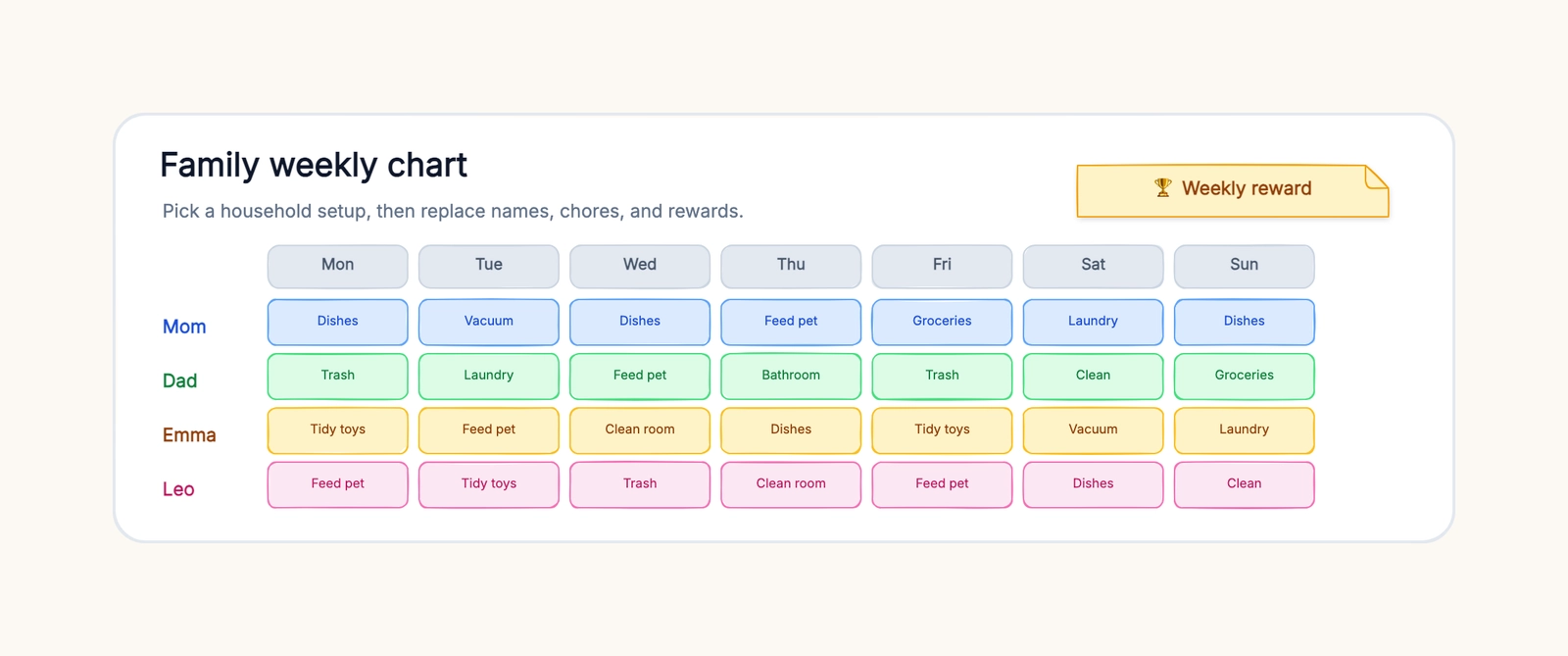
Name × day grid. The classic: rows are people, columns are days of the week, and each cell holds a task or a checkmark. It answers "what am I doing today?" in one glance. For a family of four with rotating chores, you can write the rotation right into the grid — Monday Mom does dishes, Tuesday Dad does, Wednesday the oldest kid, and so on. The grid is the most flexible design, which is why it is the one to start with.
Weekly rotation wheel. A circle divided into sections, one per person, with that person's chores listed in each wedge. Rotating weekly means everyone eventually does every job, which kills the "that's not my job" argument before it starts. The wheel is a nice visual for kids who are too young to read columns well — they can find their name on the wheel and follow their wedge around the week.
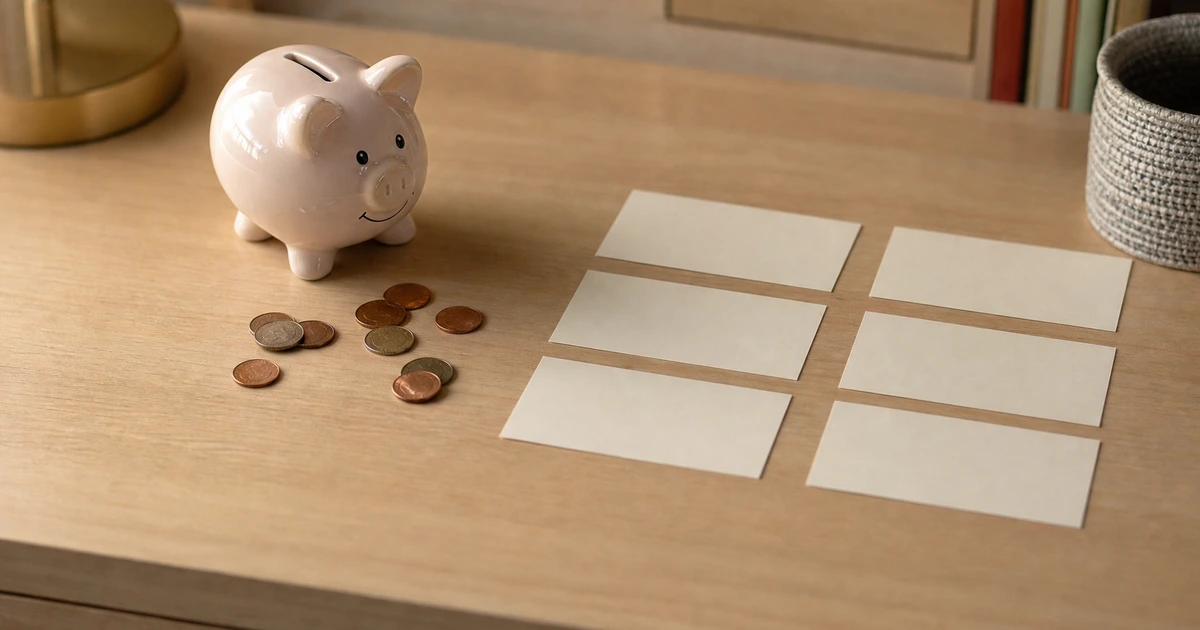
Sticker or reward board. Separate the chore itself from the reward. A sticker board shows accumulated stickers toward a goal — five stickers equals a movie night, ten equals a small toy. The key is that the goal is agreed on in advance and written on the board. Kids as young as four understand "fill your row and you get X" far better than abstract points.
Color-coded zones. Assign each family member a color and color-code their tasks across the week. This works great with multiple kids — everyone's responsibilities pop out in their color. You can color-code a name × day grid by giving each person's cells a tinted background. It makes "whose job is this?" answerable from across the room.
How to Set Up Your Chore Chart, Step by Step
The setup matters more than the design. A chart thrown together in a hurry on a Sunday night fails; one built with a little structure lasts.
1. Write down every chore that repeats weekly. Empty the dishwasher, feed the cat, sort the laundry, take out the trash, sweep the kitchen. Leave out one-off deep cleans. You want a stable list of recurring tasks, roughly 8–15 for a typical household. Anything that does not happen weekly probably does not belong on the chart.
2. Sort chores by difficulty. Rate each one: easy (take your plate to the sink), medium (empty the dishwasher), hard (clean the bathroom). This is how you distribute by age. Easy chores go to the youngest, hard chores to the oldest — and to the adults. A chore chart that only lists kids' chores reads as "chores are a thing kids do." Adults belong on it too, and seeing their own tasks on the board is what models the behavior.
3. Assign fairly and rotate. Everyone gets a mix, and the chores nobody wants get rotated. A simple rotation swaps assignments weekly or monthly so no one is stuck with the worst job forever. When chores rotate, kids learn every part of keeping a house running instead of building resentment toward the one task they are stuck with.
4. Build in a reward you can actually deliver. Decide the reward before the chart goes up, and keep it small and specific. A family movie night, choosing dinner on Friday, extra screen time, a small allowance. The reward has to be something the parent is willing to follow through on — an extravagant reward that never materializes teaches kids that the chart is a lie.
5. Make it visible. The chart belongs somewhere people pass constantly — the kitchen wall, the fridge door, a family bulletin board. If it lives in a drawer or a notebook, it dies. In CodePic you can draw the grid, tint each person's row in their color, and print it — or keep it on screen and update it together each evening.
6. Agree on what "done" means for each chore. This single step prevents most of the arguing. "Clean the bathroom" means very different things to a parent and a 10-year-old. Before the chart goes up, walk through each chore and define done: the mirror has no spots, the counter is clear, the floor is swept. Write a one-line definition on the back of the chart or beside it. When someone argues about whether a chore was actually finished, the chart settles it — not the loudest voice.
One more choice to make: printed or on-screen. A printed chart on the fridge is the most visible and works best for young kids who want the physical sticker in their hand. An on-screen chart works better when chores change often or when you want the history — in CodePic, the same board can hold this week's grid and last month's, so you can scroll back and confirm the rotation has been fair.
Introducing the Chart Without a Fight
A chore chart is a change in the family routine, and kids push back on change even when it is good for them. How you introduce it matters as much as what it says.
Build it together. Let the kids help create the chart — choosing their color, picking their sticker, even helping draw the grid. A chart they helped make is their system, not your rule. The ten minutes it takes is a cheap investment in buy-in.
Make the first week a teaching week. For the first seven days, do the chore alongside your child rather than checking it afterward. You are not testing them; you are teaching the standard. "Here is how we load the dishwasher so it comes out clean" beats a red checkmark on an empty box.
Celebrate the first wins loudly. The first time the 6-year-old remembers their chore without being reminded is worth a big deal — a sticker, a high five, an announcement at dinner. Early wins are what convince a kid that the chart works for them, not against them.
Expect one rough patch. Around day four or five, the novelty wears off and a kid will "forget." That is normal. You do not need a bigger consequence; you need a calmer reminder and a consistent check-in. The chart survives the rough patch if you do.
Chores That Fit Each Age
Ages matter less than abilities, but these buckets are a useful starting point. The guiding rule: a chore should be doable by the child without help, and slightly beyond what they already do on their own.
Ages 4–6. One-step tasks with visible results: put toys in the bin, put clothes in the hamper, feed the pet (with the scoop already measured), wipe the table, put books on the shelf. At this age the goal is participation, not productivity. Two or three tasks with a sticker for each is plenty. The physical act of placing the sticker is half the reward.
Ages 7–10. Multi-step tasks: make the bed, empty the dishwasher, set and clear the table, sort laundry into piles, water plants, take out the recycling. Kids this age can manage three to five chores a week and can follow a rotation. They are also old enough to grasp the reward system — five stickers for a sleepover night, ten for a small outing.
Ages 11–14. Real responsibility: load and run the dishwasher, do their own laundry, clean the bathroom, vacuum or mow, prepare simple meals, manage their own school bag. This is the age where chores connect to independence — they are learning skills they will need when they leave home. A weekly allowance often fits here, tied to a chore list they can complete on their own schedule.
Teens. Household-level responsibilities: grocery list and shopping, cooking dinner once a week, deep cleaning, yard work, helping with younger siblings. Teens respond better to a weekly "here is what the house needs" list they can negotiate than to a fixed grid. Let them choose which chores they take on, within reason. The chart becomes a planning tool rather than a directive.
A final note on ages: these are starting points, not verdicts. A capable 5-year-old can handle more than a reluctant 9-year-old. Watch what your child can already do alone, then aim one small step past it. The point of the chart is not a perfectly efficient household — it is kids learning that a shared living space is maintained by everyone in it.
Real-Life Chore Chart Examples
Charts read differently depending on the household. Here are three common setups you can copy.
A family of four with rotating chores. Two adults and two kids, say 8 and 11. The chart is a name × day grid on a two-week cycle. Dishes, trash, and sweeping rotate weekly so nobody is stuck with the worst job. Each kid has three chores per week, each adult four. The reward is family movie night on Saturday — but only if everyone's boxes for the week are filled. The 8-year-old's chores: feed the dog, clear the table, put away toys. The 11-year-old's: empty the dishwasher, sort laundry, set the table. Adults take the kitchen, bathrooms, and vacuuming.
A single parent with one child. A 6-year-old and one parent. The chart is small — three rows, one per day, a single task each. The kid's tasks are simple and paired with a parent task, so it reads as "we both do our part": Monday, kid puts away toys while parent cooks dinner; Tuesday, kid feeds the cat while parent does dishes. A sticker per day, and five stickers means choosing the Saturday activity. Keeping it tiny matters here — a single parent does not have the bandwidth to referee a forty-task chart.
A roommate chore split. Chore charts are not just for kids. Two roommates share a three-column chart: one column per person, plus a shared column for common spaces. Shared chores rotate weekly — floors one week, bathroom the next — which takes the "I cleaned last time" debate off the table. The chart itself is the peace treaty: when the bathroom is dirty and the chart says it is your week, there is no ambiguity about who owns it.
Common Mistakes
Even a well-designed chart can fail when it is built around the wrong incentives. These are the mistakes that sink most of them.
Too many chores. A chart with fifteen tasks per kid is a chart that gets ignored by everyone, including the parent maintaining it. Three to five chores per kid per week is a healthy load. The goal is a chart that gets finished, not one that looks thorough.
No clear "done" signal. If "done" looks the same as "not started," the chart is not a chart — it is a poster. Every chore needs a visible completion state: a filled square, a sticker, a magnet moved to a "done" column. Kids need to watch progress accumulate.
Punishment instead of reward. The moment a chore chart becomes a system for taking things away, kids stop caring about it. "No screen time until your chores are done" is a reasonable house rule, but it should not be the chart's only engine. Pair it with a positive reward — something they earn, not just something they avoid losing.
Inconsistent enforcement. The parent who checks the chart on Sunday, forgets it for a week, then checks it again on Tuesday sends one message: the chart is optional. Consistency beats intensity. Even two minutes a day — "let us look at the chart together" — keeps it alive. If you cannot maintain it, shrink it.
Starting during a stressful season. The first week of school, right before a move, during a holiday visit — these are not the moments to introduce a new system. Pick a calm two-week stretch to launch the chart. Starting strong for one week is worth more than starting half-heartedly during chaos.
Plan Before You Start
Most chore charts fail at the design stage, before a single sticker is placed. The fix is to sketch the system visually before you commit it to the fridge — decide the layout, the chores, the rotation, and the reward all in one place you can see.
CodePic is a free, hand-drawn whiteboard for planning things visually. Draw the grid once, add a colored card for each family member, and rearrange it until the system feels fair — moving a chore between days is a two-second drag instead of a reprint. The hand-drawn style makes the chart feel friendly and collaborative rather than like a clipboard of rules. Use the chore chart template to design a system your family will actually stick with, then print it or keep it on screen for the evening update.
Related Reading
- What Is an Infinite Whiteboard? — Why planning on an unbounded canvas changes how families and teams organize.
- How to Make a Kanban Board — The same visual-flow thinking behind chores, applied to work and projects.
- Best Free Online Whiteboard Tools in 2026 — Other free options for visual planning.
- Excalidraw Alternatives: The Best Hand-Drawn Whiteboard Tools — More tools in the hand-drawn style.