Back to template

Keyword Mapping Examples

These five teaching examples cover different audiences and planning tasks. The editable canvas includes two complete scenes. Additional written examples show how students, working teams, product owners, and creators can adapt the structure. No measured growth outcomes are claimed.

Keyword Mapping Examples

Real examples

Diagram website

Who uses it: Content editor managing tutorials and templates

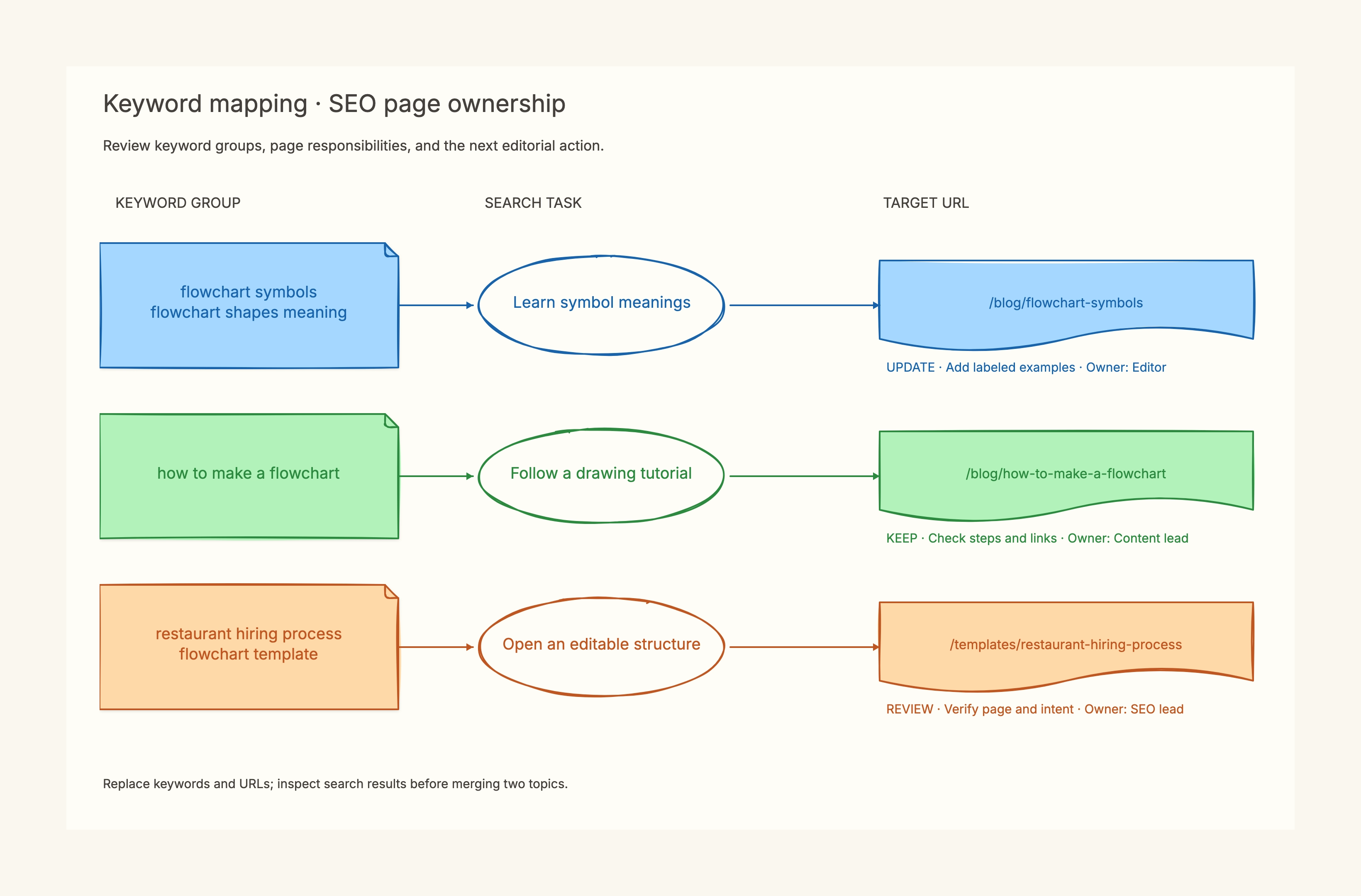
Group: flowchart symbol meanings.
Task: interpret a shape; destination: symbols reference.
Action: add an annotated decision example; owner: editor.

Why this works: A symbol reference and a drawing tutorial can mention the same diagram type while solving different tasks. Inspect results before finalizing ownership.

Bedding ecommerce store

Who uses it: Merchandising and content team

Buying task → collection page.
Material comparison → comparison guide.
Washing task → product-specific care instructions.

Why this works: The map prevents a blog-only plan from replacing useful product and support destinations.

Student organization website

Who uses it: Student maintaining a public club site

Join the club → membership page.
Meeting schedule → event calendar.
First meeting preparation → new-member guide.

Why this works: Separate the action of joining from finding dates; one general introduction may not satisfy both.

Local studio service pages

Who uses it: Studio manager or website owner

Family session availability → booking information.
Session outfit ideas → preparation guide.
Review service area and current terms before publishing.

Why this works: Service queries need accurate booking details; a broad advice article is a supporting asset.

Creator tutorial library

Who uses it: Creator publishing searchable lessons

Beginner technique → step-by-step lesson.
Download practice worksheet → resource page.
Review related phrases for one shared task before splitting lessons.

Why this works: The resource page provides a usable artifact, while the lesson explains the method. Their primary purposes should stay distinct.
Review your mapping decisions

  • Keep original research and date notes outside the visual overview.
  • Review one section at a time before expanding to the whole site.
  • Give consolidation candidates a separate evidence review before changing URLs.

Related resources

How it compares to similar tools

Keyword list vs keyword map

A list stores phrases and metrics; a map assigns responsibility to pages.

Keyword map vs content map

Page ownership differs from planning the reader’s next step in a journey.

Spreadsheet vs whiteboard

Keep large exports in a spreadsheet and use the board for reviewed decisions.

Common mistakes to avoid

  • One page per wording variant

    Check the task and search results before making more URLs.

  • An empty action column

    Record a deliverable and owner so the map becomes executable.

  • Treating unknown KD as easy

    Keep missing metrics unknown and do not transfer scores between queries.

Frequently asked questions

Does the template fetch keyword metrics?+

No. Bring verified research from your keyword tool; the canvas organizes page decisions.

Can I use existing URLs?+

Yes. Inventory existing content first, then decide what needs an update or a new page.

Are sample queries verified opportunities?+

No. They demonstrate planning; check their demand and search results before execution.

Start editing online

Go back to the template, swap in your own content, and keep the same structure if it fits your project.

Use this template: /editor/new?template=keyword-mapping

Plan with this template