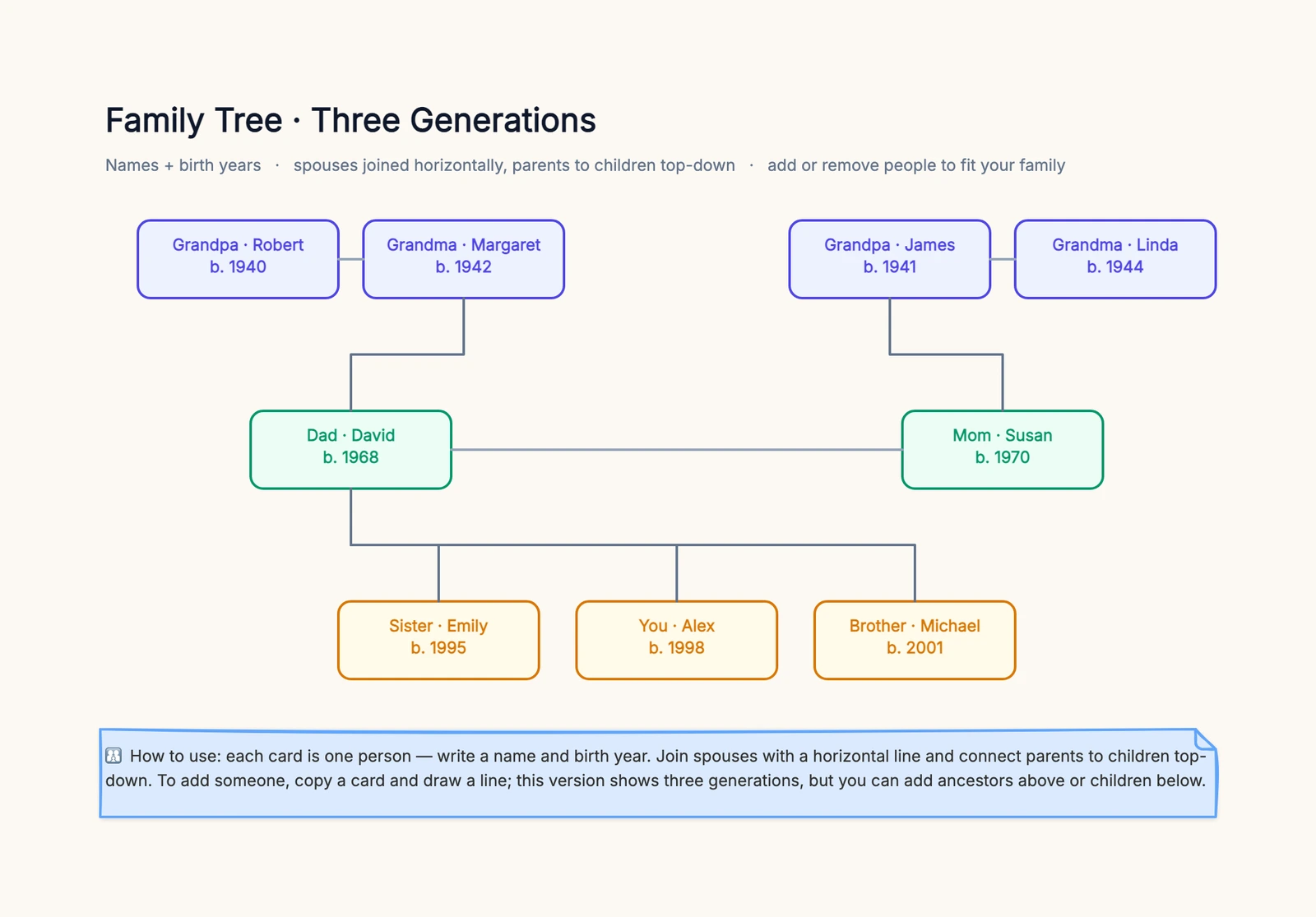
A family tree turns a jumble of names and "she's your father's cousin" into something you can actually see. Whether it's a school project due Friday, a keepsake for a reunion, or the start of tracing your genealogy, the hard part usually isn't the drawing — it's knowing where to begin and how to lay it out so it stays readable. This guide walks through both, and gives you an editable template to fill in.
Start with Yourself, Not the Oldest Ancestor
The most common way people get stuck is trying to begin at the top — the earliest ancestor — and hitting a wall because they don't have those records. Do the opposite.
Start with yourself (or the youngest generation) at the bottom, and work upward one step at a time:
- You and your siblings.
- Your parents above you.
- Each parent's parents — your grandparents — above them.
You always know the bottom of your own tree. Building from what you're certain of gives the tree a solid base, and every generation up is just "who were this person's parents?"
Gather Names and Dates First
Before you lay anything out, collect what you can. A quick pass now saves rearranging later:
- Names — full names, and maiden names where they apply.
- Birth years — and death years for those who've passed.
- Relationships — who married whom, and who their children are.
Where to find it when memory runs out: ask the oldest relatives first (they hold the most and won't be around forever), then check the backs of old photos, family bibles, wedding and funeral records, and any documents with dates. If you're going deeper, census records and online genealogy databases fill gaps — but for a three-generation tree, a few phone calls usually cover it.
Lay Out Generations Top to Bottom
A readable tree follows two simple rules:
- One generation per row. All the grandparents in the top row, all the parents in the middle, your generation at the bottom. Never mix a grandparent and a cousin in the same row — it breaks the logic instantly.
- Two kinds of lines. Join spouses with a horizontal line between them; connect parents to children with a top-down line. The direction does the work of showing whether a link is a marriage or a descent.
Color-coding each generation (one color for grandparents, another for parents, another for kids) makes the structure obvious at a glance — useful the moment the tree has more than a handful of people.
Keep Each Card Short
It's tempting to pack every card with the full name, both dates, a birthplace, and a note. Don't — a crowded tree is an unreadable one. Keep each card to a name and a birth year (add a death year if needed). Everything else — places, stories, sources — belongs in a linked note or a separate document, so the tree stays scannable and printable.
Decide How Far to Go
- Three generations — grandparents, parents, kids — is perfect for a school project or a keepsake. It's meaningful and fits on one page.
- Four or more — add great-grandparents as a new top row and widen the lower rows for cousins. Doable, but keep the discipline: one generation per row.
- Full genealogy — once you're going back many generations with dates, places, and sources, a dedicated genealogy tool handles the scale better. Start simple here and move only if the tree outgrows a single board.
Common Mistakes to Avoid
- Starting from the top. You don't have those records yet — build up from yourself.
- Cramming cards. A name and a year per card; detail goes elsewhere.
- Mixing generations in a row. One generation per row, always.
- Uniform lines. Horizontal for spouses, top-down for parent-child — or no one can read the relationships.
Fill In the Template
You don't need genealogy software to make a clean family tree — you need an editable board where you can drop in people, connect them, and rearrange freely. Sketch what you know, then share the board with relatives so they can fill in the names and dates you're missing (crowdsourcing the gaps is the fastest way to complete a tree).
The template below gives you three generations already laid out — grandparents, parents, and children — color-coded, with spouses joined and parents linked to kids. Replace the names and years, copy a card to add anyone, and extend it up to great-grandparents or down to new children. When it's done, export it as an image to print, frame, or send around.
Need a looser, non-generational layout instead? A mind map handles free-form branching. Mapping a team rather than a family? Try the org chart template.