An AI storyboard uses AI assistance to propose shot descriptions or reference images, then arranges them into a sequence that people can edit and review. The essential output is a clear plan for what the audience sees, not a collection of polished pictures. Keep the script, character identity, camera decisions and generated results distinguishable.
This guide builds a six-shot plan for an original fictional scene called The Locked Parcel. It includes a shot-brief format, prompt examples, acceptance checks and a revision record. These are planning examples, not outputs from a model comparison or a claim that CodePic automatically generates storyboards or finished video.
Decide which part AI should assist
“Make a storyboard” can mean several jobs. A text tool can help propose coverage. An image tool can supply rough visual references. A dedicated production service may connect planning, image generation and animation. Verify the current capability of the tool you actually use, rather than assuming those jobs come together.
For this walkthrough, the writer controls the scene's information, a generator may supply candidate pictures, and an editable board stores the reviewed plan. A reviewer can approve a rough drawing when it communicates the shot, or reject an attractive image when it changes the story.
| Layer | Question it answers | Example |
|---|---|---|
| Story fact | What is true in this scene? | The key belongs to the passenger |
| Character reference | Who must remain recognizable? | Lin, teal bag, sand jacket |
| Shot brief | What must this particular view show? | Lin notices the matching notch |
| Generation prompt | How should a selected tool create a candidate? | Identity reference plus framing and action |
| Approval note | Does the candidate do its job? | Key readable; bag still correct |
The Runway storyboard resource describes AI-assisted visual planning. This article's record format and parcel scene are original examples. Provider guidance supports the tool category; it does not validate our ungenerated scene or establish a universal success rate.
Start with an original scene and a fixed information order
Scene input: Lin has returned a lost parcel and missed the train. The passenger opens the parcel. Inside is a brass key with a triangular notch. Lin sees that the notch matches a shape on the teal bag's clasp. Before Lin can ask a question, the passenger closes a hand around the key.
The information order matters: first establish that the parcel is opened, then let the audience see the key, then show why Lin reacts. Revealing the clasp first can create a different effect. Either order might work, but choose deliberately instead of accepting whichever picture looks strongest.
Write the intended audience response beside the scene: Understand what Lin recognizes, then wonder why the passenger hides it. This is a review target, not text that needs to appear on screen.
We use six shots and a provisional 24-second allocation for this scene within a longer episode. The numbers are editorial assumptions. If a later dialogue read or animatic needs more time, revise them. For a full one-minute structure, see the AI comic drama workflow.
Create six independent shot briefs
Give every shot one primary communication task. A shot can contain several actions, but you should be able to explain why that view belongs in the sequence.
| ID | Time | Shot brief | Required evidence | Reject if |
|---|---|---|---|---|
| P01 | 4s | Medium two-person view as passenger opens parcel | Lin and passenger share one space | Parcel has already vanished |
| P02 | 3s | Insert of key resting inside open parcel | Triangular notch clearly visible | Key design differs from reference |
| P03 | 4s | Close reaction as Lin looks downward | Eyeline points toward key | Lin looks into camera instead |
| P04 | 4s | Insert of teal bag clasp | Matching triangular shape readable | Bag is a new colour or object |
| P05 | 5s | Return to two-person view; Lin begins a question | Question interrupted by passenger's movement | Speaker or hand ownership unclear |
| P06 | 4s | Close hand closes around key | Key deliberately concealed | Key disappears before hand closes |
Total planned time is 4 + 3 + 4 + 4 + 5 + 4 = 24 seconds. A final image does not prove that the closing-hand action works. For motion, review the intervening movement and the start and end states as well.
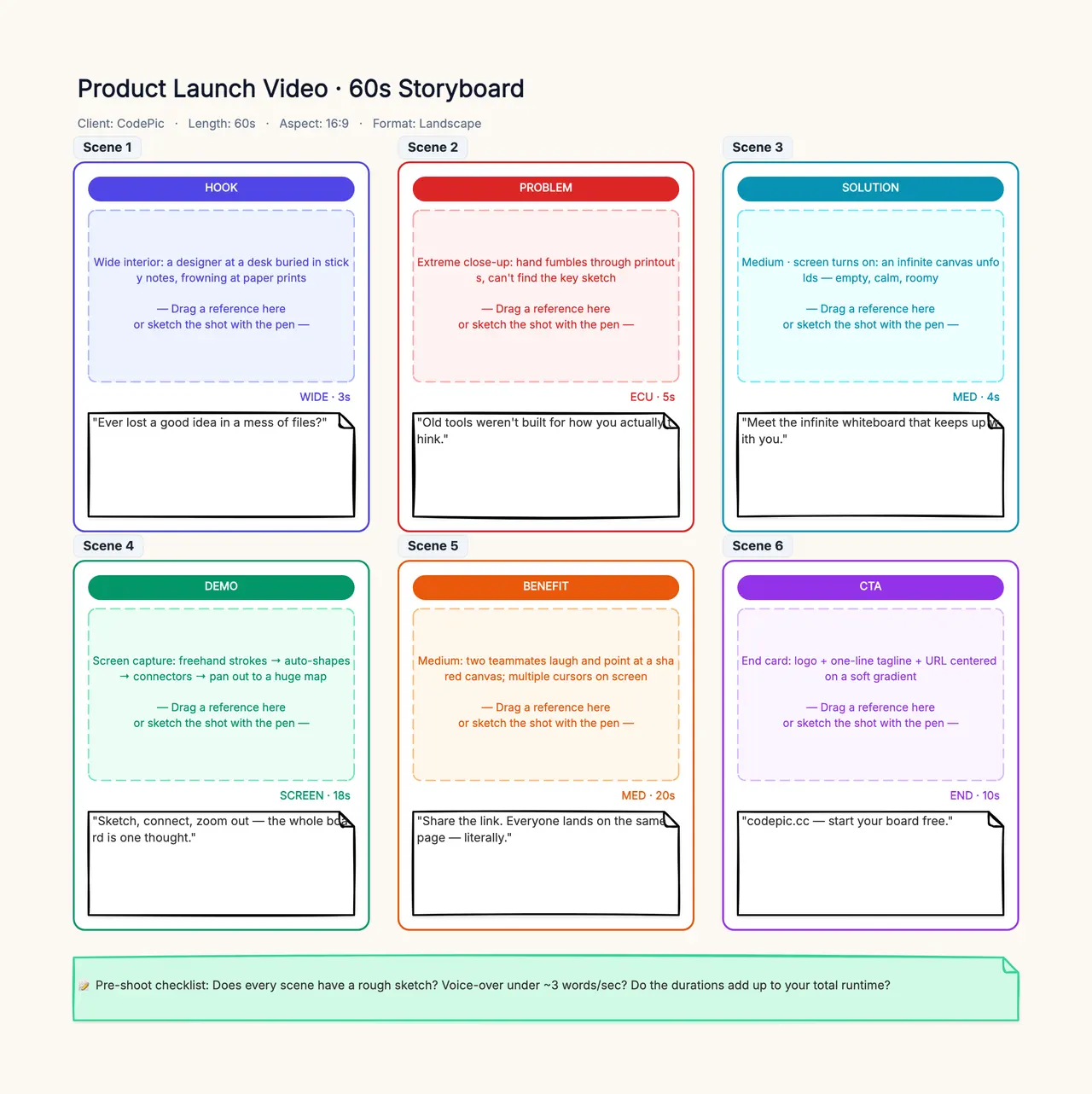
A six-panel storyboard template can hold these briefs. Rename its example product-video labels to the shot purposes above. Use ordinary notes to hold the requirements; no special generator integration is assumed.
Give each reference one job
Label references by authority. Lin identity controls the character's face, hair and clothing. Platform geography controls the bench, train and standing positions. Key design controls the triangular notch. Style reference guides the overall visual treatment.
If a beautiful style image shows a different bag, that bag is not an instruction to change Lin's costume. If the location reference contains a crowd, do not accidentally import the crowd when the brief calls for two people. A source image can carry unwanted information even when your written prompt is careful.
Save the approved references by version and identify which shots use them. When you replace a key drawing, review P02, P04 and P06 for the implications. P04 depicts the clasp rather than the key, but it still participates in the visual match.
Runway's image-reference guide documents one reference-aware approach. Exact reference limits and syntax depend on the selected tool. Keep the general shot brief portable and adapt the tool-specific command separately.
Write prompts from visible requirements
A reusable prompt structure can be simple: reference roles + subject + framing + visible state or action + spatial relationship + exclusions relevant to this shot. Do not pack the entire episode into every request.
For P02, a candidate prompt might read:
Use the approved key-design reference for the object.
Close insert of one brass key with a triangular notch,
resting inside the opened brown parcel on the passenger's lap.
Keep the notch unobstructed and the background simple.
Do not add writing, another key or a new object.
This is a storyboard reference frame, not a finished advertisement.
For P05, the task changes:
Use Lin's identity reference and the approved platform map.
Medium two-person view from the established camera side.
Lin, in a sand jacket with the teal cross-body bag, begins to speak.
The passenger's hand moves toward the key inside the parcel.
Keep the two people in their established left-right positions.
Do not complete the hand closure in this starting reference frame.
These examples do not use a universal product syntax. A tool may require you to attach references or select an editing mode through its interface. Follow that interface's instructions and verify that the intended files are actually attached.
Avoid adding adjectives that conflict with legibility. An extremely dark, heavily blurred insert may conceal the notch the scene depends on. The shot's communication requirement should win over decoration.
Review the sequence in three passes
Pass one: information. Can a viewer explain what Lin notices? Check that P02 and P04 communicate the same shape and that the reaction occurs after the needed evidence. If viewers think the key was stolen rather than recognized, inspect the information order before changing colour grading.
Pass two: continuity. Compare clothing, bag strap, parcel condition, key shape and left-right geography across adjacent shots. A frame can pass an isolated identity check and still fail when placed next to the preceding view. Use the character consistency checklist for a detailed record.
Pass three: timing and motion. Play rough stills or a basic animatic at the planned durations. Check whether the reaction has enough time and whether the hand closure is understandable. This is a proposed review process, not a claim that a particular playback or automatic timing feature exists in the whiteboard.
Keep story approval separate from visual polish. Otherwise every retouch risks quietly changing an already approved fact, such as the shape of the key or which person holds it.
Record a specific repair, then check its neighbours
Suppose P04 shows a round clasp instead of the triangular shape. A vague repair request is “make it more consistent.” A useful one is “restore the clasp shape from the approved bag reference; preserve this shot's framing and bag position.”
| Revision record | Example entry |
|---|---|
| Shot and candidate | P04, candidate B |
| Problem | Clasp is round, so the key connection is lost |
| Fixed requirement | Triangular clasp, same teal bag |
| Change requested | Replace clasp appearance, preserve composition |
| Adjacent review | P02 notch and P03 eyeline still support recognition |
| Approval condition | Viewer can match the two shapes without explanatory text |
If the repair changes the whole bag or camera position, it creates new review work. Do not call it accepted simply because the first defect disappeared. Save the rejected candidate and reason if the tool and your storage policy permit; a small decision record can prevent repeating an unsuccessful correction.
Handoff and limits
Send the source scene, shot IDs, reference versions, selected candidates, timing assumptions and unresolved questions to the person making the next stage. “Approved for story” is not the same as “approved for final animation.” Define the receiving person's acceptance conditions.
Use script-to-storyboard breakdown when the scene itself is still unclear. Use an episode outline when the problem is why this scene exists in the series. More image variants do not resolve those upstream questions automatically.
An AI storyboard is not a finished video, a continuity guarantee or a licence for its source material. This guide uses original fictional characters and avoids claims about provider prices or measured generation results. CodePic is the manual planning and review surface in this workflow.