Use an AI explainer video generator to explain one mechanism with a clear visual sequence, not to compress every product feature into a minute. Start with the misconception you want to change. Then choose a small example in which the audience can see why the correct explanation matters.
Our sixty-second production plan explains a fictional booking system: submitting a request does not mean a place is confirmed. You will get an original narration-and-picture script, a state sequence and two comprehension checks. The downloadable files are real planning assets; a finished AI-rendered film and a measured audience test are not claimed.
Define the question before selecting a style
An explainer answers “how does this work?” or “why does this happen?” A product advertisement may persuade someone to buy, while a training lesson may teach a required action. The formats can overlap, but the primary task changes what belongs in the script.
For this example, the question is: “Why should I wait for confirmation after submitting a booking?” We are not explaining an entire scheduling platform, selling an event or documenting a specific vendor's behavior. That narrow scope makes it possible to show a complete cause-and-effect sequence.
Synthesia's explainer-video page describes an AI-assisted production route. It can help with presentation, but the explanation still needs an accurate model. A generated voice and polished pictures cannot correct a script that treats a request and a confirmed place as the same state.
Write one sentence describing what the viewer should be able to explain afterward. Here it is: “A request is considered separately from a confirmed place, so I should check the resulting status before attending.” If a proposed scene does not support that idea, it is a candidate for removal.
Build a tiny model with explicit boundaries
The fictional system has one remaining place and two incoming requests. Only one request becomes confirmed. Cancelling a confirmed booking releases the place, but this example does not promise automatic allocation to a waiting person. Those are the rules of the teaching model, not universal facts about all booking software.
Use three visibly distinct states: request, confirmed and cancelled. Keep the same token when showing one person's progress so the viewer can follow identity. Use position, shape and editable labels rather than color alone. A beautiful animation that swaps the tokens halfway through can accidentally imply that a different person got the confirmation.
| State | What it means in this example | What it does not mean |
|---|---|---|
| Request | A submission has been made | A place is already held |
| Confirmed | This booking has a place | Every simultaneous request succeeded |
| Cancelled | The previous booking is released | A particular other person automatically owns it |
A boundary statement prevents overgeneralization. If your real product does automatically allocate a waitlist, change the model and verify the actual behavior before publishing. An explainer should simplify the system without inventing its rules.
Write a sixty-second sequence around one change
The times below are planned editorial windows. They are not measured narration timings. Record or render the approved voice, then adjust the cut points to the actual delivery and reading needs.
| Planned interval | Narration task | Visual task |
|---|---|---|
| 0–8 seconds | A request is not yet a confirmed place | Show a token outside the booked row |
| 8–18 seconds | The system checks availability | Show one place and two requests |
| 18–30 seconds | One confirms; the other does not | Move only one token into the place |
| 30–42 seconds | Cancellation releases the place | Move the confirmed token out |
| 42–52 seconds | Check the resulting status | Compare the three states |
| 52–60 seconds | Use confirmation as the attendance signal | Hold the confirmed state |
The script does not need a dramatic opening about the future of booking. Its first sentence answers the actual confusion. The middle supplies a concrete reason, and the end tells the viewer what to rely on. This is a small argument rather than a list of features.
Give the key transition enough time. The one-confirmed, one-unconfirmed moment carries more explanatory weight than an animated title. If the voice runs long, shorten the introduction before rushing that distinction. The viewer needs to see the difference, not merely hear that a difference exists.
Storyboard the mechanism you need to explain
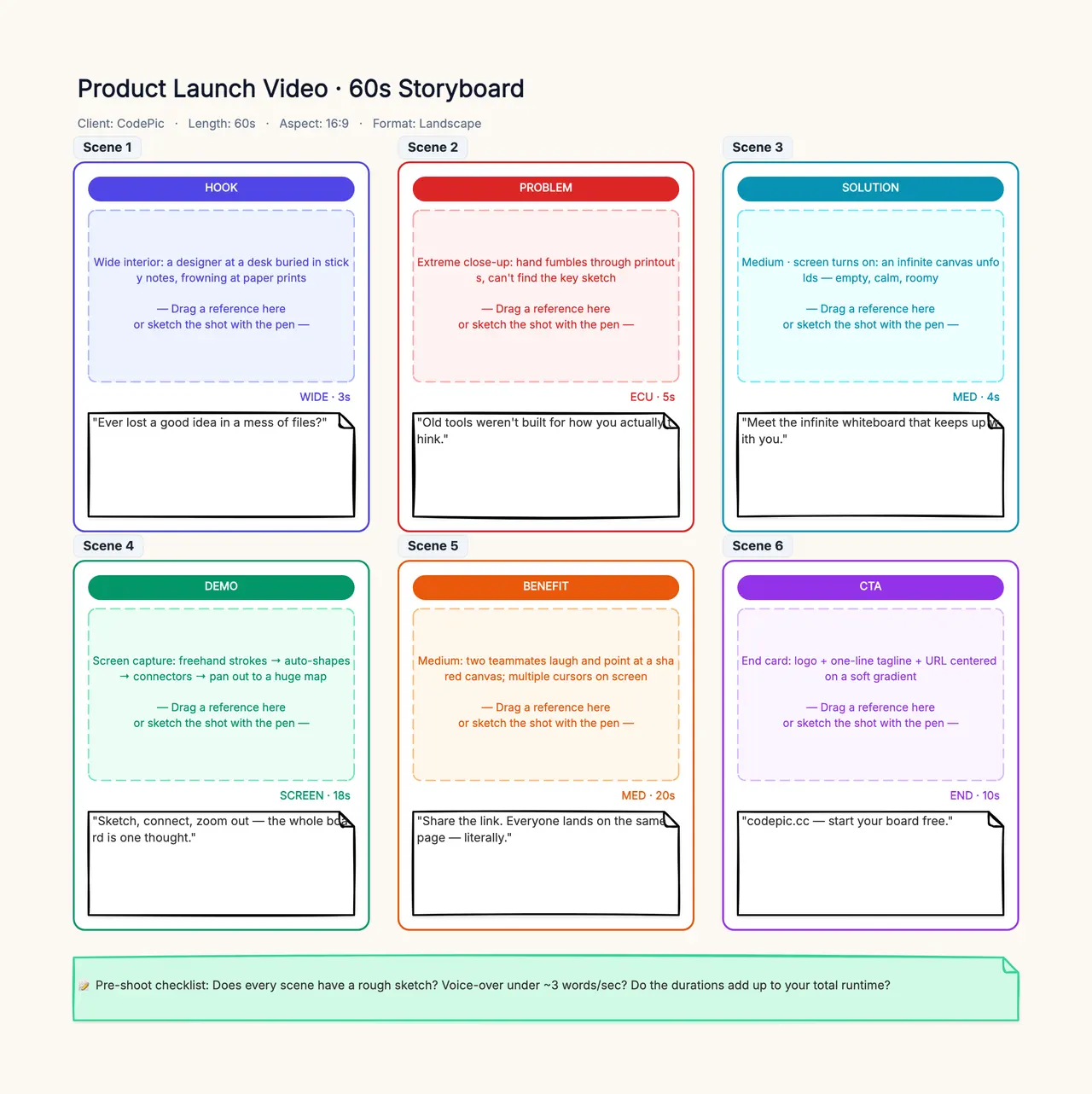
Open the storyboard template and replace request, confirmation and cancellation with your actual system states. Show one correct transition and one common misconception, then add a narration line beside each frame. Ask a colleague to explain the board back before producing the video.
Match every spoken relationship with a visible one
“Only one request is confirmed” needs a picture in which only one token moves into the confirmed place. If both tokens glow, both move forward or both receive a celebratory effect, the visual contradicts the voice. Avoid decorative motion that changes the meaning of the state sequence.
“The place becomes available” needs a different visual from “the place becomes yours.” An empty space communicates availability. Moving the second person's token into it would add an allocation rule that the script explicitly does not promise. This is where a general-purpose scene generator can introduce a plausible but incorrect next event.
Use exact terms consistently. If the narration says “confirmed” while the picture says “approved,” some viewers may assume two different stages. Choose the vocabulary once, store it in the script and apply it to the labels and subtitles. Add those labels in an editable layer so corrections remain straightforward.
A storyboard can hold each state and its intended transition. CodePic is useful for that visual planning; it does not generate the final explainer video. Export or rebuild the approved graphics in a tool suited to the required animation and video delivery.
Choose generated footage or editable animation deliberately
A presenter or illustrative setting can be generated when exact geometry is not the explanation. State changes, precise labels and token identity often benefit from editable animation because the editor can control which object moves and when. There is no need to force every frame through the same method.
For this example, a simple motion graphic is a strong baseline. If you add a generated room or presenter, keep it as context around the actual mechanism. Do not replace the readable state diagram with a decorative booking-like interface that implies nonexistent functionality.
The AI animation workflow explains the difference between rendered footage and editable motion assets. That difference matters when a stakeholder asks, “Can the second token wait longer?” A flattened video may require a new render; a keyed object can often be adjusted directly.
Tool selection should include the revision task. Check whether the account lets you replace one voice line, move a visual interval, edit labels and download the required output. A fast first draft can still be costly if every small explanation correction requires rebuilding the whole scene.
Test the explanation without asking for compliments
After a rough version exists, ask the viewer: “Two people submit for the last place. Do both have confirmed bookings?” Then ask: “Someone cancels. Is the place automatically yours?” For this fictional model, both answers are no. Ask the viewer to explain why in their own words.
These questions test the intended misconception. “Was the video clear?” invites a polite judgment and gives little guidance for revision. A viewer can enjoy the style while still believing that pressing submit reserves the place. Observe the reasoning rather than the compliment.
If people consistently misunderstand the cancellation scene, change that scene before adding more background explanation. Perhaps the waiting token sits too close to the empty place, implying automatic movement. A small spatial change may solve more than another paragraph of narration.
This article has not run that audience test. The questions are provided so you can perform and record one. Do not report hypothetical answers as a measured comprehension rate, and do not infer effectiveness from the number of generated variants.
Revise the weak draft at the level of the mechanism
Consider this deliberately authored weak line: “Our intelligent booking system makes every reservation effortless and instant.” It does not explain the request-confirmation distinction, and “instant” can contradict a pending check. Replacing adjectives with more polished adjectives will not repair the problem.
A useful revision is: “Submitting sends a request. Check the status to see whether a place was confirmed.” The statement names the action and its limit. The picture can now show two separate states instead of trying to visualize an abstract promise of effortlessness.
Another weak ending is “Try it today.” That may be a marketing action, but it does not reinforce the explanation. Our ending is: “Use your confirmation, not the submit button, as the signal to attend.” It gives the viewer a concrete rule derived from the preceding sequence.
Keep a revision log with the misunderstood relationship, the changed narration and the changed picture. If the script improves while the picture remains misleading, the problem persists. An explainer is approved as a combination of layers, not as a well-written transcript alone.
Download the script and misconception checks
The CSV contains planned windows, narration, visuals and review notes. It can be opened in a spreadsheet or copied into a production board. Adapt the rules to the real system before rendering; the sample should never be presented as documentation of an unverified booking service.
For an operating procedure that learners must perform, use the separate AI training video workflow. For the broader task of turning an incomplete brief into feasible dialogue and shots, use the AI video script workflow. Keeping those jobs distinct prevents several pages from repeating the same generic script advice.
Approve the final explanation where it will be watched
Check the exported voice, labels and subtitles at the actual destination size. A token sequence that is obvious on a large editing monitor may be unreadable on a phone. Give the final state enough time to register and verify that captions do not cover the objects carrying the explanation.
Save the source model, approved script, editable graphics, narration and final media together. If the real process changes, update the model first and trace the consequences through every layer. That protects the next revision from repeating an outdated simplification.
An AI explainer video generator earns its place when it helps produce and revise a clear account of one mechanism. The useful result is a viewer who can distinguish the states and make the intended decision, supported by an accurate script and visible evidence rather than a polished minute of generalities.