An AI music video generator can help turn an audio track into visual material, but a coherent music video starts with a musical structure and an edit plan. Decide where the phrases change, what the viewer should notice and which generated intervals are usable. Cutting every detected beat does not automatically create rhythm.
This example supplies a twelve-second instrumental input at 120 BPM, a six-bar shot sheet and a visual concept built around folded paper. The audio was synthesized with simple tones and percussion for this article; it is not AI-generated music or a recording of an artist. The shot plan is an authored production exercise, not a claimed rendered comparison of music-video models.
Choose the kind of music video you actually need
The phrase “AI music video generator” covers several different outputs. A visualizer may react to audio with shapes or changing imagery. A lyric video needs exact words and readable timing. A performance video needs credible instrument or body movement. A narrative music video needs continuity across shots. Those requirements should lead your tool choice.
Freebeat's official site presents music-led video workflows. Use the documented workflow as a starting point, then inspect the actual account for audio input, usable duration, edit controls and export. A page showing beat-related features is not proof that the output will honor every phrase in your particular track.
| Format | Main creative decision | First acceptance check |
|---|---|---|
| Audio visualizer | What changes with the music | Visual response is legible, not distracting |
| Lyric video | Which words appear and when | Words match the approved lyrics |
| Performance | Who performs which action | Gesture and instrument relationship make sense |
| Narrative short | How events develop over phrases | Shot order communicates the intended story |
Our exercise uses a small narrative: a sheet becomes a paper house. There is no singer, no instrument performance and no lyric transcription. That keeps the first test focused on phrase-to-picture relationships rather than combining several difficult tasks at once.
Map the audio before requesting pictures
Download and listen to Small Steps, the original timing fixture. It is mono PCM audio, twelve seconds long, with six bars of four beats. At 120 BPM, a quarter-note beat lasts half a second; four such beats occupy two seconds.
That arithmetic applies to this constant-tempo fixture. It is not a universal way to infer bars from any uploaded song. A real recording can contain an introduction before the downbeat, changing tempo, compound meter or an incomplete final phrase. Listen and mark the musical structure rather than trusting a number copied from a detector.
The fixture uses simple repeating attacks to make its divisions easy to inspect. Its sound quality is not offered as a production reference. Import it into an editor, place markers at 0, 2, 4, 6, 8, 10 and 12 seconds, and label them by musical role rather than merely numbering them. The final marker is an endpoint, not another shot.
For a real track, keep the approved audio version fixed during picture production. Replacing the mix later with a longer introduction can shift every cut while leaving the visual clips unchanged. Write down the audio filename, duration and revision in the shot sheet so everyone edits against the same source.
Give six bars six distinct visual roles
| Bar | Interval | Picture task | Editorial reason |
|---|---|---|---|
| 1 | 0–2 seconds | Establish one flat paper sheet | Make the material and space clear |
| 2 | 2–4 seconds | Lift one edge | Begin one readable change |
| 3 | 4–6 seconds | Fold toward the center | Advance the transformation |
| 4 | 6–8 seconds | Reveal a small roof shape | Make the emerging object recognizable |
| 5 | 8–10 seconds | Let the house settle | Resolve motion |
| 6 | 10–12 seconds | Hold the completed house | Give the ending room to register |
Six bars do not require six unrelated generated clips. Two or three longer shots may cover the same roles more coherently. The sheet describes information over time; the editor chooses the number of cuts after seeing the material.
A weak version would replace each bar with a new location, character and color palette. It might look busy while making the song feel less organized. Our constraint is one orange paper object on one pale blue floor. Changes in shape carry the progression, so the visual language can stay quiet.
The final hold matters. If the house appears only on the last frame, viewers have little time to understand the payoff. A model may produce interesting motion but omit a stable ending. That clip might supply a middle interval while still failing the planned last bar. Evaluate it by its role, not by whether it looks impressive in isolation.
Map your own track onto a storyboard
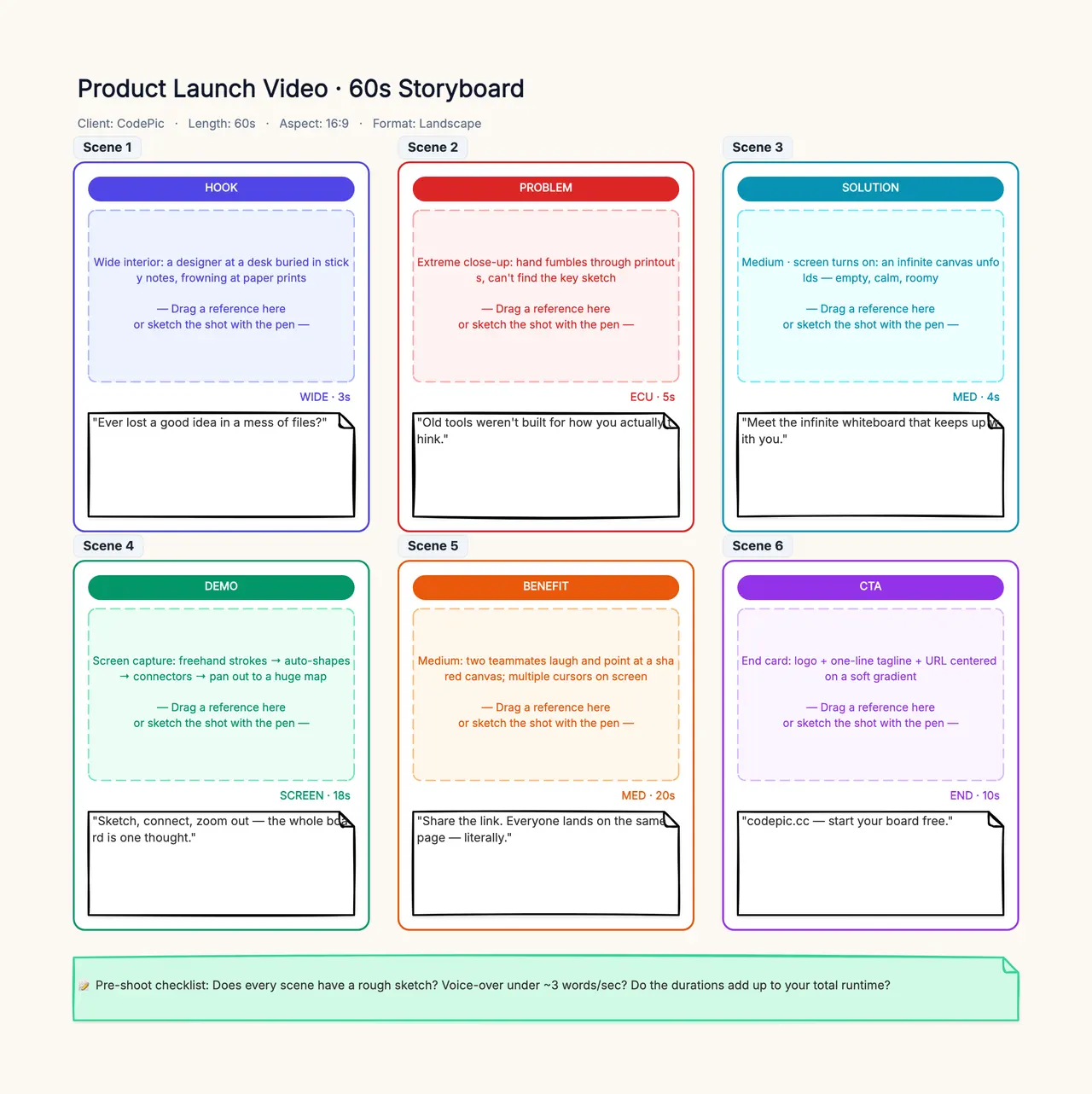
Open the storyboard template and assign a frame to the opening, development and ending of your track. Add reference images and intended intervals from the beat sheet. Start with two phrases and check that they share one visual idea before expanding the plan; the board organizes production rather than rendering the music video.
Write prompts for shots rather than for the whole song
A useful opening-shot prompt is: “A single orange paper square rests on a pale blue floor. The camera stays fixed. One near edge slowly lifts while the rest of the sheet keeps contact with the floor. Keep the paper's size, color and lighting stable. End with the edge held slightly raised.”
For a later shot, supply an approved reference if the selected mode supports it: “Continue from the approved folded-paper state. The two visible side folds move inward once, forming a simple roof shape. No extra paper appears. Keep the camera at the same height and hold the finished shape.” These are original instructions, not tested guarantees about a particular model.
Avoid putting the entire sequence, six exact timestamps, a camera orbit, changing weather and a performance into one prompt. When the output fails, there would be too many possible causes. Separate subject motion from camera motion and start with a short event that has a visible beginning and end.
If the selected music-led tool provides automatic scene generation, use this same plan as a review document. Automated matching may propose a different image for a strong beat. Accept that proposal only if it advances the intended visual progression. A beat match is one constraint among several; continuity and comprehensibility still matter.
Build a rough edit before spending on variations
Place placeholders or still references against the audio first. Check whether the paper transformation feels understandable at the intended pace. If the middle actions are too dense, merge a role or simplify the fold rather than assuming more generation attempts will solve a structural problem.
Keep enough unused media around the chosen interval to adjust a cut. A clip whose useful motion ends exactly at its last frame gives little room for the editor. Select the moment where the intended action becomes readable, then compare it with the musical phrase boundary. A small shift can feel better than a mechanically exact cut.
Use hard cuts, holds and restrained transitions before trying elaborate effects. A transition that hides the paper entirely may conceal a continuity error, but it can also erase the visual connection between two states. Decide whether that loss helps the concept. Do not use an effect merely because the generated clips refuse to match.
The storyboard template can hold the six roles, reference states and rejection notes. It is a planning surface, not a music-video renderer. For motion-specific wording, the AI video prompt examples explain how to separate object action from camera action.
Review sound, continuity and endings separately
Play the rough edit with sound, then silently. With sound, ask whether the strongest musical change has a corresponding visual reason. Silently, ask whether a viewer can still follow the object's development. A sequence that works only because the beat distracts from broken geometry is unlikely to survive closer viewing.
Check paper count, color, fold direction, contact with the floor and camera height. A new sheet appearing between cuts changes the story. A roof that melts into a different material can invalidate the ending even if the movement is smooth. Use a conventional animation or filmed insert when a precise fold cannot tolerate invented geometry.
Lyrics introduce another layer. Use the approved lyric text, not an unreviewed automatic transcription, and inspect each displayed word in the final resolution. Add exact lettering in an editing layer rather than asking a video model to generate it inside the scene. For subtitle-style timing checks, use the AI subtitle guide.
Also listen for unintended audio changes. If a tool adds sound, confirm whether you want that track and whether it competes with the music. Preserve the original approved song in your edit. A visual generation task should not silently replace the composition, extend it or alter its ending without an editorial decision.
Compare cost through usable intervals
A low cost per generated second says little if the ending is unusable. Keep a log of the requested shot, generated duration, accepted interval, rejection reason and editing time. Count an attempt once and record which part entered the final edit; do not report every generated second as completed footage.
For example, an eight-second output might provide two acceptable seconds of edge movement and no usable roof. That is a partial success for one role, not an eight-second finished sequence. Another tool might give a shorter clip with a stable beginning and ending, making the edit cheaper despite a higher nominal rate.
Free music-video tools need the same scrutiny. Check watermarks, audio upload limits, output resolution, revision access and download permissions in the current plan. This article does not establish a free-account winner or claim an account-level export test. Recheck those details before promising a client a particular deliverable.
Download a reproducible planning package
Use the files to test whether a workflow can preserve a fixed audio source and support a deliberate visual sequence. The package contains a real timing input and an editable plan; it does not contain an AI-generated finished music video. Record your own rendered results beside the plan rather than treating the authored prompts as proven outputs.
For your next track, replace the paper story with a concept that fits its phrases, then keep the same discipline: approved audio, musical map, clear shot roles, useful intervals and a reviewed final export. An AI music video generator becomes more useful when the edit has a reason for each change and enough space for the music to be heard.