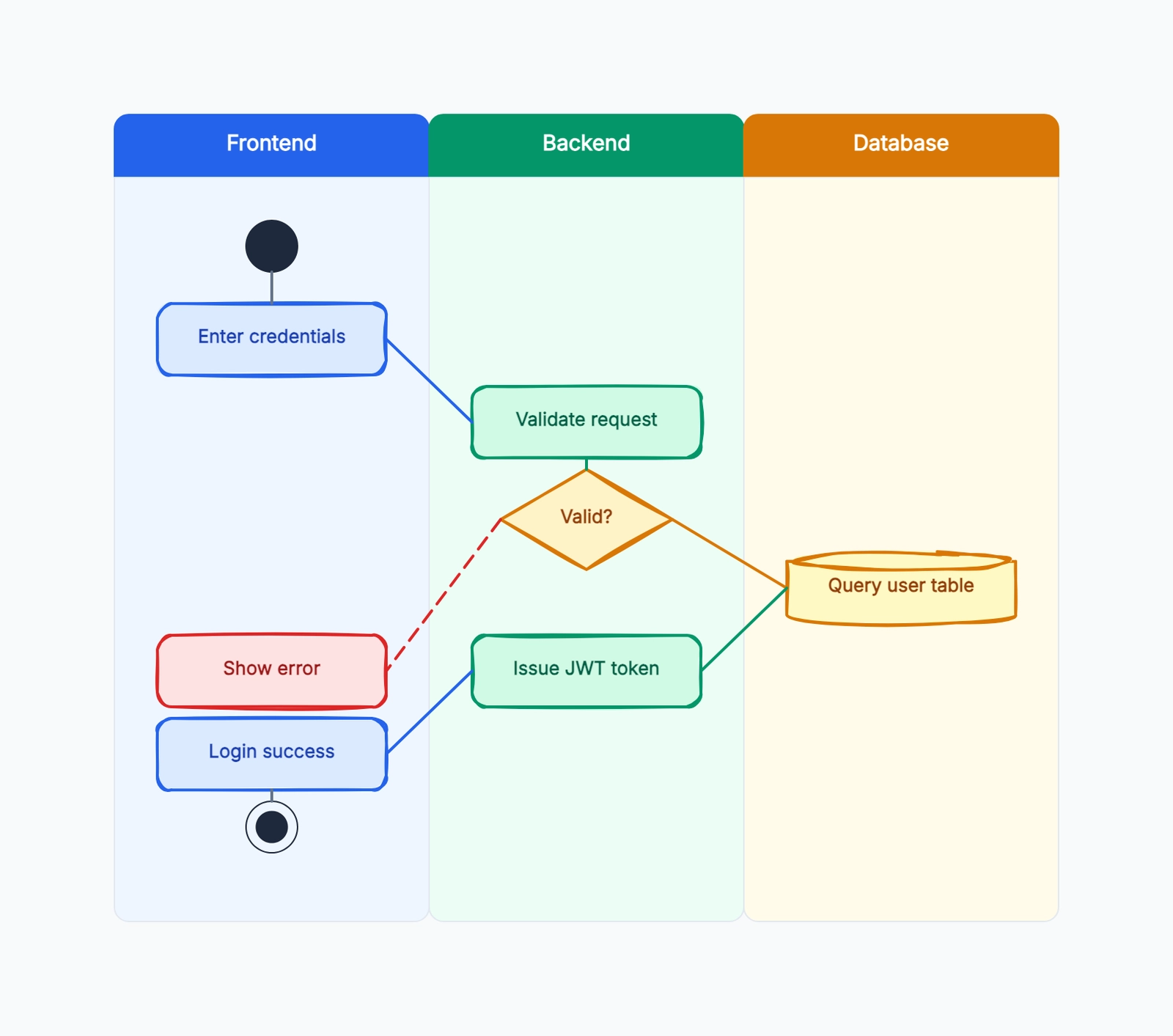
Swimlane diagram examples do what a blank template cannot: they show you how real teams assign ownership, map handoffs, and make decisions visible across departments. A blank swimlane template tells you to "put steps in lanes" — an example shows you what a good one looks like, where most beginners get stuck, and how to avoid drawing something that looks right but communicates nothing.
This article walks through five complete swimlane diagram examples: a software release process, a purchase approval workflow, a customer onboarding flow, a support escalation process, and a hiring workflow. Each example names the lanes, lists the steps, and explains what the swimlane reveals that a regular flowchart would miss. Open the free swimlane diagram template to follow along or copy any example as a starting point.
Example 1: Software Release Process
Lanes: Developer, Tech Lead, CI/CD System, QA, DevOps
This is one of the most common swimlane diagrams in software teams. The process maps the path from a code commit to a production deployment.
Steps: Developer writes code and submits a pull request → Tech Lead reviews the PR and approves the merge → CI/CD System runs automated tests and builds the artifact → QA tests the build on a staging environment and approves the release → DevOps deploys to production and monitors for 24 hours.
What the swimlane reveals: QA and DevOps are downstream dependencies. If the CI/CD pipeline takes 45 minutes per build, and QA takes 2 days to approve, the bottleneck is clear. The swimlane also makes it visible that the Developer's job is not done after merging — they need to monitor production alongside DevOps.
Common mistake: putting CI/CD in the same lane as DevOps. Separating them clarifies that automated checks (CI/CD) happen before human checks (QA), and both must pass before deployment.
Example 2: Purchase Approval Process
Lanes: Requester, Manager, Finance, Procurement
Every company above a certain size has a purchase approval process, and most of them are painful. A swimlane diagram makes the pain points visible.
Steps: Requester identifies a need and submits a purchase request with justification and vendor options → Manager reviews the request and approves or rejects based on team budget → Finance verifies budget availability and checks compliance with procurement policy → Procurement issues the purchase order, sends it to the vendor, and tracks delivery.
What the swimlane reveals: Finance is a serial gate — every request must pass through one finance person. If the finance person is on leave or overloaded, the entire pipeline stalls. The diagram also shows that the Requester has no visibility into what happens after submission, which is a common source of frustration.
Decision points: The Manager step should have a clear Yes/No branch. If the manager rejects, the flow goes back to the Requester with a reason. If approved, it proceeds to Finance. These decision diamonds are what make a swimlane diagram more useful than a checklist.
Example 3: Customer Onboarding Flow
Lanes: Customer, Sales, Customer Success, Product
Customer onboarding is cross-functional by nature. Sales closes the deal, Customer Success drives adoption, and Product provides the tool. This swimlane shows how they connect.
Steps: Sales hands off the signed contract and customer context to Customer Success → Customer Success schedules a kickoff call, sets up the customer's workspace, and creates a 30-60-90 day success plan → Customer completes initial setup with guidance from Customer Success → Product team monitors activation metrics and flags accounts that have not reached key milestones → Customer Success intervenes on flagged accounts with additional training or configuration help.
What the swimlane reveals: The handoff from Sales to Customer Success is the most fragile point. If Sales does not document the customer's goals during the sales process, Customer Success starts blind. The swimlane also shows that the Product team has a role in onboarding beyond building features — they should monitor activation data and feed insights back to Customer Success.
Example 4: Support Escalation Process
Lanes: Customer, L1 Support, L2 Engineering, Product
Support escalation is another cross-functional process where ownership gets murky.
Steps: Customer submits a support ticket → L1 Support triages the ticket, attempts resolution using the knowledge base, and either resolves or escalates → L2 Engineering investigates the issue, reproduces the bug, and either fixes it or identifies it as a product gap → Product evaluates the gap, prioritizes it in the backlog, and communicates the timeline → L1 Support updates the customer with the resolution or timeline.
What the swimlane reveals: The escalation path is a loop, not a line. A ticket might go Customer → L1 → L2 → L1 → Customer, and a product gap might go L2 → Product → L2 → L1 → Customer. Without swimlanes, this looks like chaos. With swimlanes, it becomes a manageable workflow where each role's responsibility is clear at every step.
Example 5: Hiring Workflow
Lanes: Hiring Manager, HR, Interview Panel, Candidate
Hiring involves more roles than most teams realize, and delays usually happen at the handoffs.
Steps: Hiring Manager opens a requisition with job description and budget approval → HR posts the job, sources candidates, and screens resumes → Hiring Manager reviews shortlisted candidates and selects who to interview → Interview Panel conducts interviews and submits feedback → Hiring Manager makes a hire/no-hire decision → HR extends the offer, negotiates, and manages onboarding.
What the swimlane reveals: The Interview Panel is often the bottleneck. Panel members are busy people with their own jobs, and scheduling takes time. The swimlane makes it clear that the Hiring Manager owns the timeline — if interviews are not scheduled within a week of shortlisting, the Hiring Manager needs to escalate or adjust.
How to Choose Your Lanes
Audit every cross-lane arrow as a service handoff:
| Handoff field | Question to answer |
|---|---|
| Trigger | What event makes the sender transfer the work? |
| Deliverable | What exact document, record, decision, or item moves? |
| Receiver | Which role accepts responsibility next? |
| SLA | How long may the work wait before escalation? |
| Rejection path | What happens when the receiver cannot accept it? |
If an arrow cannot answer these five questions, the workflow may look complete while the operating agreement remains undefined.
The hardest part of creating a swimlane diagram is choosing the lanes. Here is a simple rule: if you are not sure whether someone needs their own lane, ask "does this role hand off work to another role, or receive work from another role?" If yes, they need a lane. If they perform steps inside another role's lane without a handoff, they do not need their own lane.
For most business processes, start with these lanes and adjust: Requester (the person who initiates), Approver (the person who says yes or no), Executor (the person who does the work), Reviewer (the person who checks quality), and Recipient (the person who receives the output).
Common Swimlane Diagram Mistakes
Hiding handoffs inside a lane. The entire point of a swimlane diagram is to make handoffs visible. If two roles touch the same step, do not put it in one lane and add a note — split it into two steps with an arrow crossing the lane boundary. The crossing arrow is the most important visual element in the diagram.
Putting departments instead of roles. "Marketing" is not a lane — it is a department with five different roles inside it. Ask: which specific role in marketing does this step? If the answer is "the content manager," that is your lane. If different steps in the same department belong to different roles, split the department into multiple lanes.
Drawing all steps at the same level of detail. A swimlane diagram should show the process at a consistent level of abstraction. If step 3 is "review the request" and step 4 is "open the spreadsheet, check cell B12, compare to the budget in cell C14, and note any variance greater than 5%," you have mixed abstraction levels. Either raise step 4 or lower step 3.
No decision diamonds. A swimlane without decision points is a checklist, not a process map. Every approval step (manager approves/rejects, QA passes/fails, finance confirms/rejects) needs a diamond. The diamond makes the branching path explicit: what happens when the answer is "no"?
Forgetting the return path. Most swimlane diagrams only show the forward flow — request → approve → execute → done. But real processes have rejection loops, revision cycles, and escalation paths. For every decision diamond with a "no" branch, draw where that branch goes. If a manager rejects a purchase request, does it go back to the requester for revision? Does it die? Does it escalate? The return path is where processes actually break, so it is the most important part to map.
How to Build Your Own Swimlane From These Examples
- Pick the closest example from the five above as your starting template. Open it in the free swimlane diagram template.
- Rename the lanes to match the actual roles in your organization. Use specific role names, not department names.
- List your steps on sticky notes before placing them in lanes. This prevents you from designing the process to fit the lanes instead of designing the lanes to fit the process.
- Draw the forward flow first — the happy path where everything goes right. Then add decision diamonds and return paths for every point where the process can go wrong.
- Walk through the diagram with one person from each lane. They will catch steps you missed and handoffs you got wrong. A swimlane diagram reviewed by only one department is a work of fiction.
Each example above follows a structure you can copy: name the roles, list the steps in sequence, place steps in the correct lane, and use decision diamonds where the path splits. Open the free swimlane diagram template and adapt any example to your own process.