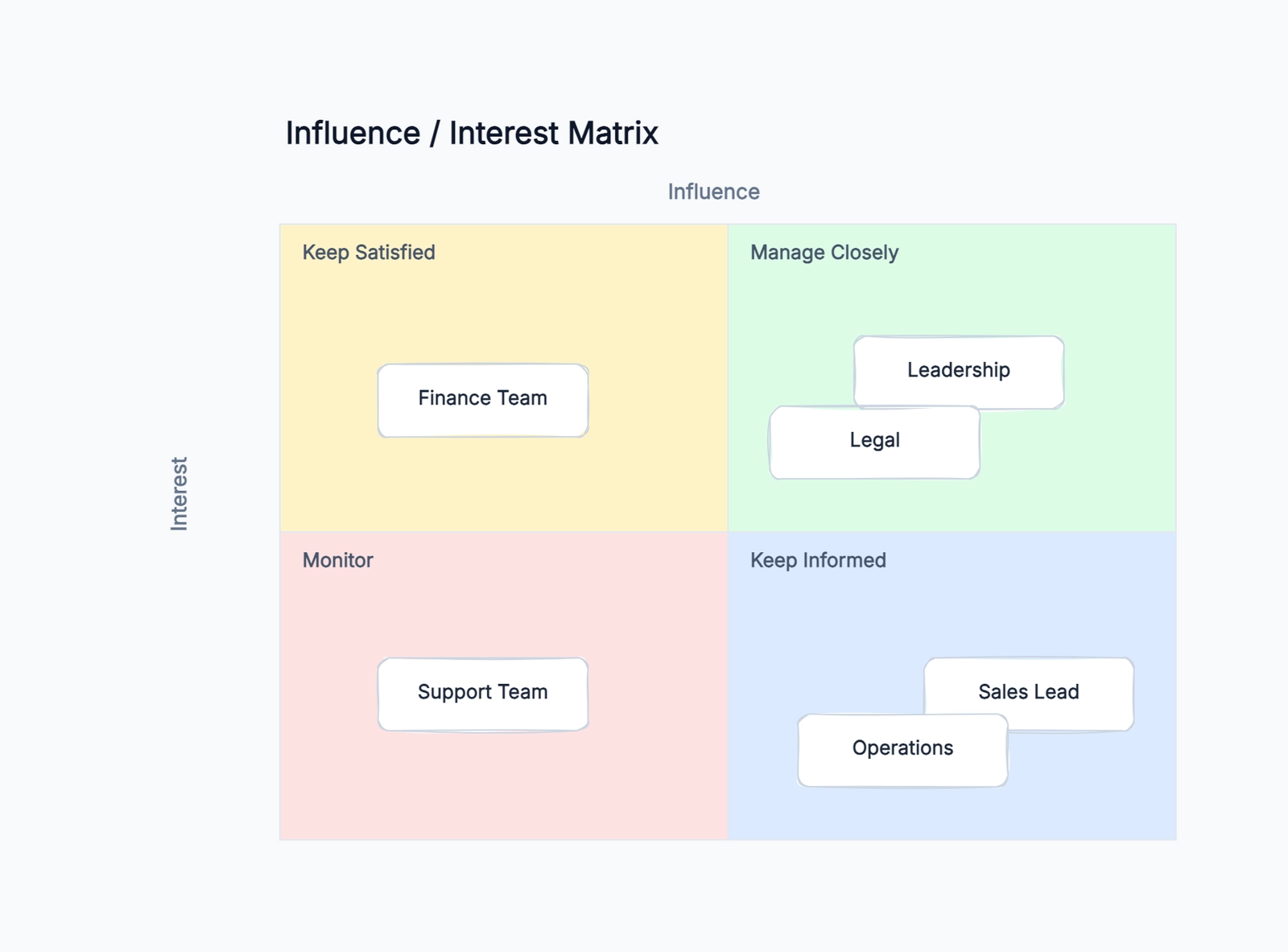
A stakeholder mapping example shows you how real teams categorize the people who can make or break a project. The concept is simple — plot stakeholders on a grid of influence versus interest — but the value comes from what you do with the map after it is drawn. A map without action is a poster. A map with a communication plan for each quadrant is a project management tool that prevents the most common cause of project failure: stakeholders who were not engaged at the right time with the right information.
This article walks through a complete stakeholder mapping example for a B2B SaaS product launch. It covers how to identify stakeholders, how to place them on the influence-interest grid, and most importantly, what action to take for each group. Open the free stakeholder map template to follow along.
A Complete Stakeholder Mapping Example: B2B SaaS Product Launch
Scenario: a mid-size SaaS company is launching a new analytics module. The launch involves the product team (who built it), the marketing team (who will promote it), the sales team (who will sell it), the customer success team (who will support it), existing customers (who may adopt or ignore it), the executive team (who funded it), and the engineering team (who will maintain it).
Step 1: List Every Stakeholder
Before drawing the grid, list everyone who could affect or be affected by the launch:
- VP of Product (executive sponsor)
- Product Manager (owns the launch)
- Engineering Lead (built the features)
- Marketing Director (owns go-to-market)
- Sales Director (owns revenue targets)
- Customer Success Lead (owns adoption)
- Existing Enterprise Customers (may demand features)
- Existing SMB Customers (may not care)
- CEO (cares about revenue impact)
- CTO (cares about technical debt)
- Design Lead (owns user experience)
- Data Team (owns the analytics infrastructure)
Step 2: Rate Influence and Interest
For each stakeholder, rate their influence (can they block or accelerate the launch?) and interest (how much do they care about the outcome?).
High influence, high interest (Manage Closely):
- VP of Product — controls budget and priorities
- Product Manager — owns the launch end to end
- CEO — cares about revenue and customer impact
High influence, low interest (Keep Satisfied):
- CTO — can block for technical reasons but is not involved day-to-day
- Sales Director — cares about revenue but not the launch mechanics
- Existing Enterprise Customers — can demand changes but do not follow internal timelines
Low influence, high interest (Keep Informed):
- Marketing Director — needs launch materials but does not control the timeline
- Customer Success Lead — will support customers post-launch
- Design Lead — cares about UX quality
- Engineering Lead — wants to avoid post-launch firefighting
Low influence, low interest (Monitor):
- Existing SMB Customers — may benefit but are not actively engaged
- Data Team — infrastructure is already built
Step 3: Define Actions for Each Quadrant
This is the step most teams skip. Drawing the grid is the easy part. Defining what you will actually do for each group is what makes stakeholder mapping useful.
Manage Closely (high influence, high interest):
- Weekly 30-minute sync with VP of Product and Product Manager
- Bi-weekly launch status email to CEO with bullet-point progress and blockers
- Involve them in key decisions: launch date, pricing, feature scope changes
Keep Satisfied (high influence, low interest):
- Monthly update to CTO on technical risks and mitigation
- Pre-launch briefing for Sales Director with talking points and demo access
- Early access for 3 key Enterprise Customers with dedicated support channel
Keep Informed (low influence, high interest):
- Weekly launch newsletter to Marketing, Customer Success, and Design leads
- Training session for Customer Success team one week before launch
- Design review session for any last UX changes
Monitor (low influence, low interest):
- Add SMB customers to the general product update mailing list
- Notify Data Team of any infrastructure changes via Slack
How to Place Stakeholders When You Are Not Sure
The hardest part of stakeholder mapping is deciding where someone belongs when the team disagrees. Here are a few techniques:
Use a simple scale: rate influence and interest on a 1–5 scale instead of high/low. Plot the numbers on the grid. The exact position does not matter as much as the relative position — is this stakeholder clearly in the upper-right quadrant or hovering near the middle?
Ask the stakeholder: for high-influence stakeholders, just ask: "How involved do you want to be in this project? Weekly updates, milestone reviews, or just a final sign-off?" Their answer tells you where they belong and communicates that you are thinking about their time.
Revisit the map: a stakeholder map from week 1 of a project will be wrong by week 6. Stakeholders gain or lose influence, interest shifts as the project progresses, and new stakeholders appear. Schedule a 15-minute map review every month.
Common Stakeholder Mapping Mistakes
Forgetting internal stakeholders. Teams often map external stakeholders (customers, partners, regulators) and forget internal ones (legal, finance, IT, adjacent teams). Internal stakeholders can block a project just as effectively as external ones.
Treating "low interest" as "ignore." Low-interest stakeholders still need communication — just less frequent and less detailed. A stakeholder who hears nothing for six months and then receives a launch announcement is not a supporter.
No follow-up actions. A stakeholder map without a communication plan is an intellectual exercise. For each stakeholder or quadrant, write one concrete action: a meeting cadence, an email frequency, a review checkpoint.
Stakeholder Mapping for Remote and Distributed Teams
Remote teams face an extra challenge: you cannot walk down the hall to check whether a stakeholder feels informed. The map has to work harder because informal communication channels do not exist.
Make the map visible. Share the completed stakeholder map in a shared document or wiki that the entire team can access. When someone asks "should we tell X about this decision?", the map answers the question.
Add a "last contacted" column. For each stakeholder, note the date of the last meaningful communication. This prevents the common pattern where high-influence stakeholders get attention and low-influence stakeholders get forgotten for months. A stakeholder who was last contacted 45 days ago needs a check-in, regardless of their quadrant.
Use asynchronous updates for "Keep Informed" stakeholders. A weekly Slack summary or a Loom video update is often more effective than scheduling a meeting that busy stakeholders will decline. Reserve synchronous meetings for "Manage Closely" stakeholders where real-time discussion adds value.
Revisit the map when the team changes. Remote teams have higher turnover and more frequent reorganization than co-located teams. A stakeholder map from January is unreliable by March. Schedule a 15-minute map review at the start of each month.
Stakeholder Mapping vs. RACI Matrix: When to Use Which
Teams sometimes confuse stakeholder mapping with a RACI matrix. They serve different purposes and are often used together.
A stakeholder map answers: who cares about this project, how much power do they have, and how should we communicate with them? It is a communication planning tool. It is best used at the start of a project and revisited monthly.
A RACI matrix answers: who is Responsible, Accountable, Consulted, and Informed for each specific task or decision? It is a task-level accountability tool. It is best used after the project scope is clear and you are assigning work.
How they work together: do stakeholder mapping first to understand the landscape. Then, for your "Manage Closely" and "Keep Satisfied" stakeholders, create a RACI matrix for the key decisions and deliverables they care about. The stakeholder map tells you who to put in the RACI; the RACI tells them exactly what they are accountable for. Many project failures happen because the team did the RACI without the stakeholder map — they assigned responsibilities without understanding who actually had influence.
How to Know If Your Stakeholder Map Is Working
A stakeholder map is working when nobody is surprised. If a key stakeholder hears about a major decision for the first time in a company-wide email, the map failed. If a "Monitor" stakeholder suddenly escalates because they were not consulted on something they care about, they were misclassified. Signs your map is working: meetings start on time because stakeholders already have context, approvals happen faster because the right people were briefed in advance, and nobody asks "why wasn't I told about this?"
Turning the Map into a Communication Rhythm
The map becomes useful only when it changes your calendar and your messages. After placing stakeholders, assign a communication rhythm to each quadrant. "Manage Closely" stakeholders may need a weekly decision meeting with a short pre-read. "Keep Satisfied" stakeholders may need a monthly executive note that focuses on risk, budget, and milestones. "Keep Informed" stakeholders usually need a concise progress update, release notes, or training material. "Monitor" stakeholders should still receive low-frequency updates so they are not blindsided by a launch or policy change.
Write the rhythm directly next to the stakeholder names. For example: "CEO — weekly launch memo," "CTO — monthly risk review," "Customer Success — training session two weeks before launch," "SMB customers — product newsletter at launch." This makes the map operational. Without cadence, the team has to rediscover the communication plan every week; with cadence, the map becomes a lightweight operating system for stakeholder engagement.
A stakeholder mapping example like the B2B launch above follows a repeatable pattern: list everyone, rate influence and interest, place them on the grid, and define actions for each quadrant. Open the free stakeholder map template and start mapping your project's stakeholders.