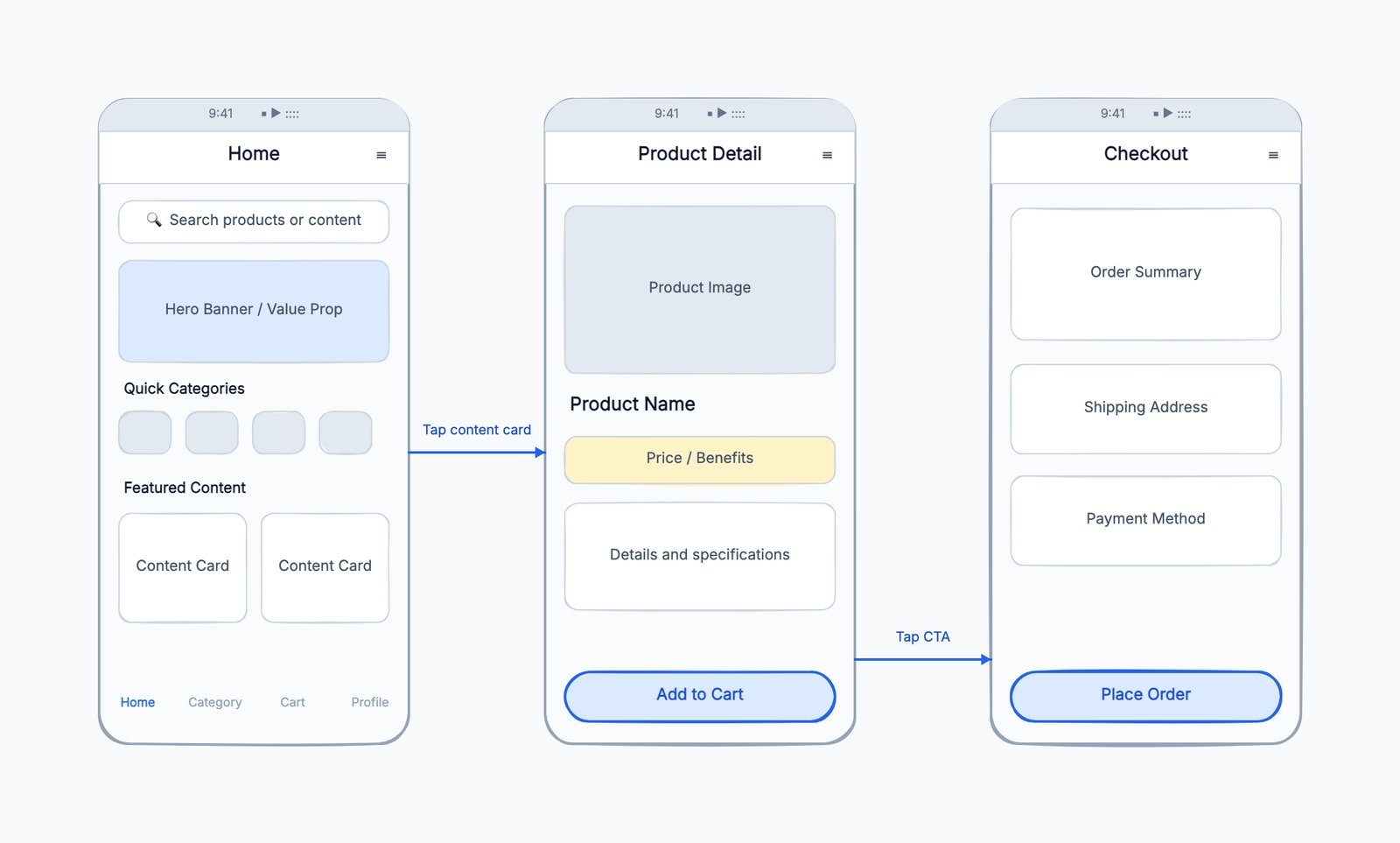
Choose Figma when wireframes must continue into visual design and developer handoff, Penpot when an open-source collaborative workflow matters, Balsamiq for deliberately low-fidelity product discussions, or CodePic and Wireframe.cc for quick browser sketches. Marvel fits teams that want simple prototypes after the wireframe stage.
The six tools differ most in permanent free limits, UI component depth, collaboration, prototyping, and export. If you are new to the format, read the complete guide to wireframes; otherwise, use the comparison below to choose the shortest path from sketch to the next workflow.
Just want to start sketching? Open our free online wireframe tool — it runs in your browser with no sign-up, uses a low-fidelity hand-drawn style, and exports to PNG. If you'd rather compare the options first, the full breakdown is below.
What to Look For in a Free Wireframe Tool
Fidelity range. Some tools are locked into low-fidelity (sketch-style boxes and placeholders). Others span from low to high fidelity in the same file. If you'll move from wireframe to mockup in the same tool, you need the range.
Component libraries. Pre-built UI components (buttons, inputs, navigation bars, cards) speed up wireframing considerably. The depth of the library varies widely between tools.
Collaboration model. Real-time co-editing, comment-and-review, or file sharing. Depends on your team's review process.
Free plan limits. Projects, file counts, collaborator counts. Know where you'll hit the ceiling before you're mid-project.
Path to handoff. Can you annotate wireframes? Export to a developer-readable format? Inspect element specs? These matter for design-to-development handoff.
Figma
Free tier: Unlimited drafts, up to 3 Figma design files and 3 FigJam files in free teams
Collaboration: Full real-time
Fidelity range: Low to high in the same file
Component library: Extensive (especially via community plugins)
Figma is the industry standard for UI design, and its free tier is genuinely useful. You can create unlimited personal drafts, use the full editor, access community resources (including wireframe UI kits), and collaborate in real time.
The value of Figma for wireframing isn't just the tool itself — it's that wireframes, mockups, and developer handoff all live in the same file. There's no export-and-rebuild step between wireframe and final design. Developers can inspect element specs directly from the file.
The free team plan limits you to 3 design files in a shared project and 3 FigJam files, which is restrictive for teams working on multiple projects simultaneously. For individual designers or very small teams, personal drafts are unlimited.
Figma is the right choice if: your team is going to move from wireframe to mockup to handoff in the same tool, and the free tier limits won't block you.
Best for: Designers and product teams who want a single tool that handles the entire design process from wireframe to handoff, especially in teams that also need high-fidelity design capabilities.
Balsamiq
Free tier: 14-day full trial; no permanent general free plan
Collaboration: Limited (paid plans only)
Fidelity range: Low only (sketch aesthetic)
Component library: Good — 75+ dedicated UI components
Balsamiq pioneered the low-fidelity wireframing category. Its defining feature is a deliberately sketchy, hand-drawn aesthetic: every component looks like it was sketched with a marker. This isn't a limitation — it's the point.
When wireframes look like hand-drawn sketches, stakeholders understand they're looking at a draft. When wireframes look polished, stakeholders tend to comment on visual design details rather than structural decisions. Balsamiq's aesthetic prevents this problem.
The component library is purpose-built for wireframing: buttons, inputs, dropdowns, tables, navigation bars, modals, and dozens more. Everything is at the right fidelity level.
The limitation is access: Balsamiq offers a 14-day trial with no credit card, not a permanent general free plan. That makes it useful for evaluating the low-fidelity workflow or completing a short workshop, but it is not a long-term zero-cost workspace.
Best for: Designers and PMs who specifically want the low-fidelity sketch aesthetic to keep stakeholder feedback focused on structure, and can justify the cost after the trial.
Wireframe.cc
Free tier: One wireframe at a time without saving
Collaboration: No
Fidelity range: Very low
Component library: Minimal
Wireframe.cc is designed for maximum simplicity: a blank canvas with a handful of basic elements you can drag in. Click, drag, type. No learning curve, no account required.
The free version only keeps one wireframe at a time — there's no saving without an account, and even with an account the free tier is quite limited. It's positioned as a throwaway tool: open a browser tab, sketch a layout idea in five minutes, screenshot it, close the tab.
For that specific use case — capturing a quick idea during a conversation or a call — it's excellent. For sustained wireframing work, it's not the right tool.
Best for: Quick, throwaway layout sketches during discussions, where the goal is to capture an idea fast rather than produce a reusable artifact.
Marvel
Free tier: 1 project
Collaboration: Limited
Fidelity range: Low to medium
Component library: Basic
Marvel allows wireframing, prototyping, and basic handoff in one tool. The free tier is limited to one project, which is enough to evaluate the tool or use it for a single ongoing project.
The interface is clean and the prototype linking (connecting wireframe screens with click flows) works well on the free plan. For simple mobile or web app wireframes where you want to add clickable prototype behavior quickly, Marvel is efficient.
The one-project limit is a genuine constraint for anyone doing regular design work.
Best for: Individual designers with a single active project who want to add prototype click flows to their wireframes without switching tools.
Penpot
Free tier: Cloud Professional plan for up to 8 team members and 10 GB; self-hosting available
Collaboration: Full real-time
Fidelity range: Low to high
Component library: Growing community library
Penpot is an open-source design tool positioned as an alternative to Figma. Its hosted Professional plan includes unlimited design files, up to 8 team members, 10 GB of storage, and 7 days of autosaved versions and deleted-file recovery. It can also be self-hosted, which is relevant for organizations with data sovereignty requirements.
The feature set covers what Figma covers: vector design, prototyping, component libraries, developer inspect mode. The community resources and plugin ecosystem are smaller than Figma's, but growing.
For teams that want a full-featured design tool with open-source licensing and a generous small-team cloud plan, Penpot is worth serious consideration. Larger hosted teams should account for the eight-member boundary rather than assuming collaboration is unlimited.
Best for: Teams that want an open-source Figma alternative with a generous small-team cloud tier or self-hosting, and are comfortable with a smaller ecosystem.
CodePic
Free tier: Unlimited
Collaboration: Read-only link sharing
Fidelity range: Low (hand-drawn style)
Component library: Basic
CodePic is a general diagramming tool with a wireframe template. The hand-drawn style is well-suited to low-fidelity wireframing — it signals "work in progress" in the same way Balsamiq does, which is useful for keeping feedback focused on structure rather than aesthetics.
The wireframing capability is basic: boxes, text, arrows, and simple UI element shapes. It works for layout sketches and structural discussions. It won't support the depth of UI component library that Figma or Balsamiq offer.
The AI integration via MCP lets you describe a screen layout in plain language and have CodePic generate an initial wireframe structure, which can save time in the early stages of a project.
Collaboration is currently read-only link sharing.
Best for: Teams wanting free, unlimited low-fidelity wireframing with a hand-drawn feel, especially when AI assistance in generating initial layouts is valuable. Open the wireframe template to start from a connected multi-screen structure without sign-up.
Open the wireframe template to start from a connected multi-screen structure.
Quick Comparison
| Tool | Free Plan | Collab | Fidelity | UI Library | Handoff |
|---|---|---|---|---|---|
| Figma | Unlimited drafts | Real-time | Low–High | Extensive | ✓ |
| Balsamiq | 14-day trial | No after trial | Low | Good | No |
| Wireframe.cc | 1 at a time | No | Very Low | Minimal | No |
| Marvel | 1 project | Limited | Low–Medium | Basic | Basic |
| Penpot | Unlimited files; 8 members | Real-time | Low–High | Growing | ✓ |
| CodePic | Unlimited | Read-only | Low | Basic | No |
How to Choose
If you need a full design workflow from wireframe to handoff in one tool: Figma (industry standard) or Penpot (open source alternative).
If you specifically want the hand-drawn, draft-feeling aesthetic: Balsamiq (during its 14-day trial) or CodePic (free, unlimited).
If you need a quick throwaway sketch: Wireframe.cc — open and draw, no signup required.
If you want prototype click flows with a single project: Marvel.
If open source and self-hosting matter: Penpot.
The practical recommendation: if you're a designer or PM doing this regularly, Figma is the answer — the free tier is sufficient for most individual use, and the tool is worth learning regardless of wireframing. If you're not a designer and just need to sketch a layout for a discussion, Wireframe.cc or CodePic get you there fastest.
Related Reading
- What Is a Wireframe? A Complete Guide — understand wireframe fundamentals before choosing your tool
- Wireframe Template — start creating wireframes immediately with our hand-drawn style template
- Free Timeline Maker in 2026: 7 Best Tools Compared — once the wireframes are done, planning the delivery schedule is next; here's the free timeline maker comparison