A faceless AI video generator can help assemble narration, pictures and captions without an on-camera presenter. It still needs a defined subject, an accurate script and a visual plan. Removing the face does not remove the need to explain where facts and footage come from.
This walkthrough plans a sixty-second short about organizing a fictional practice bookshelf. It includes six visual roles, an original voiceover and an asset-review sheet. The package is an editable production plan, not a completed rendered short or a promise that an automated channel will earn traffic or revenue.
Choose a format before choosing a generator
Faceless videos include narrated explainers, screen demonstrations, documentary compilations, animated stories and text-led shorts. Each needs different evidence. A fictional story can use invented settings; a report about a real event needs verified material; a software tutorial needs an accurate view of the application.
InVideo's faceless-video page describes an idea or script-led production route. Treat the documented workflow as a candidate, then inspect the actual account for narration, media selection, editing and export. A tool can assemble a sequence without knowing whether its pictures support your claims.
Our practice shelf uses blank-spine books and a deliberately simple color-sorting rule. It is an illustration of explaining a process, not a claim that color is the best classification method for a real library. That boundary belongs in the script so the example does not masquerade as professional cataloguing advice.
Choose one audience task: follow the sorting decision. Do not add productivity research, library history and recommendations for buying shelves just to lengthen the video. A small task gives the visual sequence a reason to stay coherent.
Write the voiceover before searching for pictures
The original narration begins: “A mixed shelf becomes easier to use when its sorting rule is visible. For this practice shelf, use cover colour rather than subject. Move one book at a time into a matching group.” It then explains how to handle undecided items and check whether the rule is understandable.
The final lines limit the example: “This is an exercise in explaining a process, not a claim that colour is the best system for a real library. Pick one rule, show one move, and check the result before publishing.” The script names what is being taught and what is not being established.
Do not start by collecting attractive clips and forcing unrelated narration over them. A shot of a grand library may look impressive but introduce a scale and setting the example never uses. Drafting the voice first gives each picture a specific explanatory job.
The sixty-second length is a planned destination. Record or render the approved voice and measure it before finalizing intervals. The supplied narration has not been presented as a measured sixty-second performance. If it reads shorter, use deliberate demonstration and hold time rather than adding unsupported claims.
Give six shots six information roles
| Planned interval | What the viewer should learn | Picture |
|---|---|---|
| 0–8 seconds | The shelf has no visible rule | One mixed row |
| 8–18 seconds | This exercise uses cover color | Three distinct groups |
| 18–28 seconds | Move one item by the rule | One book changes group |
| 28–38 seconds | Uncertainty has a place | One undecided-item tray |
| 38–50 seconds | Check the arrangement against the rule | Compare two arrangements |
| 50–60 seconds | State the next action | Hold the approved arrangement |
These are information windows, not a requirement for six independently generated clips. A conventional animation may cover several rows, while a staged shot may supply the opening. The plan lets you choose media by function rather than forcing every segment into a single model.
Keep book identity stable during the move. If a blue book becomes red halfway through, the sequence no longer demonstrates sorting by a fixed attribute. If the undecided book disappears, the edit can imply that uncertainty is solved by hiding it. Review such changes as meaning errors, not just visual imperfections.
The comparison scene should be labeled as an authored example, not a result from real user research. We can ask whether someone would understand it, but we have not measured how actual library visitors behave. That distinction matters when the voiceover discusses comprehension.
Plan your next faceless short in six frames
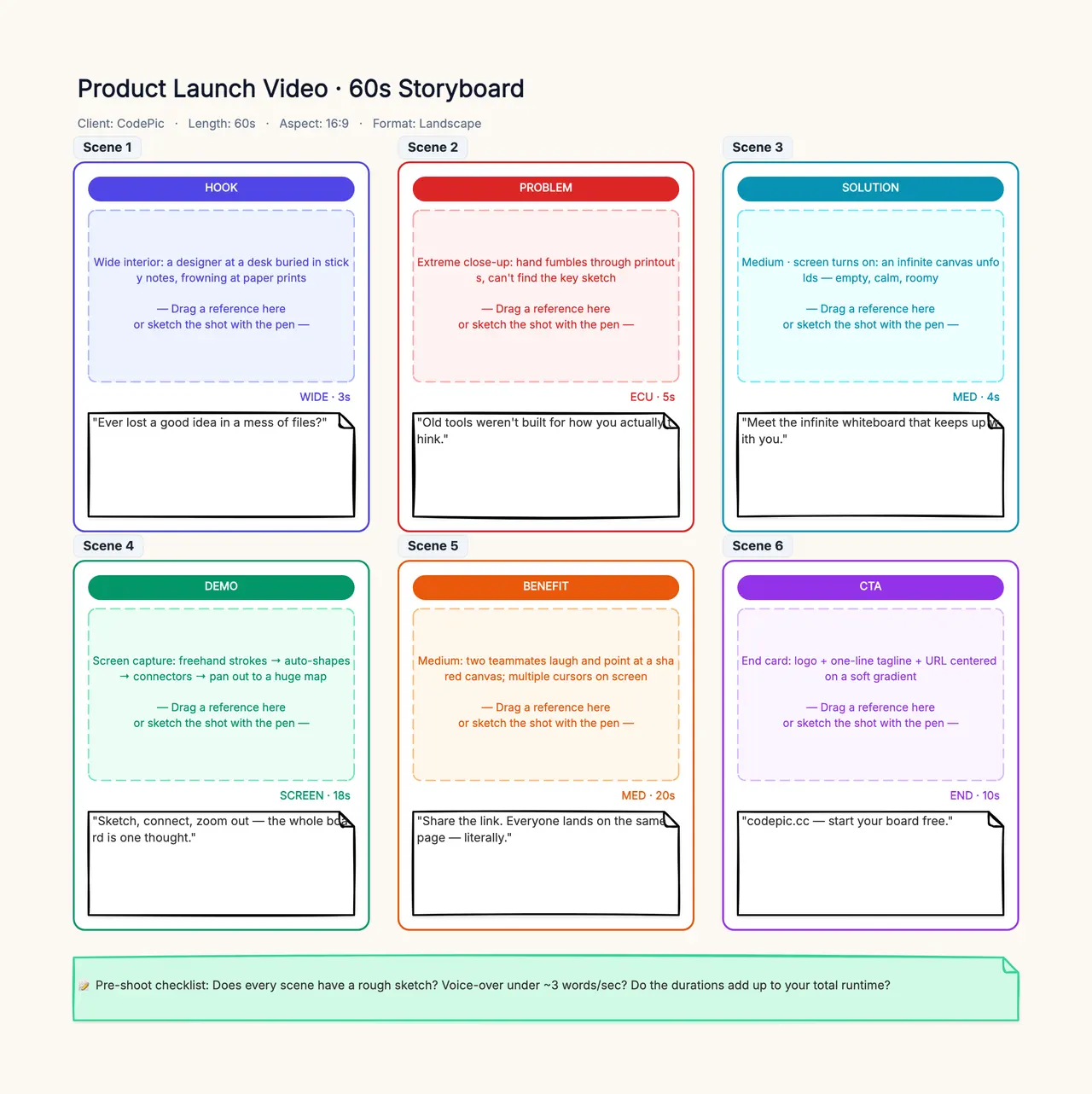
Open the storyboard template and replace the shelf exercise with your topic. Give each frame one information role, its narration and a media source. Identify any spoken claim without a supporting picture and any picture without a purpose before handing approved assets to an editor.
Decide which visuals need to be real
For a fictional shelf, original staged pictures, editable graphics or generated illustration can all serve the explanation. For a video about an actual collection, use approved footage of that collection when the claim depends on its appearance or condition. Generic books cannot prove a particular institution reorganized its shelves.
Keep an asset ledger with source, intended role, usage information and review status. “AI-selected” does not mean license-free, and “AI-generated” does not make every depicted event factual. Record whether the media is evidence, illustration or a placeholder awaiting replacement.
Use stock when it supplies appropriate general context and you have the needed permission. Use generation for a clearly illustrative scene that does not need documentary accuracy. Film or record the actual subject when an exact object, interface, location or event carries the claim.
The AI B-roll guide covers individual insert selection. This workflow adds the whole-video responsibilities: a coherent narration, a complete beginning and ending, an asset ledger and caption delivery. A pile of useful inserts is not yet a finished faceless short.
Generate restrained scenes that can be edited
For an illustrative opening, an authored prompt might say: “A single shelf holds six cloth-covered books with entirely blank spines. Their cover colors form a mixed row. The camera remains stationary and the books do not change shape. Hold a clear view with room for captions.”
For a move, use a supported reference and a simple action: “One blue book moves from the mixed row into the blue group. Other books remain still. Preserve the moving book's size and color. End after the book settles.” These are instructional prompt designs, not claimed outputs from a tested model.
If precise movement fails, use an editable graphic or a real recording. Repeatedly generating a complicated hand interaction can cost more than animating one rectangle. The goal is to communicate the rule, not to prove that every production step can be automated.
Select useful intervals with clean starts and endings. A scene that is stable only after a long morph may still offer a short usable hold, but it should not be counted as a fully successful action. Keep original downloads and adopted ranges so the edit can be reconstructed.
Make the narrator carry the correct level of certainty
Choose a licensed stock voice, an authorized voice workflow or your own recording. A faceless video does not require an anonymous or cloned voice. Keep pronunciation, tone and pacing consistent across the short so the viewer can focus on the explanation.
Read instructions as instructions and examples as examples. A confident documentary delivery can make a fictional demonstration sound like a reported finding. The wording should carry the boundary explicitly instead of relying on an audience to infer that the scene is synthetic.
Mix background music conservatively if you use it. Spoken conditions such as “do not force it into a category” need to remain audible. Listen on the destination device and keep a clean narration track so a later correction does not require rebuilding the entire sound mix.
If the subject contains dates, quantities or named sources, maintain a fact sheet. Our shelf exercise avoids external factual claims beyond its declared rules, but that does not generalize to news, health or financial topics. Match the review effort to the real subject rather than assuming a faceless format lowers the evidence requirement.
Build captions from the approved spoken version
Create or transcribe captions after the narration is approved, then compare every cue with the actual audio. Correct names, negation and task words first. A subtitle that drops “not” can reverse the instruction even when the voice is correct.
Break lines at meaningful boundaries and check the text at the intended size. Captions should not obscure the moving book or the undecided tray during the moment those objects explain the process. Add exact labels in editing rather than depending on generated letters on book spines.
The AI subtitle workflow provides a real audio fixture and editable subtitle examples for checking that layer. It distinguishes a transcript from timed subtitles and a sidecar file from burned-in text. Use those distinctions in your delivery checklist.
A translated version needs its own meaning and timing review. Keep the fictional-exercise boundary in every language, and do not let a shorter translation turn “one possible rule” into “the best rule.” The video translation workflow explains how to track those dependencies.
Review the whole short, not only individual clips
Watch with sound for explanation and pace, then silently for visual continuity. Ask whether the opening establishes the task, the middle shows one rule in action and the ending leaves a clear next step. A sequence of attractive shots can still fail to explain anything.
Inspect the final exported file. Check the actual duration, audio, caption track, aspect ratio and cropping. An editor preview is not evidence that the downloaded version has the same text, timing or sound. Open it in the intended player and inspect the beginning, middle and end.
Do not promise automatic channel growth or monetization from the production method. A publishable file is a production result. Audience response needs real platform observations, and revenue depends on conditions this example has not tested. Keep those outcomes separate from the number of videos generated.
Download the complete planning handoff
Use a storyboard to attach source assets and approved intervals to each row. CodePic can organize the plan and review, but it does not render narration, assemble clips or export a finished video. Add the actual production references after those steps are complete.
A faceless AI video generator is valuable when it helps turn a specific idea into an editable, reviewable sequence. Keep the explanation narrow, the media origins clear and the narration accurate. The absence of a presenter should make room for a stronger visual account of the task, with a final file that has been checked as a whole.