Miro and draw.io get recommended in the same breath so often that it's easy to assume they're interchangeable. They're not. Miro is a visual collaboration platform that treats diagrams as one of many features. draw.io is a dedicated diagramming tool that happens to support some collaboration through external platforms. The overlap is real — both can produce a flowchart — but the tools are optimized for fundamentally different jobs.
If you're choosing between them, the deciding factor usually isn't "features" in the abstract. It's whether your primary need is collaborative visual thinking or precise technical diagramming.
What Are These Tools?
Miro is a visual collaboration platform with an infinite canvas. Founded in 2011, it has grown from a simple whiteboard into a workspace that includes templates, sticky notes, mind maps, flowcharts, wireframes, voting, timers, video chat, and integrations with Jira, Figma, Slack, and dozens more. Miro's core user base is product managers, designers, and agile teams who need a shared visual space for meetings and planning.
draw.io (also known as diagrams.net) is a free, open-source diagramming application that's been around since 2005. It runs in the browser, as a desktop app, and as plugins for Confluence, VS Code, and Google Drive. draw.io ships with hundreds of shape libraries for UML, BPMN, network architecture, ER diagrams, AWS/GCP/Azure icons, circuit diagrams, floor plans, and more. It's widely used by developers, architects, and IT teams.
Pricing
This is one of the starkest differences.
The core draw.io editor is free. The browser and desktop apps require no paid editor plan or account. Some deployment-specific integrations—such as Atlassian Marketplace apps—are separate paid products, so include the host platform in a total-cost comparison.
Miro has a free tier with 3 editable boards and unlimited team members. The current Starter price is $8/month per member when billed annually and adds unlimited private boards, visitor editing, high-resolution exports, and facilitation features. Check the current Business price before budgeting because plan details change.
Bottom line: If you need a diagramming tool and don't want to pay anything, draw.io is hard to argue with. Miro's free tier is sufficient for evaluation but limited for real work.
Diagram Depth
This is where draw.io dominates.
draw.io offers professional-grade diagramming. It ships shape libraries for:
- UML (class, sequence, activity, state, component, deployment)
- BPMN 2.0 process diagrams
- Entity-relationship diagrams (crow's foot and Chen notation)
- Network topologies with Cisco, generic, and custom icons
- AWS, GCP, and Azure architecture with official icon sets
- Circuit diagrams, floor plans, mockups
- Flowcharts, org charts, Venn diagrams, mind maps
Each library follows the relevant specification. A UML class diagram has proper compartments. An ER diagram supports crow's foot cardinality notation. You're not improvising with rectangles and lines.
Miro offers workspace-first diagramming. Flowcharts, mind maps, process flows, wireframes, and more structured diagrams can live beside workshop content. Its catalog and diagram features have expanded, but draw.io still provides deeper specialized notation and shape-library control for UML, BPMN, ER, network, and cloud work. Miro excels at semi-structured visuals—customer journeys, affinity diagrams, and planning boards—where the surrounding conversation matters as much as notation.
Bottom line: For formal technical diagrams such as database design, software architecture, and network topology, start with draw.io's deeper libraries. For planning and ideation frameworks, Miro's workspace context and templates are usually more valuable.
Test the Boundary with a Swimlane
A swimlane process sits directly between formal diagramming and collaborative workshopping, so it is a useful trial task. Open the template below, add one handoff, and ask a teammate to challenge the ownership boundary.
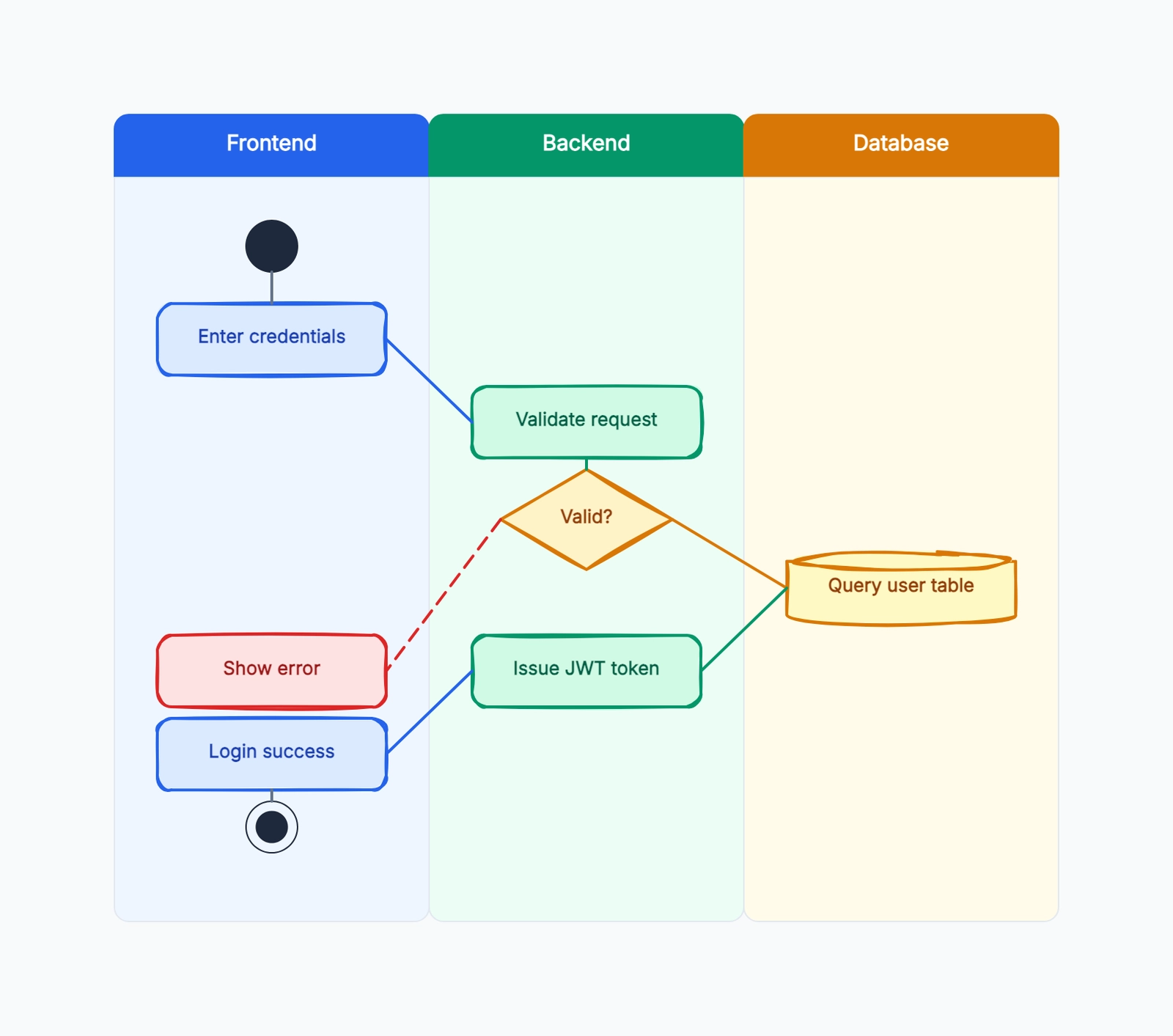
Swimlane diagram
Try this templateChoose draw.io if notation and file control make the task easier. Choose Miro if the discussion, comments, and group edits are the valuable part of the work.
Collaboration
This is where Miro dominates.
Miro is a collaboration-first platform. Real-time co-editing, live cursors, sticky notes, comments, @mentions, voting, timers, and built-in video chat. Facilitators can run structured workshops: set a timer, have everyone add sticky notes, vote on priorities, then present findings. Miro is designed around the assumption that multiple people are working on the same canvas at the same time.
draw.io relies on external platforms for collaboration. It doesn't have a built-in account system or its own collaboration layer. When you use draw.io in Google Drive, you get Google Docs-style sharing and concurrent editing. In Confluence, diagrams live inside Confluence pages with its collaboration model. The approach is "leverage the platforms people already use" rather than building a standalone collaboration experience.
This means draw.io collaboration can include shared links, concurrent editing, and live cursors when the selected storage integration supports them, but the experience depends on Google Drive, OneDrive, or another host. Miro owns the workspace, permissions, facilitation, and collaboration experience end to end.
Bottom line: If collaboration is central to your workflow — team brainstorming, workshops, async feedback — Miro is clearly stronger. If you mostly work solo or share diagrams for review rather than co-creation, draw.io's external-platform approach is adequate.
Ease of Use
Miro is easier for non-technical users. The interface feels modern. Templates guide you through common use cases. Dragging sticky notes feels intuitive. The learning curve for basic use (adding notes, drawing arrows, placing images) is gentle. The complexity comes when you try to use Miro for precise diagrams — aligning shapes perfectly, managing layers, creating reusable components.
draw.io has a steeper initial learning curve but is more efficient once learned. The interface is denser: shape panels on the left, property panels on the right, a menu bar with many options. First-time users often feel overwhelmed. But once you understand the workflow — drag shapes from libraries, snap connections, format with styles — draw.io is remarkably productive for people who make diagrams regularly.
Bottom line: Miro is more approachable for occasional users and non-technical team members. draw.io rewards investment with higher efficiency for regular diagramming work.
Integrations
Miro integrates with Jira, Asana, Slack, Teams, Google Workspace, Figma, Notion, Confluence, Zoom, and 100+ marketplace apps. This makes Miro a natural hub for teams that already work across these platforms.
draw.io integrates with Confluence (the most popular integration), Jira, Google Drive, OneDrive, SharePoint, Dropbox, GitLab, GitHub, and VS Code. The Confluence integration is particularly well-regarded — it's one of the most installed Marketplace apps. draw.io also exports to PNG, SVG, PDF, XML, VSDX (Visio format), and HTML, making it easy to embed diagrams anywhere.
Bottom line: Miro's integrations are broader for general productivity. draw.io's integrations are deeper for developer and documentation workflows, especially in Atlassian environments.
Data Ownership and Offline Use
draw.io stores nothing on its own servers. Files live wherever you choose: local filesystem, Google Drive, OneDrive, Dropbox, or a Git repository. The desktop app works fully offline. The file format is standard XML — you can version-control it, diff it, and parse it with any tool. For organizations that need full control over where data lives, draw.io is ideal.
Miro stores everything in its cloud. No offline mode, no local file export that preserves full board functionality. Enterprise plans offer data residency and compliance features, but the architecture is fundamentally cloud-dependent. Exporting a Miro board produces a static image or PDF — you can't re-import it with full editability.
Bottom line: draw.io wins on data ownership and offline use. Miro wins on always-available cloud access and cross-device sync.
Switching and Migration Costs
Moving between the tools is not symmetrical. draw.io keeps an editable XML-based source file and supports imports from formats including Visio and Lucidchart. Miro exports are useful for presentation or archiving, but a flattened image or PDF does not preserve a fully editable workshop board in another tool.
Before choosing, test one departure path:
- Export a representative diagram or board.
- Open the result without the original account.
- Confirm whether text, connectors, comments, attachments, and links remain editable.
- Record where the authoritative source will live after a team member leaves.
- Estimate the manual work required to move ten real assets, not one demo.
Teams often underestimate the cost of surrounding context. A Miro board may contain votes, comments, frames, and embedded files that do not map to a diagram editor. A draw.io file may preserve shapes perfectly but not the meeting history that produced them. Choose the artifact you need to maintain after the session ends.
Who Should Use What?
Choose draw.io if you:
- Create technical diagrams regularly (UML, ER, network, cloud architecture)
- Want a completely free tool with no feature restrictions
- Need to version-control diagrams in Git
- Work in Confluence or the Atlassian ecosystem
- Care about data ownership and offline access
Choose Miro if you:
- Run collaborative workshops, design sprints, or planning sessions
- Need a shared visual space for your team with real-time interaction
- Work across Jira, Figma, Slack, and need those integrations
- Create semi-structured visuals: journey maps, affinity diagrams, roadmaps
- Prioritize collaboration features over diagram precision
A Third Option
If you need more diagram depth than Miro offers but want something less dense than draw.io — or if you want a hand-drawn visual style that makes diagrams feel more approachable — CodePic is worth trying. It's a free diagramming tool with support for flowcharts, ER diagrams, mind maps, wireframes, and more, all rendered in a hand-drawn style. Through the MCP protocol, it also connects to AI tools like Cursor and Claude, letting you generate diagrams from natural language descriptions.
If you want to try that workflow, start with the flowchart template.
Summary
Miro and draw.io are both valuable tools, but they serve different needs. Miro is the better choice when your primary need is team collaboration and visual thinking. draw.io is the better choice when your primary need is creating accurate, specification-compliant diagrams.
For team collaboration and workshops: Miro. For technical diagramming and documentation: draw.io.
For more alternatives, continue with:
- Excalidraw vs Miro (2026): Simple Sketching or Team Whiteboard? — If Miro feels too heavy and you mainly need fast sketching.
- Mermaid vs draw.io (2026): Diagram-as-Code or Visual Editor? — If your diagram workflow starts in docs or code.
- draw.io vs Lucidchart: Free Diagramming or Enterprise Visual Collaboration? — If you want a closer diagramming-tool comparison.
- Miro alternatives guide and draw.io alternatives guide — Broader lists when neither side fits cleanly.


