If you work in software development, you've encountered both terms in requirements documents, sprint planning sessions, and architecture reviews. The use case vs user story distinction matters because they serve different purposes — and using the wrong one for the wrong situation leads to either under-specified features that break in production, or over-documented requirements that nobody reads.
I've written both, taught both to new team members, and seen teams struggle when they try to force one format to do the other's job. Here's what each one actually is, when to use it, and how they fit together.
At a Glance
| User Story | Use Case | |
|---|---|---|
| Format | One sentence on an index card | Multi-page structured document |
| Template | "As a [user], I want [action] so that [goal]" | Title, Actor, Preconditions, Main Flow, Alternate Flows, Postconditions |
| Detail level | Intentional placeholder for conversation | Exhaustive — covers every path and exception |
| Who writes it | Product Owner or team collaboratively | Business analyst or systems architect |
| Best for | Agile sprints, iterative development | Complex systems, regulated industries, system integrations |
| Lifespan | Temporary — discussed, built, archived | Persistent — lives as reference documentation |
| Thinking mode | Outside-in: what the user needs | Inside-out: how the system responds |
User Stories: The Agile Approach
A user story was invented by Kent Beck and popularized by Mike Cohn as a deliberately incomplete artifact. That's not a bug — it's the point. The three-part template forces you to answer three questions:
- As a [specific user] — who is this for? Not "as a user," but "as a first-time customer who hasn't created an account yet."
- I want [specific action] — what do they need to do? Not "I want a better experience," but "I want to reset my password without contacting support."
- So that [specific goal] — why do they need it? Not "so that the app is better," but "so that I can log in immediately after forgetting my password instead of waiting 24 hours for an email response."
The intentional gaps in a user story are filled through conversation — the Product Owner, developers, and testers discuss the story during sprint planning and refine their shared understanding. This is why user stories work for agile teams: the team is co-located (physically or virtually), they talk to each other daily, and the cost of a misunderstanding is low because they ship in small increments and course-correct quickly.
A good user story example:
As a warehouse picker using a handheld scanner, I want the app to show me the exact shelf location of the next item in my pick list, so that I can grab it in one motion instead of searching the aisle.
Note what's missing — no mention of screen layouts, error handling, or what happens if the scanner battery dies. Those details will come up in the conversation. The story's job is to start that conversation with enough context that everyone understands who this is for and what success looks like.
Acceptance criteria often accompany user stories to set a concrete bar for "done":
- Given a pick list with 5 items, when I scan the first item, then the scanner shows "Aisle 3, Shelf B, Bin 12"
- Given a pick list with items in different aisles, when I complete one item, the next item's location appears within 1 second
- Given a pick list, when the scanner loses connectivity, the current item's location remains visible and a "reconnecting" indicator appears
Use Cases: The Structured Specification
A use case was formalized by Ivar Jacobson in the 1980s and became the standard way to document software requirements through the 1990s and early 2000s. Where a user story fits on a sticky note, a use case is a document with defined sections.
A complete use case typically contains:
- Title and ID — uniquely identifies the use case
- Primary Actor — the person or system initiating the interaction
- Stakeholders — anyone with an interest in the outcome
- Preconditions — what must be true before the use case can begin
- Main Success Scenario — the happy path, step by step
- Extensions (Alternate Flows) — every variation from the happy path
- Postconditions — what must be true after the use case completes
- Special Requirements — non-functional constraints (performance, security, compliance)
The same scenario as a use case:
UC-014: Pick List Item Location Display
Primary Actor: Warehouse Picker (authenticated, holding scanner) Preconditions: Pick list is assigned to this picker, warehouse map is loaded on the device, scanner has connectivity.
Main Success Scenario:
- Picker scans barcode on the next item in the pick list.
- System queries the inventory database for the item's shelf location.
- System displays "Aisle X, Shelf Y, Bin Z" on the scanner screen.
- System highlights the location on the warehouse map.
- Picker navigates to the location and retrieves the item.
Extensions:
- 2a. Item barcode not found in database → display "Item not in system — return to supervisor" and log the unrecognized barcode.
- 2b. Inventory database query times out (>2 seconds) → retry once, then display "System slow — please wait" with a spinner.
- 3a. Item is in a multi-bin location → display all bin options sorted by proximity to picker's current position.
- 5a. Picker scans wrong item at location → vibrate scanner, flash red, show "Wrong item — expected [item name]."
The use case leaves nothing to chance. Every failure mode, every edge case, every system response is documented. For a payment processing system or a medical device, this level of detail isn't excessive — it's legally required.
Where Teams Get Confused
Mistake 1: Writing user stories that are actually use cases in disguise. The symptom: a user story with 14 acceptance criteria, a linked Confluence page, and a "see attached diagram." That's not a user story — that's a use case that someone compressed into a Jira ticket because the team's process says "everything must be a user story." If a feature requires exhaustive documentation of alternate flows, write a use case and reference it from a lightweight user story.
Mistake 2: Using use cases for simple features in an agile team. A "reset password" flow in a web app doesn't need a 6-page use case document. Two user stories and a conversation with the team will cover it in 15 minutes. Use cases add value proportional to the complexity of the interaction, not the length of the document.
Mistake 3: Not documenting extensions in use cases. The main success scenario is the easy part. The extensions are where the real work lives — and where teams that skip use cases discover production bugs. If you're writing a use case and the extensions section is empty, you haven't thought about it hard enough.
How They Work Together
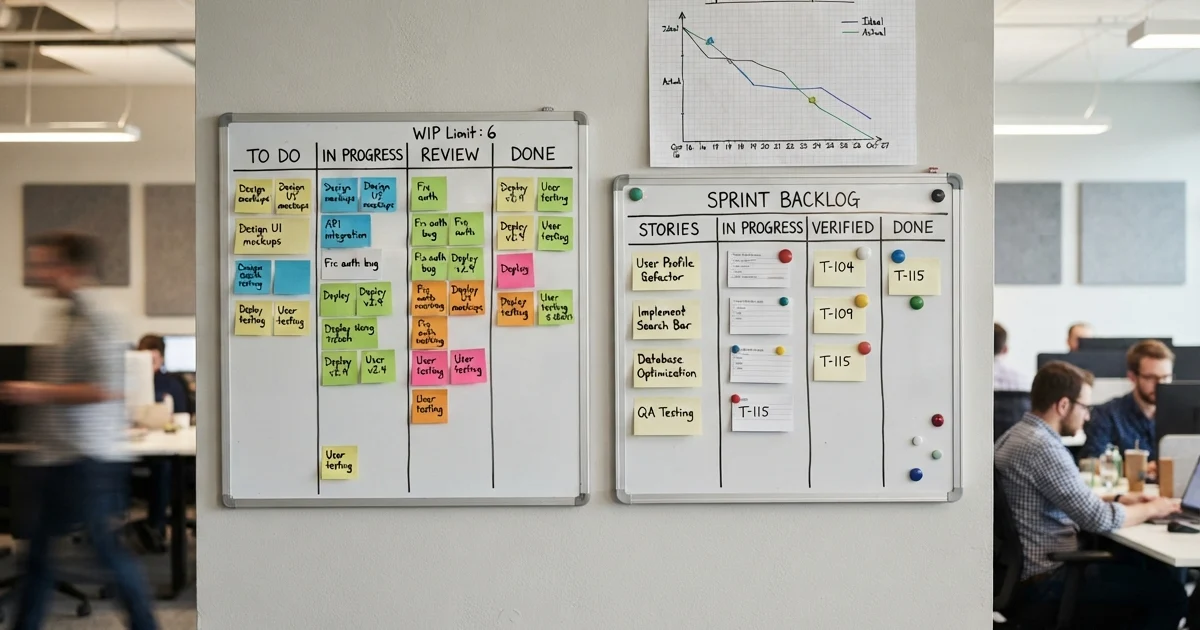
In practice, many effective teams use both. A user story goes on the sprint board: "As a customer, I want to pay via bank transfer so I can avoid credit card fees." That story links to a use case document that covers every path through the bank transfer flow — the 14 ways it can fail, the regulatory requirements, the timeout and retry logic.
The user story gives the team something to point at during standup. The use case gives them confidence that someone has thought through the edge cases before code was written. When the story is done and the sprint ends, the story is archived. The use case stays as living documentation.
Should Your Team Use Use Cases?
Ask yourself three questions about the feature you're building:
- Are there more than five distinct ways this interaction can go wrong? If yes, a use case's extensions section will surface bugs before they're written in code.
- Would a failure in this interaction have regulatory, financial, or safety consequences? If yes, the structured documentation of a use case is worth the time.
- Is the team that will build this distributed across time zones, with limited opportunities for real-time conversation? If yes, the detail in a use case fills the gap that hallway conversations would fill in a co-located team.
If you answered no to all three, user stories are probably sufficient.
Bottom Line
User stories are lightweight, conversational, and designed for agile teams that can clarify details through daily interaction. Use them for sprint-level planning and features with straightforward happy paths.
Use cases are thorough, structured, and designed for situations where missing an edge case has real consequences. Use them for complex interactions, regulated systems, and system-to-system integrations.
One is not better than the other — they solve different problems. Teams that understand when to reach for each one build software that works in production, not just in demos.