For Stripe vs Paddle, choose the operating model before comparing fees. Standard Stripe is a candidate when you want control over payment configuration and can own your selling operation. Paddle is a candidate when an eligible software business wants a bundled merchant-of-record service. Neither choice removes the work of connecting payments to your product.
There is also a third path: Stripe Managed Payments. A comparison that says Stripe never acts as merchant of record is incomplete. This guide separates those configurations, then works through eligibility, a small cost model, and a payment-launch rehearsal. Official information was checked on October 14, 2026.
Stripe vs Paddle: compare three configurations
A merchant of record, or MoR, is the entity responsible for the sale to the buyer. Payment processing, subscription management, and acting as MoR are different roles. For standard Stripe products your business is MoR; Managed Payments changes that arrangement for covered transactions.
| Decision | Standard Stripe + relevant modules | Paddle | Stripe Managed Payments |
|---|---|---|---|
| Selling model | Your business is MoR | Paddle is MoR for covered sales | Stripe is MoR for covered sales |
| Service shape | Assemble the payment, billing, and tax configuration you need | Bundled software-selling service | Managed service within Stripe, subject to eligibility |
| Recurring subscriptions | Add/configure Billing | Part of the advertised offering | Billing remains relevant and separately priced |
| Integration boundary | Select the supported flow that fits your product | Build around Paddle's supported checkout and lifecycle | Check specific restrictions; not every Stripe integration qualifies |
| First question | Can we operate this selling setup? | Is our business and product accepted? | Is this account and flow eligible? |
These are starting points, not scores. A smaller feature list that covers your actual product may be more useful than a flexible setup your team cannot maintain.
Check merchant eligibility before building checkout
Write down the legal selling entity, its country, the product category, expected buyer countries, and the proposed payout bank. “Our customers are worldwide” does not answer where the merchant account can be opened.
Use Stripe's availability page for business-country availability. Check Managed Payments eligibility separately: it adds account, geography, product, and transaction restrictions. A working standard Stripe account is not evidence that every Stripe service is available to it.
Paddle publishes supplier-country restrictions. Its buyer-country documentation addresses a different question: where supported sales can occur. Neither page replaces the review of your particular business and product.
For founders in mainland China, distinguish personal residence from the actual selling entity and bank arrangements. Do not infer direct account eligibility from a Chinese-language website, a supported buyer payment method, or another founder's account. Obtain confirmation for your own setup before committing engineering time. Registration elsewhere also creates operating obligations; it is not merely a switch in a checkout form.
Separate transaction tax from your company's obligations
Under a standard Stripe setup, purchasing a tax tool does not itself make Stripe MoR. Stripe Tax provides tax-related capabilities; the services enabled and their scope matter. Establish who handles registrations, calculation, collection, filing, and remittance for the actual selling arrangement.
Paddle's MoR model and Stripe Managed Payments allocate relevant transaction-tax work differently from standard processing. That can reduce work for a small software business, but it does not mean the founder has outsourced company bookkeeping, income tax, or every local obligation.
Make a responsibility sheet before launch. For every task, name the owner, supporting document, and unresolved question. A blank owner beside “refund approval” or “monthly reconciliation” is an operational gap regardless of the vendor you choose. This sheet also gives an accountant a concrete configuration to review instead of the vague question “Does this platform handle tax?”
Map one paid subscription before making the decision
Rehearse a $10 monthly subscription using three lanes: buyer, payment provider, and your application. Start with the pricing page and finish with a canceled subscription whose paid access ends at the intended time.
| Moment | Provider-side question | Application-side decision |
|---|---|---|
| Buyer starts checkout | Which product, price, currency, and tax treatment apply? | Which authenticated account will receive the purchase? |
| Initial payment is confirmed | What verified server-side event establishes the result? | When does this account receive access? |
| Renewal fails | What retry and notification behavior is configured? | Is there a grace period, and how is it displayed? |
| Buyer cancels | Is cancellation immediate or scheduled? | On what date do paid features stop? |
| Refund is approved | How is the adjustment recorded? | Does access end, remain, or need a separate decision? |
You can adapt the swimlane template to document those handoffs. It starts as a general diagram, not a ready-made payment integration; replace its example content with your actual provider events and product rules. The swimlane examples explain how to assign ownership.
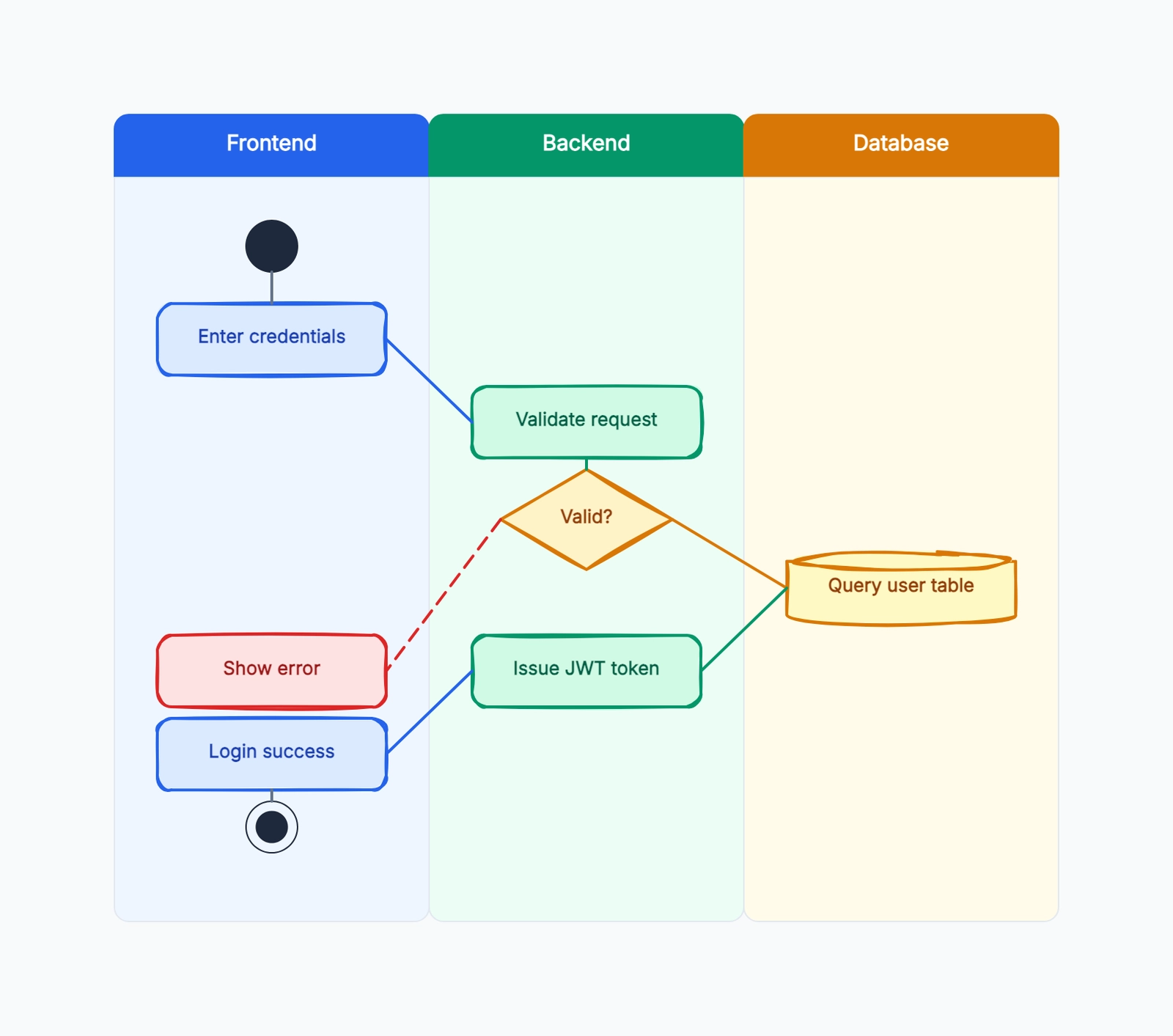
Swimlane diagram
Try this templateReview that same scenario against both candidates. The goal is to expose missing decisions, not to claim that drawing a flow tests payment acceptance or proves compliance. Keep the diagram beside the implementation checklist and revise it when behavior changes.
Calculate fees with the same assumptions
Headline rates describe different bundles. On the checked US Stripe pricing page, standard domestic-card processing is 2.9% + $0.30. Billing pay-as-you-go is 0.7% of Billing volume. Paddle's advertised pay-as-you-go rate is 5% + $0.50 per checkout transaction. Managed Payments pricing adds 3.5%, with payment fees and subscription billing fees separate.
Here is an illustrative model, not a global quote. Assume an eligible US merchant, domestic cards, USD, successful recurring charges, the rates above, and no sales tax. Exclude international-card surcharges, FX, refunds, disputes, payout charges, other services, and negotiated contracts. Assume each charge contributes its full amount to the relevant fee base.
| Monthly scenario | Standard Stripe processing + Billing | Paddle advertised bundle | Stripe processing + Billing + Managed Payments |
|---|---|---|---|
| 1,000 charges × $10 = $10,000 | $290 + $300 + $70 = $660 | $500 + $500 = $1,000 | $660 + $350 = $1,010 |
| 200 charges × $50 = $10,000 | $290 + $60 + $70 = $420 | $500 + $100 = $600 | $420 + $350 = $770 |
The arithmetic uses revenue × percentage + charge count × fixed fee, then adds the relevant service fees. This is why average charge size matters even at equal revenue.
The figures are modeled provider fees, not profit. Standard Stripe's apparent difference must also fund any selling work and services the business needs. Conversely, buying a bundle does not guarantee better conversion or a profitable product. Substitute your actual country pricing, payment mix, tax-inclusive amounts, and contract before making a budget. Managed Payments calculates its percentage on the transaction amount including applicable indirect tax; the no-tax assumption here is deliberate.
Compare subscription behavior and access, not just checkout
A checkout page can look complete while the paid product remains unreliable. Write acceptance cases for signup, renewal, upgrade, downgrade, cancellation, and refund. Include a buyer who pays successfully but closes the tab before returning to your website.
Stripe documents subscription webhook events, and Paddle explains provisioning access from subscription state. Map those documented events to your own entitlements: what a customer is allowed to use. A billing status and an entitlement policy are related, but they are not identical.
Use the providers' Stripe and Paddle webhook-verification guidance. The implementation should verify the request, associate it with the correct account, and tolerate repeated deliveries without granting twice. Reconcile against current provider state when delivery order could make an older event misleading.
Record the desired behavior first, then implement and test it. A “past due” label should not accidentally grant lifetime access, and a scheduled cancellation should not silently revoke an already-paid period. If your product includes usage credits, specify separately what a refund does to unused credits.
Review payouts, refunds, and a possible migration
Revenue displayed in a dashboard is not the same as cash available in your bank. Ask each provider to confirm settlement currency, payout timing, thresholds, conversion, holds, and any account-specific conditions. Build your hosting and support budget around confirmed cash availability.
For refunds, write down who accepts the customer's request, who authorizes it, how it is recorded, what happens to access, and how the balance is reconciled. Do not assume a refund restores every original fee or cancels every future renewal; check the configured flow and terms.
Before migrating an existing product, inventory customer IDs, subscriptions, payment credentials, invoices, discounts, and access records. Exporting a customer list does not establish that payment credentials or active mandates can transfer. Get a supported migration plan, retain the old-to-new mapping, and rehearse renewal boundaries before changing live billing.
Choose by the work your team can own
| Your situation | Shortlist | Evidence to request |
|---|---|---|
| You already operate the selling and finance workflow and need modular control | Standard Stripe | Account eligibility, exact modules, fee model, event handling |
| A small software team wants a bundled MoR arrangement | Paddle | Business approval, product fit, covered responsibilities, payout terms |
| You want MoR while evaluating the Stripe ecosystem | Stripe Managed Payments and Paddle | Managed Payments eligibility and integration limits; comparable all-in quotes |
| Your business is not approved, or the product is outside scope | Resolve eligibility first | Written confirmation for the real entity and product |
These recommendations are an inference from the documented service models, not measured rankings. We have not benchmarked checkout conversion, response times, or support quality. Keep those questions in your own evaluation rather than treating a feature table as evidence.
Payment launch checklist for a small website
Before enabling live purchases, complete the following review:
- Confirm the selling entity, accepted product category, and payout destination.
- Confirm the MoR arrangement and owners for remaining finance work.
- Publish accurate pricing, renewal, cancellation, refund, and contact information.
- Match each live price and currency to the intended product and account.
- Verify webhook signatures and test repeated, delayed, and failed deliveries.
- Rehearse purchase, failed renewal, cancellation, and refund in the supported test environment.
- Check that payment state and product access agree, including scheduled changes.
- Plan reconciliation, customer support, and cash needs before the first payout.
Keep an implementation owner and a review date beside each item. Payment readiness is one part of a useful website: the content-mapping workflow helps plan the questions visitors need answered before reaching checkout. Select a provider after the responsibility map and cost assumptions are clear, then validate the actual integration before live sales.
Continue from payment choice to implementation
Use the SaaS payment setup guide to shortlist a configuration, then the subscription billing workflow to define access, renewal, cancellation, and failure behavior.