SaaS onboarding journey
Who uses it: Product manager or UX researcher mapping the first-run experience
Stage 1 — Awareness: discovers product via search or referral
Stage 2 — Sign-up: creates account, verifies email
Stage 3 — Activation: lands on empty state dashboard
Stage 4 — First value: imports data or completes setup wizard
Stage 5 — Retention: returns next day, forms habit
Emotion curve: drops sharply at empty state, recovers after first value
Why this works: The emotion drop at the empty state is the most actionable insight — it is the highest-leverage place to invest in onboarding improvements before any other stage.
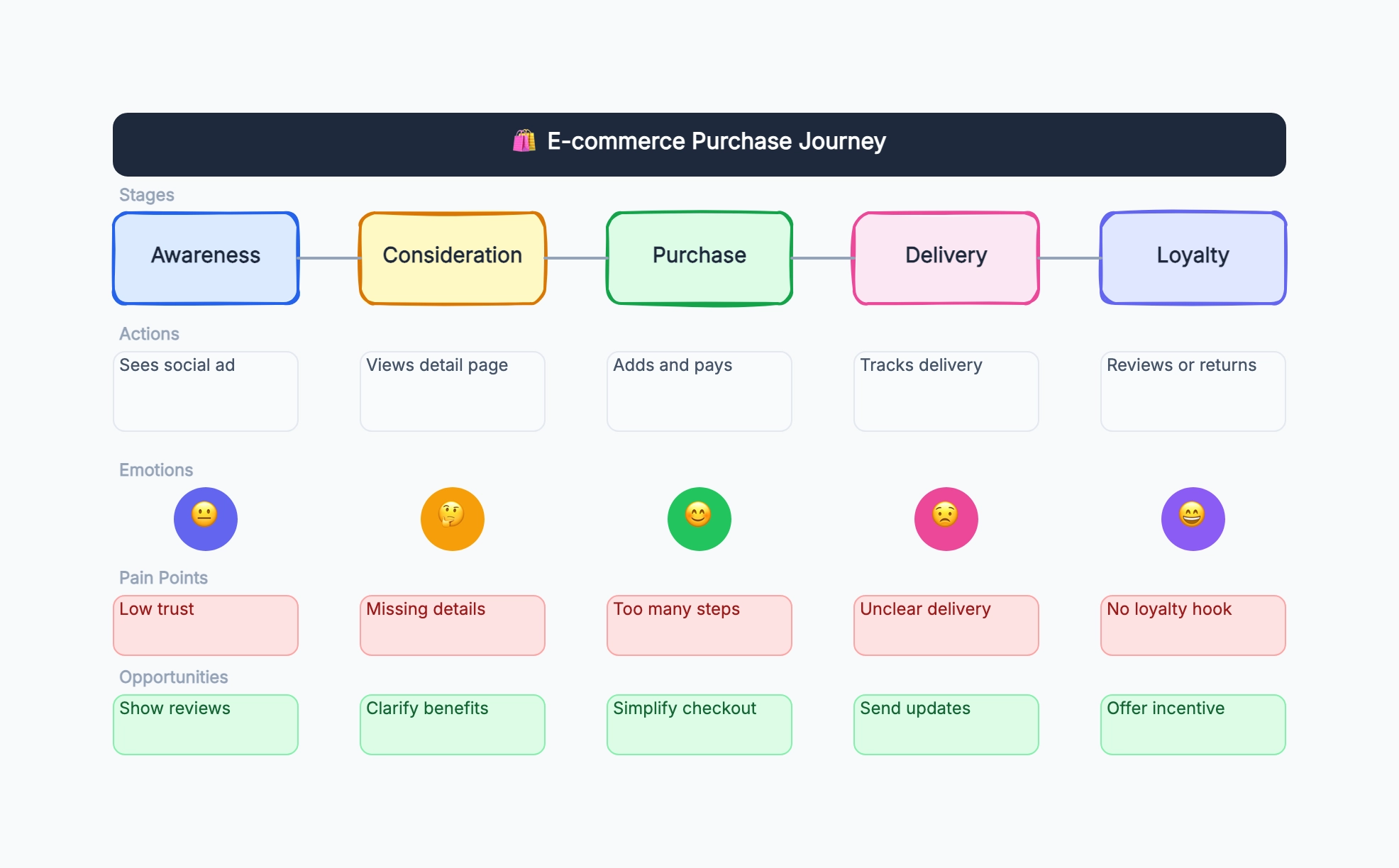
E-commerce checkout journey
Who uses it: UX designer or conversion specialist reducing cart abandonment
Stage 1 — Browse: adds items to cart → engaged
Stage 2 — Cart review: sees total → mild anxiety
Stage 3 — Account required: forced sign-up → frustrated
Stage 4 — Shipping info: long form → impatient
Stage 5 — Payment: trusts checkout → relieved
Stage 6 — Confirmation: order number received → satisfied
Why this works: Forced account creation is the most common drop-off point in checkout journeys — showing it on the map gives the team the evidence to justify a guest checkout option.
Mobile app first week
Who uses it: Growth or retention team analyzing early churn in a mobile app
Day 1: downloads app, completes onboarding → hopeful
Day 2: returns, unsure what to do → confused
Day 3: push notification brings back → neutral
Day 4: discovers core feature → engaged
Day 7: habit formed or churned
Pain point: Day 2 confusion is the churn trigger
Why this works: Day 2 is where most mobile apps lose users — the journey map makes this specific moment visible and separates it from general 'early churn' as a fixable design problem.
Customer support experience
Who uses it: CX or service design team improving the help-seeking experience
Stage 1 — Problem occurs: user hits error → frustrated
Stage 2 — Self-service: searches help center → uncertain
Stage 3 — No answer found: escalates to chat → impatient
Stage 4 — Queue wait: holds for agent → more frustrated
Stage 5 — Resolution: issue fixed → relieved
Stage 6 — Follow-up: receives survey → neutral
Why this works: The emotion curve shows that frustration builds before the agent is even involved — improving the help center search is faster and cheaper than hiring more agents.
B2B sales journey
Who uses it: Sales or marketing team mapping how enterprise buyers move to a decision
Stage 1 — Problem awareness: internal pain point surfaces
Stage 2 — Research: compares vendors, reads reviews
Stage 3 — Demo request: books call → hopeful
Stage 4 — Evaluation: security review, legal, procurement
Stage 5 — Decision: champion presents to leadership
Stage 6 — Onboarding: IT setup, team training
Why this works: B2B journey maps reveal that the buyer journey involves multiple stakeholders with different concerns — the map helps sales and marketing create content for each decision-maker, not just the champion.
Healthcare patient journey
Who uses it: Service designer or healthcare team improving the patient experience
Stage 1 — Symptom: patient notices issue → anxious
Stage 2 — Booking: calls or uses app → relieved
Stage 3 — Waiting room: waits 30+ minutes → frustrated
Stage 4 — Consultation: sees doctor → reassured
Stage 5 — Treatment: follows up on prescription → uncertain
Stage 6 — Recovery: outcome achieved → satisfied
Why this works: The waiting room emotion drop is often larger than the symptom anxiety — healthcare journey maps routinely reveal that operational fixes (scheduling, communication) matter as much as clinical quality.