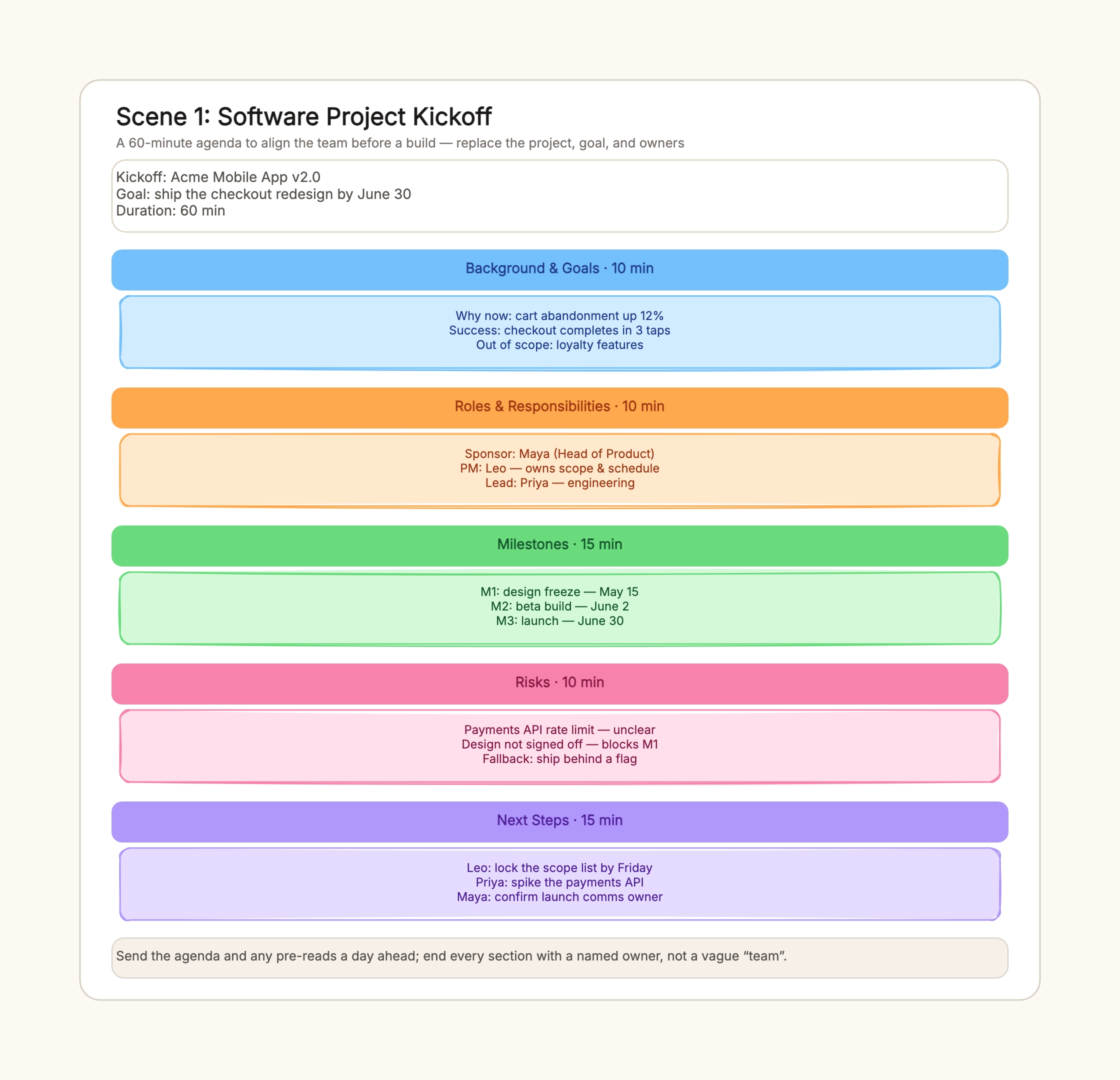
First software feature kickoff
Who uses it: A product manager and an engineering team starting a new feature
Background — 10 min: cart abandonment, success = 3-tap checkout
Roles — 10 min: sponsor, PM, engineering lead
Milestones — 15 min: design freeze, beta, launch
Risks — 10 min: API limit, sign-off, behind-a-flag fallback
Next steps — 15 min: owner + date per action
Why this works: A feature kickoff needs a concrete success metric and named roles so scope and schedule have a single owner from day one.
Marketing campaign kickoff
Who uses it: A growth or marketing lead launching a campaign
Goal — 8 min: 5,000 trial sign-ups in 6 weeks
Roles — 8 min: growth lead, brand designer
Milestones — 12 min: creative approved, landing page live, first report
Risks — 7 min: approval delays, budget shifts
Next steps — 10 min: channel plan, first creative
Why this works: A campaign kickoff runs tighter than a build; the goal is measurable and every channel carries one name so approvals do not stall the launch week.
Cross-functional product launch
Who uses it: A product ops lead coordinating product, marketing, sales, and support
Background — 10 min: what ships, why now, 20% adoption in 30 days
Roles — 10 min: product, marketing, support owners
Milestones — 12 min: feature complete, docs ready, launch
Risks — 8 min: enablement late, support queue spike
Next steps — 10 min: cut scope, launch email, support replies
Why this works: A launch spans teams, so the agenda hands each workstream to a single accountable owner and makes the next-steps block the widest part of the board.
Agency client kickoff
Who uses it: An agency account lead starting a client engagement
Background — 15 min: client problem and agreed success metric
Roles — 10 min: client sponsor, agency lead, day-to-day contacts
Milestones — 15 min: discovery, first draft, review, delivery
Risks — 10 min: feedback delays, scope creep
Next steps — 10 min: kickoff deck, feedback cadence
Why this works: A client kickoff adds the client sponsor and contact roles, and it spends more time on background so both sides sign off on the same definition of done.
Student group project kickoff
Who uses it: A student team dividing a semester project
Goal — 8 min: what the assignment asks and the grade criteria
Roles — 8 min: who owns research, writing, and the demo
Milestones — 10 min: outline, first draft, rehearsal, submission
Risks — 7 min: schedule conflicts, one person overloaded
Next steps — 10 min: shared doc, weekly check-in time
Why this works: A student kickoff uses the same five sections but swaps corporate roles for the pieces of the assignment, so no one carries the whole project alone.
Remote async kickoff
Who uses it: A distributed team that cannot meet live
Background — 2 days: recorded brief + success metric
Roles — 2 days: async sign-off on each owner
Milestones — 3 days: dates agreed in a shared doc
Risks — 2 days: flag blockers in a thread
Next steps — 1 day: owner + date collected before the live sync
Why this works: An async kickoff replaces timed sections with answer-by dates, then uses one short live sync to close any disagreement the thread could not settle.