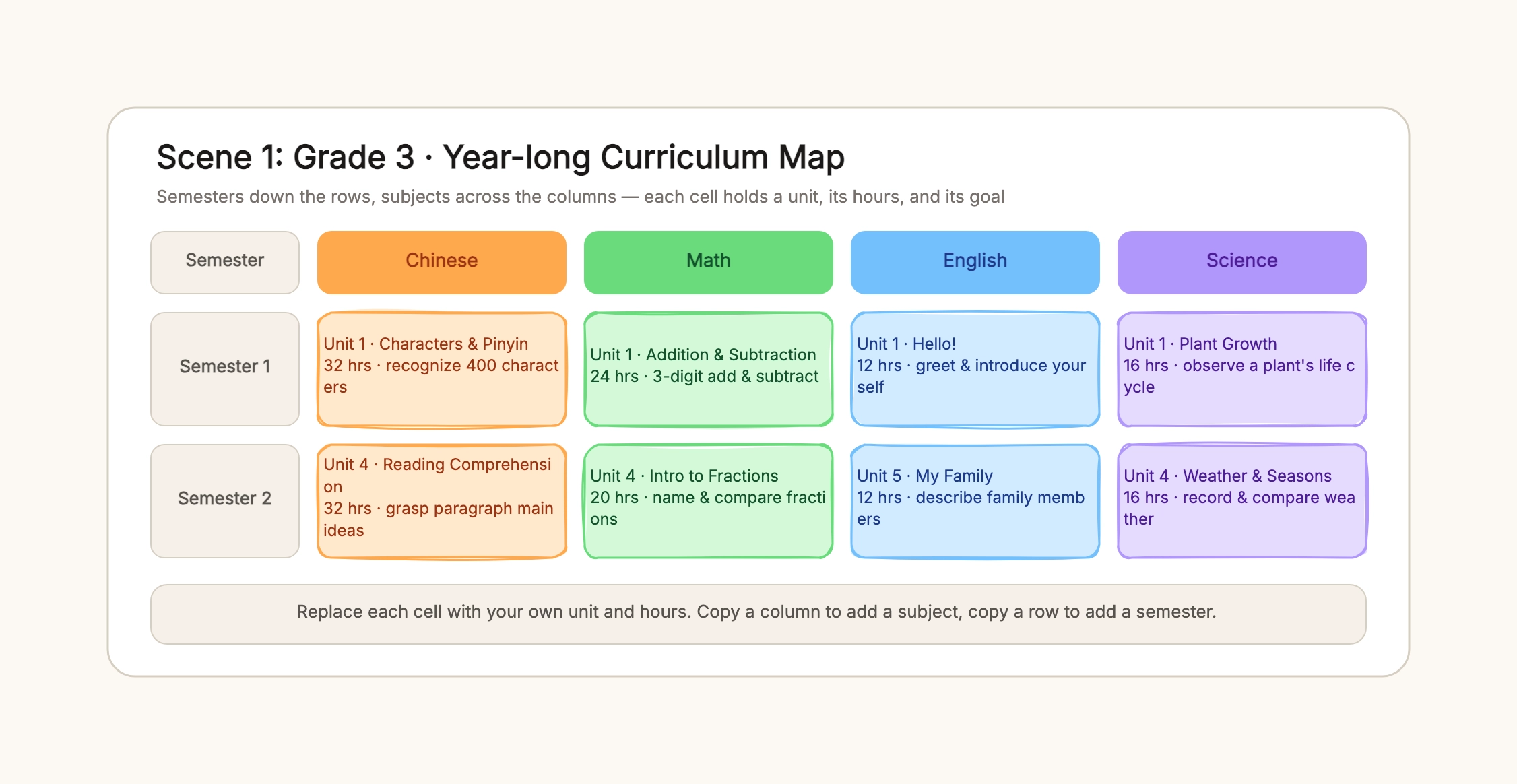
Grade 3 year map
Who uses it: An elementary teacher planning a full school year
Rows: Semester 1, Semester 2
Columns: Chinese, Math, English, Science
Cell: unit name · hours · goal
Color per subject
Why this works: The whole year on one board, with semesters down and subjects across, so the teacher can see coverage and share it with parents and colleagues.
Junior math subject map
Who uses it: A middle-school math teacher or department head
Rows: Grade 7 S1, Grade 7 S2, Grade 8 S1
Columns: Number & Algebra, Geometry, Statistics
Cell: unit name · hours · goal
Concepts build top to bottom
Why this works: One subject laid out by strand so the progression — from rationals to polynomials, from basic geometry to congruence — is visible at a glance.
Four-year computer science program
Who uses it: A program director or academic advisor
Rows: Year 1 through Year 4
Columns: Foundation, Core, Practice & Elective
Cell: course · credits · goal
Internship and capstone in later years
Why this works: A whole major on one board, used for brochures, advising, and checking that prerequisites and practice line up across years.
Homeschool year overview
Who uses it: A homeschooling parent planning a year
Rows: terms or months
Columns: subjects the child studies
Cell: unit or book · weeks · goal
Leave gaps for field trips and review
Why this works: A lighter version of the grade map that leaves room for flexible pacing, field trips, and review weeks rather than a fixed timetable.
Curriculum revision handoff
Who uses it: A department revising for a new textbook or standards
Rows: semesters or grades
Columns: subjects or strands
Mark changed cells in a different color
Note what moved where
Why this works: When a textbook or standards change, the map shows exactly which units move and which stay, so the whole team revises together.
Teacher onboarding map
Who uses it: A new teacher getting the lay of a subject
Rows: semesters
Columns: strands or units
Cell: unit · hours · goal
One line per unit on what it builds toward
Why this works: A single page that shows a new teacher where each unit sits in the sequence, without reading a year of lesson plans first.