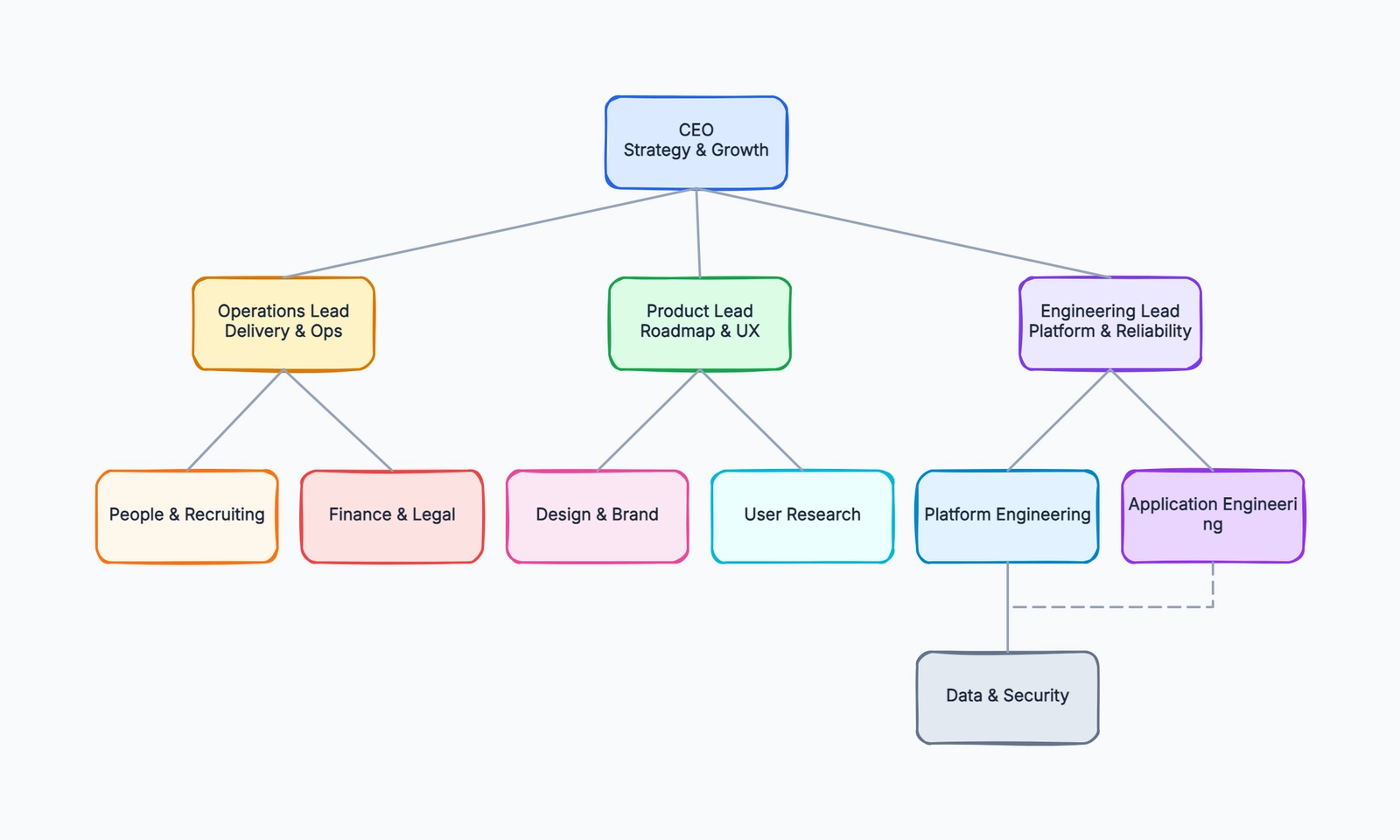
An org chart is one of the most consistently requested diagrams in any organization — HR needs them for headcount planning, leadership needs them for reporting structure clarity, and new employees need them for navigation. The right tool depends almost entirely on how the chart will be used: a one-time organizational snapshot for a presentation has different requirements than a living document that needs to stay current as people join and leave.
This guide covers the best free options across both use cases.
What to Look For in a Free Org Chart Tool
Data import. For larger organizations, manually drawing every box is impractical. Tools that can import from CSV, Google Sheets, or directly from HRIS systems (BambooHR, Workday) can generate charts automatically from employee data.
Update workflow. How does the chart stay current? Some tools require manual updates; others can re-pull from a data source. For organizations where headcount changes frequently, this matters a lot.
Hierarchy support. Can the tool handle multiple reporting levels, dotted-line relationships, and matrix reporting structures? Some basic tools only support simple trees.
Collaboration. Can multiple people work on the chart simultaneously, or is it one person's job to maintain it?
Visual quality. Does the output look professional? For charts that go to clients, executives, or public-facing materials, visual quality matters.
draw.io
Free tier: Unlimited
Collaboration: Via file sharing
Data import: CSV import supported
draw.io is the most capable free option for org charts, particularly for teams comfortable with file-based workflows. The org chart template works well, the shape library has all the box types you need, and the CSV import feature is genuinely powerful.
With CSV import, you define columns for Name, Title, Manager, and Department, and draw.io generates the hierarchy automatically. When the org changes, you update the CSV and re-import. For hundreds of employees, this is the only practical free option.
The limitation is collaboration: no real-time co-editing. For HR teams where one person typically owns and updates the org chart, this is rarely a problem. For teams that want multiple editors simultaneously, it doesn't work well.
draw.io also stores files locally or in your own cloud storage (Google Drive, OneDrive), which is an advantage for organizations with data privacy requirements.
Best for: HR teams and admins who need to maintain large org charts from CSV data, and are comfortable with a file-based workflow.
Lucidchart
Free tier: 3 active documents
Collaboration: Real-time
Data import: CSV, Google Sheets, BambooHR, Microsoft Azure AD
Lucidchart has the best org chart experience of any tool on this list. Its data-linking feature is the key: connect to a spreadsheet or HRIS, and Lucidchart generates the org chart automatically. When someone joins, leaves, or changes roles, update the data source and the chart updates.
For teams that need an always-current org chart, this is the most capable free option. The real-time collaboration is solid, the visual output is professional, and the connection to BambooHR in particular makes it genuinely useful for HR teams.
The free tier allows only 3 active documents, which is a real constraint. An org chart, an org chart for a different team, and one other document fills the quota. Teams that need Lucidchart as a primary org chart tool will be pushed toward the paid plan, which starts around $9/user/month.
Best for: Teams that need data-driven, auto-updating org charts and can work within the 3-document limit. The best choice if you're connected to BambooHR or use Google Sheets for employee data.
Canva
Free tier: Unlimited (with Canva free account)
Collaboration: Real-time
Data import: No
Canva's org chart templates are among the most visually polished available for free. The free plan includes dozens of org chart templates, unlimited designs, and real-time collaboration. For charts that need to look polished — executive presentations, company website team pages, client proposals — Canva produces better-looking output than most dedicated diagramming tools.
The tradeoff: Canva is design software, not diagramming software. Building a large hierarchy is more manual effort than in a dedicated tool. There's no data import, no automatic layout engine, and updating the chart when the org changes requires manual work.
For an org chart of a team of 10-20 people that gets updated occasionally, Canva is excellent. For a chart of 200 people that changes weekly, it's not practical.
Best for: Teams who need visually polished org charts for presentations, reports, or external use, and don't need frequent updates from a data source.
Creately
Free tier: Unlimited public diagrams, limited private
Collaboration: Real-time
Data import: CSV import (basic)
Creately has a dedicated org chart tool with a reasonable template library and real-time collaboration. The free tier allows unlimited public diagrams, which works for organizations comfortable with public charts. Private diagrams are limited.
The interface is more modern than draw.io, and the org chart experience is more guided. CSV import works but is less flexible than draw.io's implementation. The visual quality is solid.
Best for: Teams comfortable with public diagrams who want a more modern interface than draw.io and real-time collaboration.
OrgChartNow / ChartHop (Freemium)
Several tools are specifically built for org charts: OrgChartNow, ChartHop, Pingboard. These typically start free for small teams (under 20-50 employees) and charge based on headcount. They offer the best experience for live org chart management — connecting directly to HRIS data, handling role changes automatically, and providing employee directory features alongside the chart.
If your primary need is a live, self-updating org chart rather than a static diagram, these tools are worth evaluating. Many have generous free tiers for small organizations.
CodePic
Free tier: Unlimited
Collaboration: Read-only link sharing
Data import: No (AI-assisted input)
CodePic is best suited for org charts in early planning stages — when you're sketching out a proposed team structure, thinking through reporting lines before finalizing them, or presenting an org design in a discussion.
The hand-drawn style is well-suited to this use case: a hand-drawn org chart signals "this is a draft, we're discussing" rather than "this is final." For planning conversations with leadership or HR, this framing is often useful.
The AI integration lets you describe a team structure in plain language and generate the initial chart automatically. For rough planning, this is faster than any drag-and-drop approach.
Collaboration is currently read-only — you can share a view link but multiple editors can't work simultaneously.
Best for: Organizational planning and early-stage team design discussions where you want the chart to feel like a working draft, especially when using AI tools to describe the structure.

Quick Comparison
| Tool | Free Plan | Data Import | Collab | Auto-update | Best For |
|---|---|---|---|---|---|
| draw.io | Unlimited | CSV | File sharing | Manual re-import | Large orgs, CSV-based |
| Lucidchart | 3 docs | CSV, Sheets, BambooHR | Real-time | ✓ (via data source) | Auto-updating charts |
| Canva | Unlimited | No | Real-time | Manual | Polished visual output |
| Creately | Unlimited public | Basic CSV | Real-time | Manual | Collaborative modern UI |
| CodePic | Unlimited | AI input | Read-only | No | Draft planning |
How to Choose
If you have hundreds of employees and need to generate from data: draw.io with CSV import is the most capable free option.
If you need an always-current chart connected to HR data: Lucidchart's free tier (or a dedicated org chart tool like ChartHop for small teams).
If visual quality matters most (presentations, external use): Canva.
If you're in early org design and planning discussions: CodePic — the draft aesthetic and AI input work well for this stage.
If your team is small and you just need to draw the structure once: Any of the above work fine. Draw it in Canva, export a PNG, done.
If you've decided to try CodePic for organizational planning, you can start directly from the org chart template — it's pre-configured with the hand-drawn style, so you can describe your team structure and get a visual draft in seconds.
Related Reading
- The Best Free Timeline Makers in 2026 — If you're documenting project history or roadmaps alongside team structure, this guide covers the best free options.
- The Best Free Online Whiteboard Tools in 2026 — For broader visual collaboration beyond just org charts.