AI browser automation uses a model to interpret a browser task and choose actions from the current page. It is useful when the task involves varied wording or layouts, but reliable work still needs explicit fields, observable checks and a stopping rule. Predictable steps are often better kept deterministic.
This guide works through a small public-style workshop directory with fictional listings. The task is to collect visible information into a review table, preserve missing values and stop before any registration. It is a bounded exercise, not a ranking of browser-agent products or a benchmark of their success rates.
Separate fixed steps from interpretation
Consider a request to find beginner-friendly community workshops. Some parts are precise: open the directory, read three listed cards and collect title, format, duration and registration status. Other parts require interpretation: does the description explicitly welcome beginners, or are we merely assuming that from the topic?
A deterministic browser script is a good fit when the page structure and field locations are stable. A model can help interpret varied descriptions or decide which visible detail answers a question. Combining those approaches can be more inspectable than asking an agent to browse indefinitely until it “finds the best option.”
The browser-use repository provides one implementation reference. Other browser tools expose different interaction and deployment models. Choose according to the actual task, permissions, observation method and recovery needs; this article does not claim that one platform is universally best.
Define a small output schema
Our exercise requires one row per listing. The row contains listing ID, title, format, duration, beginner evidence, registration status and a note. Preserve the original wording where interpretation might matter. Use “not provided” when a duration is absent; do not convert a blank field into zero minutes.
Open the fictional directory and download the schema and expected table. The page is a purpose-built public teaching fixture with no account, payment or actual registration action.
| ID | Listing | Visible duration | Beginner evidence | Registration |
|---|---|---|---|---|
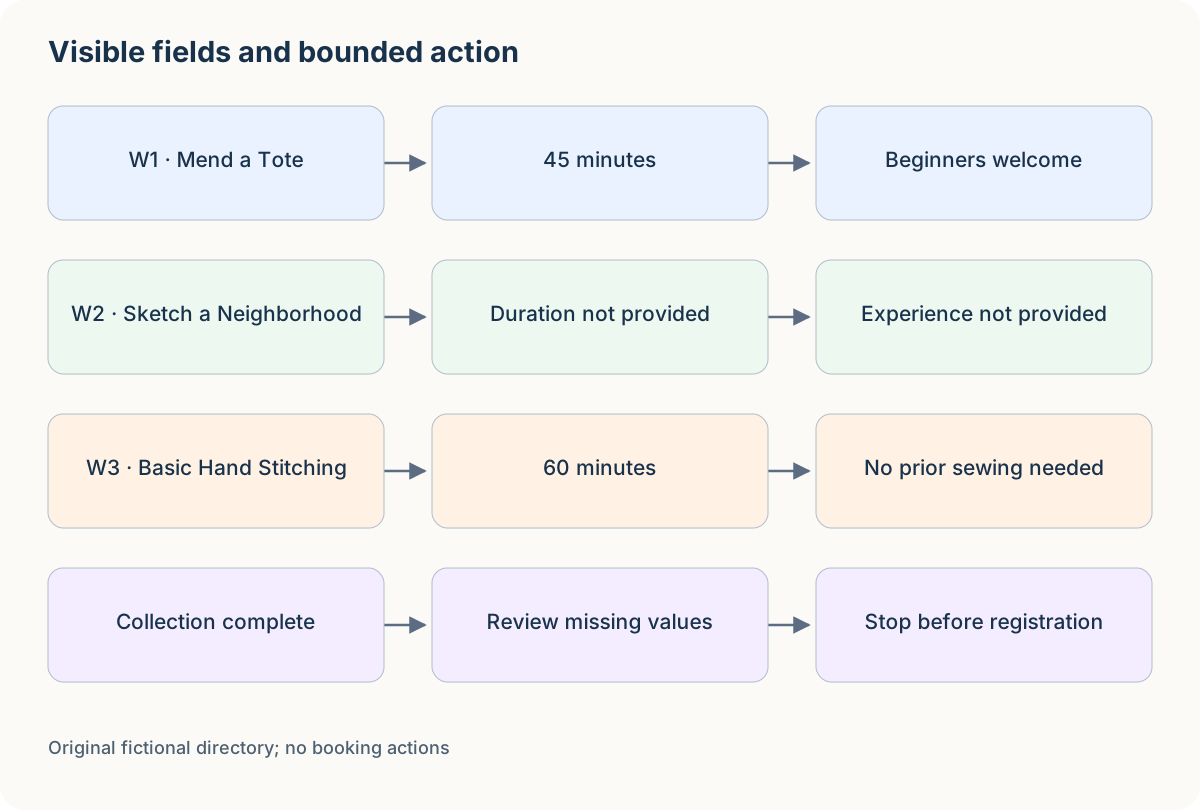
| W1 | Mend a Tote | 45 minutes | Explicitly says beginners welcome | Information only |
| W2 | Sketch a Neighborhood | Not provided | No experience statement | Opens later; no booking control |
| W3 | Basic Hand Stitching | 60 minutes | Explicitly says no prior sewing needed | Information only |
These are fictional listings. Their values create three distinct checks: normal extraction, missing data and an interpretation that must stay unresolved. A title containing “basic” is not by itself evidence of every accessibility or experience requirement.
Write a task contract the browser can follow
A useful original instruction is: “Read the three visible workshop cards. Return the specified fields and quote the experience wording when present. Do not infer missing duration or availability. Do not register, log in, contact organizers or submit forms. Stop after the table and unresolved questions.”
The contract names a destination artifact, not merely a search topic. It also gives an acceptable incomplete result. If a card does not provide duration, the correct row can say that. The agent does not need to search unrelated sites to make every cell look complete.
Define what counts as the page identity. A listing ID, title and visible organization context can help prevent extracting data from a similarly named item on another tab. For a live directory, also record the URL and collection time because availability can change.
Keep instructions separate from page content. A directory description might contain promotional language or even a quoted instruction. It is evidence to read, not authority to expand the task or reveal information from another page.
Map the workflow and handoff
Use three lanes: requester, browser task, reviewer. The requester chooses the directory and fields. The browser task reads the current page and prepares rows. The reviewer checks ambiguous experience claims and decides whether a separate registration task is appropriate.
Open the swimlane template and replace its generic steps with open directory, verify page, read cards, validate fields and review. Add exits for missing data, navigation failure and unexpected sign-in. Place registration beyond a separate human decision rather than at the end of the collection lane.
Author-created example: inspect the relationships before adapting the template.
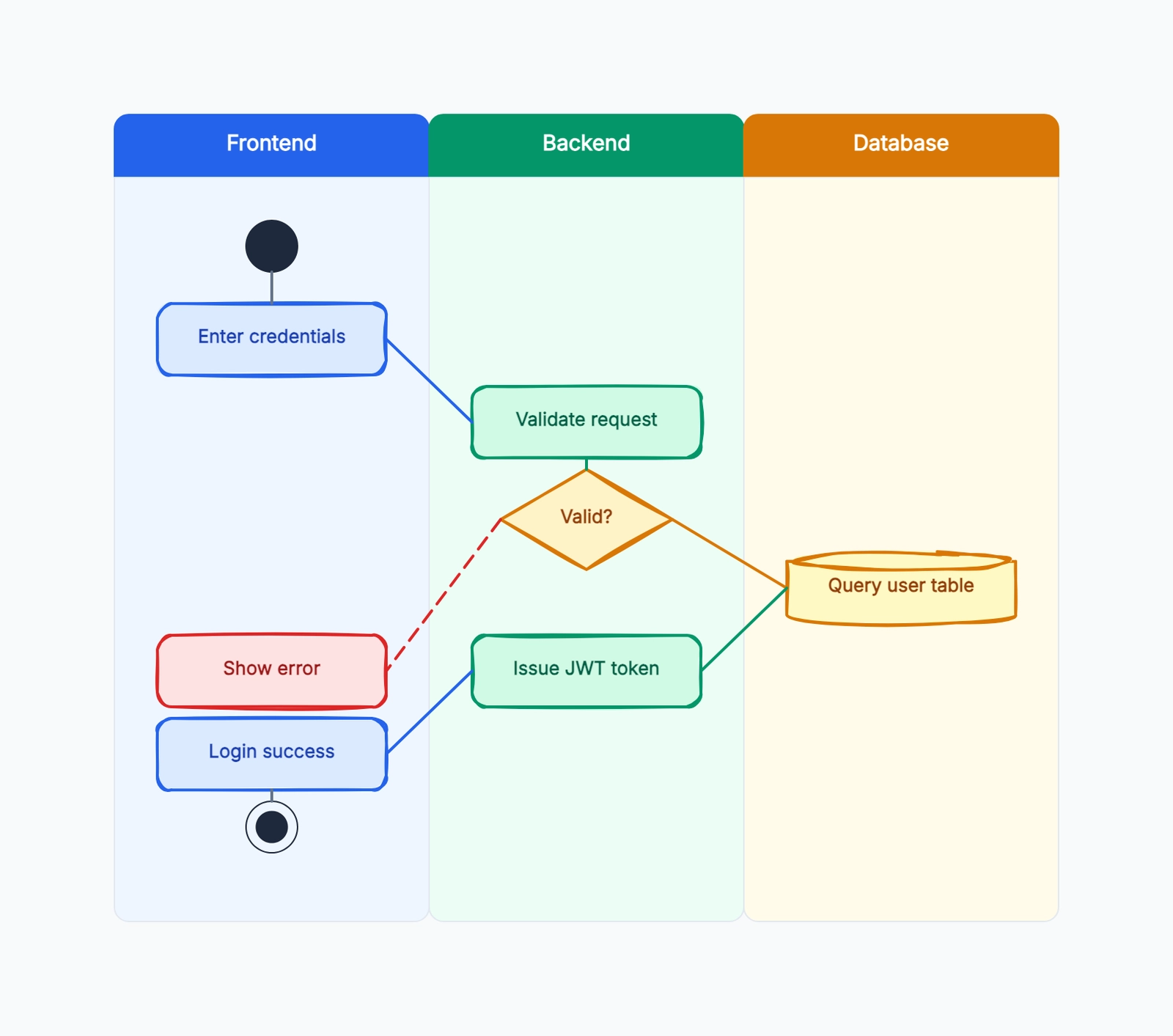
The whiteboard is a planning aid, not a browser automation runtime. It lets you see which steps can be fixed, which need interpretation and which require a new decision. If your workflow needs retries or checkpoints, the agentic workflow example provides a more detailed state exercise.
Inspect the page before choosing an action
A browser agent should act on the current visible state, then check what changed. If it selects a filter, it should confirm the selected value and resulting listings before collecting them. If it opens a detail view, it should confirm that the detail belongs to the intended listing.
For our static fixture, all required fields are on the page. There is no reason to invent an API endpoint, inspect hidden application state or attempt registration. A visible reading task should remain a visible reading task.
A collection walkthrough checks W1, W2 and W3 against the schema. W1 supplies a duration and beginner statement. W2 lacks duration and provides no experience claim, so both remain unresolved. W3 supplies a duration and an explicit no-prior-sewing statement. The expected table records those differences instead of filling them with guesses.
When implementing a real flow, save the actual observed result separately from the expected answer. A table copied from the fixture design is not evidence that a browser run extracted it. The exercise is useful because its complete expected data makes discrepancies easy to inspect.
The teaching page was also read in a browser on October 30, 2026. Download the observed rows: all three listing IDs were visible, and W2 remained “Not provided” for duration and experience. This verifies the local fixture-reading exercise, not any external browser product or registration flow.
Validate values and meaning separately
Start with field presence: every row has an ID and title, and missing values are represented consistently. Then check exact values: 45 minutes must not become 45 hours, and W3's duration must not leak into W2's empty field.
Next inspect meaning. “No prior sewing needed” supports a beginner-experience statement, but says nothing about wheelchair access, language support or materials cost. Keep those questions separate. A model may be able to infer plausible answers, but plausible is not the same as supplied.
Finally inspect completeness. Did the task collect all three intended listings, duplicate one or include an unrelated card? Use stable identifiers where available and compare the returned set with the requested scope. A beautifully formatted table with only two rows is still incomplete.
For recurring work, define a small validation report: rows expected, rows collected, missing fields, ambiguous interpretations and any actions beyond the contract. That report helps the reviewer distinguish a collection problem from a judgment problem.
Design failures before they happen
If navigation fails, preserve the target URL and observed failure instead of marking the directory empty. A page that cannot be reached is different from a page with no listings. If a sign-in screen appears, stop and report the access requirement; do not use another account or unrelated session automatically.
If the layout changes, reacquire the page state before acting. A button's previous location may now refer to another control. Semantic labels and visible context can be more stable than coordinates, but they also need checking when several controls share the same name.
For an operation that writes state, verify whether the first attempt succeeded before retrying. Two registration submissions can create duplicate reservations. This exercise avoids writes entirely; a live workflow must model their consequences explicitly.
A useful checkpoint names the current page, collected rows, unresolved fields and next permitted action. It should let another person resume without guessing which cards were already read. Keep private page contents out of public logs when adapting the pattern to account-based work.
Compare tools using a task-specific checklist
Ask how the tool observes the page, how actions are selected, whether fixed scripts can be combined with model interpretation, and what evidence is retained for review. Then check how failures, duplicate actions and permission boundaries are handled.
Deployment also matters. A local development exercise and a remotely scheduled browser session have different operational needs. Session persistence, access control, credentials and observability should match the work rather than be selected because a product page emphasizes them.
Use the same approved fixture when comparing tools. Record actual versions, inputs, outputs, completed actions and costs where measured. Do not turn one successful run into a universal reliability ranking. This article provides the fixture and rubric, not an unperformed tool comparison.
The context engineering guide helps with selecting relevant evidence; the Claude Skills example helps package a recurring review method. Neither replaces checking the browser's current state.
Common AI browser automation mistakes
Collecting inferred values as if they were visible. Preserve missing data and quote the evidence behind interpretations. A full table is not valuable when its completeness is fabricated.
Clicking again without inspecting the result. An unchanged-looking page may hide a pending operation or a failed request. Check the current state before repeating an action with side effects.
Letting a reading task become a transaction. Searching, collecting and registering are different jobs. Draw the handoff explicitly and keep the requested artifact clear.
Choosing a tool before defining success. Without an output schema and expected checks, you cannot distinguish useful autonomy from wandering. Start with the smallest task that can be reviewed.
A collection-time record that is useful later
Record when the page was read and which visible state was collected. For a filtered directory, include the selected filter and whether the result count was shown. A future reviewer needs that context to explain why the same URL now displays different listings.
Keep missing data separate from collection errors. “Duration not provided on W2” is a completed observation. “W2 could not be opened” is an incomplete read. Those states may lead to different follow-up tasks and should not collapse into a blank cell.
For a repeated collection, compare stable IDs before comparing text. A renamed listing can still be the same item, while two cards with similar names can be different offerings. Preserve that distinction in the review table.
Reuse the fixture on your own workflow
Replace the three listings with approved public examples, keep the schema and expected checks, and decide where interpretation is necessary. Review the resulting table and actual actions separately. You will have a bounded browser task that can be checked and improved without pretending that every successful click proves the whole workflow reliable.