YouTube tutorial
Who uses it: Content creator
Hook
Steps
B-roll
Action
Why this works: Time blocks keep the tutorial moving.
These examples show how scripts change with channel, runtime, audience, and production purpose.
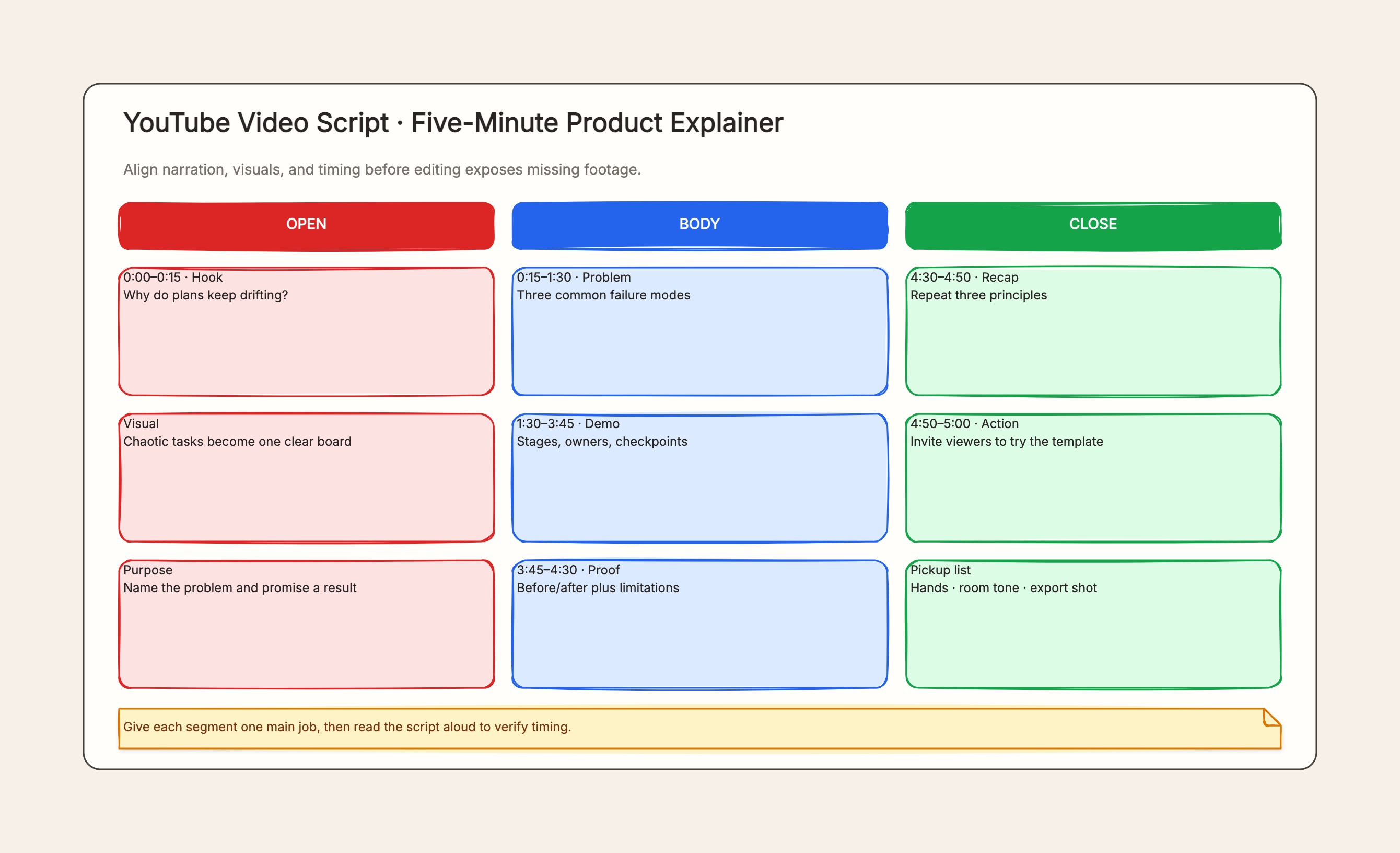
Who uses it: Content creator
Why this works: Time blocks keep the tutorial moving.
Who uses it: Marketing team
Why this works: One audience problem keeps the story focused.
Who uses it: Learning team
Why this works: Connects watching to observable performance.
Who uses it: Social team
Why this works: Protects one message in a very short runtime.
Who uses it: Brand team
Why this works: Lets the customer's experience drive the narrative.
Who uses it: Director and artist
Why this works: Aligns musical structure and visual direction.
A script centers language, pacing, and timing; a storyboard centers shot composition and visual continuity.
A narration draft says only what is spoken; a two-column script also defines what viewers see.
An explainer builds understanding and interest, while training also needs demonstration, practice, and comprehension checks.
State the audience problem and promised result quickly.
Use images to add evidence, action, or context.
Page length cannot capture natural delivery, pauses, and demonstrations.
Include section, narration, visual, estimated time, and required assets.
Yes. The first example is a five-minute YouTube product tutorial.
The script establishes language and pace; the storyboard develops shot composition.
Go back to the template, swap in your own content, and keep the same structure if it fits your project.
Use this template: /editor/new?template=video-script
Create a video script