Back to template

Value Proposition Canvas Examples

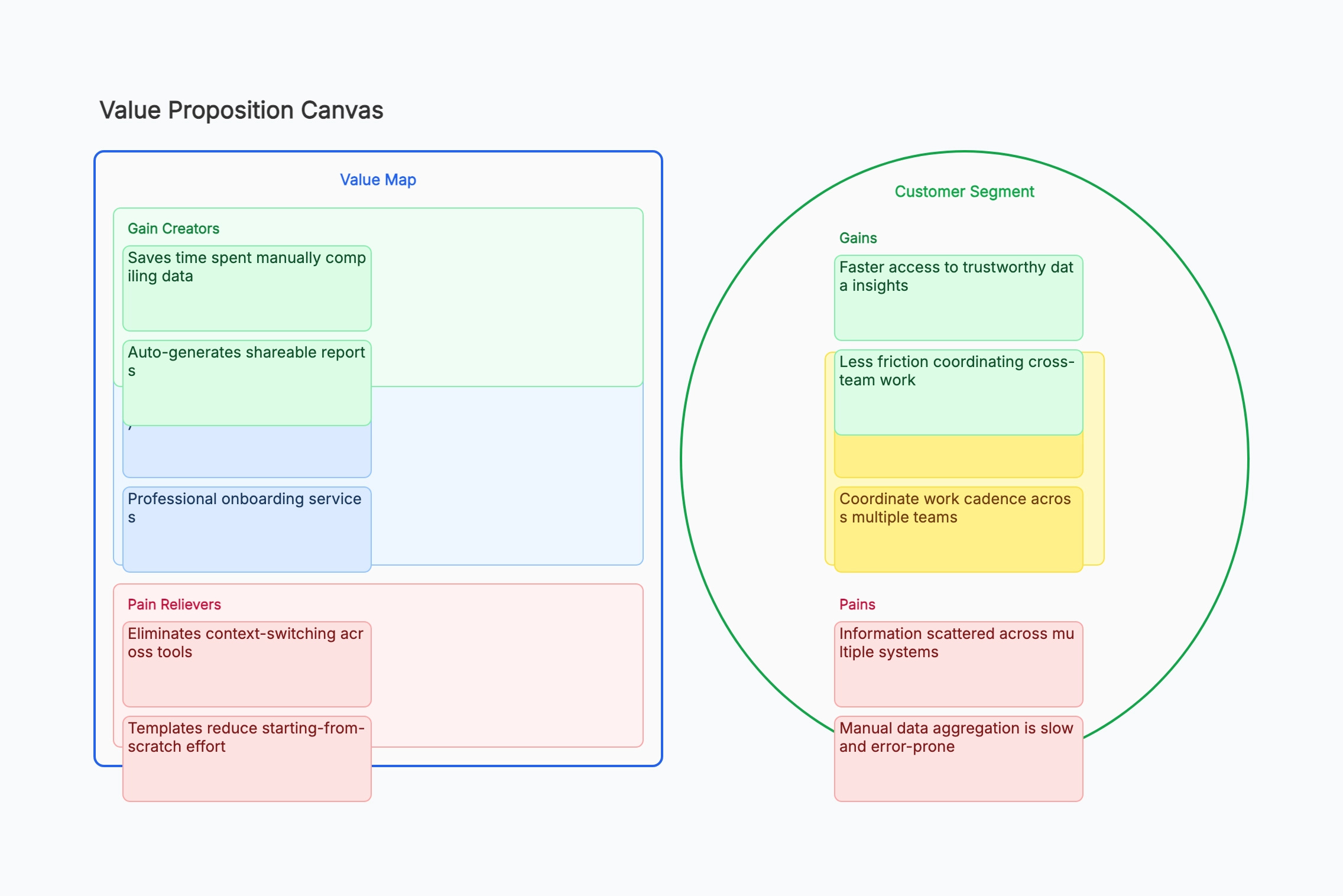
These value proposition canvas examples show how different product teams connect their offerings to customer needs — from early-stage startups validating ideas to established teams refreshing their positioning. Use them as a reference, then fill in your own research findings.

Value Proposition Canvas Examples

Real examples

Project management SaaS

Who uses it: Founding team validating product-market fit for a B2B tool

Customer jobs: track project status, report progress, coordinate teams
Gains: fewer status meetings, board-level visibility, faster decisions
Pains: data in 5 different tools, manual PowerPoint updates every Friday
Products: unified dashboard, auto-reporting, integrations
Gain creators: saves 3 hrs/week on reporting; executives always have current data
Pain relievers: one source of truth; no manual consolidation

Why this works: The Friday-reporting pain was so specific it became the product's headline use case. Mapping it explicitly helped the team prioritize the reporting module over a broader feature set.

Online learning platform

Who uses it: EdTech startup targeting working professionals

Customer jobs: learn new skills, earn credentials, advance career
Gains: job-ready skills fast, recognized certificates, flexible schedule
Pains: courses too long, no time in evenings, unclear career ROI
Products: 15-min micro-lessons, industry-partner certificates, career paths
Gain creators: credentials from recognized employers; structured career tracks
Pain relievers: bite-sized format for commute learning; ROI calculator per course

Why this works: The 'unclear career ROI' pain directly inspired an ROI calculator feature that reduced churn in the first month by giving users a concrete reason to continue.

Freelance marketplace

Who uses it: Two-sided platform team improving client retention

Customer jobs (clients): hire quality talent fast, manage deliverables, control budget
Gains: vetted talent on day 1, reliable delivery, transparent pricing
Pains: vetting takes too long, freelancers ghost, scope creep on fixed budgets
Products: curated talent pool, escrow payments, project milestone tracking
Gain creators: pre-vetted profiles reduce hiring time from 2 weeks to 2 days
Pain relievers: escrow + milestone releases protect against ghosting and scope creep

Why this works: The 'ghosting' pain was mentioned in 70% of client interviews. Making escrow release tied to milestone approval became the product's main trust signal.

SMB accounting tool

Who uses it: Fintech team targeting small business owners

Customer jobs: file taxes, track cash flow, pay employees
Gains: no tax surprises, clear P&L view, stress-free payroll
Pains: accountant fees too high, spreadsheets error-prone, tax law confusing
Products: automated bookkeeping, real-time cash flow dashboard, tax prep
Gain creators: live cash flow alerts; tax estimate always up-to-date
Pain relievers: replaces accountant for routine tasks; guided tax wizard

Why this works: The accountant cost pain pointed toward a pricing strategy: position the product as cheaper than one accountant hour per month to make the value obvious to cost-sensitive SMB owners.

Remote team collaboration tool

Who uses it: Product team repositioning an existing tool for hybrid teams

Customer jobs: run async standups, track blockers, feel connected remotely
Gains: timezone-friendly updates, fewer interruptions, sense of team cohesion
Pains: video fatigue, timezone mismatch slows decisions, remote = invisible
Products: async video updates, shared team digest, block tracking board
Gain creators: team digest replaces Monday all-hands; visible progress builds trust
Pain relievers: no more 7am standups for APAC teams; updates visible to whole team

Why this works: The 'remote = invisible' emotional job led to a 'team pulse' feature showing individual contributions — addressing visibility anxiety without requiring more meetings.

Health & wellness app

Who uses it: Consumer app team defining positioning for a crowded market

Customer jobs: sleep better, manage stress, build healthy habits
Gains: measurable improvement, lasting habits (not 30-day streaks), fewer sick days
Pains: too many apps, habit tracking feels like a chore, no personal guidance
Products: personalized daily routines, weekly check-in coach, habit streak tracking
Gain creators: weekly coaching adapts to setbacks; data shows real sleep trend improvements
Pain relievers: one app replaces three; check-in takes 2 min; streaks auto-adjust after misses

Why this works: The 'feels like a chore' pain inspired forgiving streak mechanics — missing one day resets a 7-day grace period rather than the full streak, cutting churn after the first slip by 40%.

Tips for a sharper value proposition canvas

  • Always fill in the Customer Profile before the Value Map — if you start with your product, you risk reverse-engineering customer needs to fit what you've already built.
  • Rank each pain and gain by importance to the customer, then focus your Value Map on the top three pains and top three gains.
  • A mismatch (pain with no reliever, gain with no creator) is a roadmap signal — not a problem to hide.
  • Revisit the canvas after every round of user interviews; it should change as your understanding deepens.

Related resources

How it compares to similar tools

Value proposition canvas vs business model canvas

The business model canvas covers nine blocks of the whole operation; this canvas zooms into two of them — customer segment and value proposition — and splits each into three parts. Use it when you already know roughly what the business is but can't explain crisply why a customer would switch to you.

Customer profile vs buyer persona

A persona describes attributes: age, role, tools, a photo and a name. The customer profile side of this canvas describes only jobs, pains, and gains — what the person is trying to accomplish. Demographics rarely predict purchase; unresolved pain does. That's why this canvas deliberately omits the persona details.

Value proposition canvas vs jobs-to-be-done

JTBD is the underlying theory: people buy to make progress on a job. This canvas is a worksheet that operationalizes it and adds the supply side — your products, pain relievers, and gain creators — so you can check fit block by block. Use JTBD to think, this canvas to align a team.

Filling it from assumption vs from interviews

A canvas completed in a meeting records what your team believes; one completed from customer interviews records what customers said. Both are legitimate, but they should be visually distinguished — mark assumed items so nobody later cites an internal guess as validated research.

Common mistakes to avoid

  • Writing your features as gain creators

    A gain creator must state the outcome, not the mechanism. "Real-time dashboard" is a feature; "knows about the outage before the customer calls" is a gain. If the entry doesn't name something that improves in the customer's life, it belongs on the product list rather than the gain-creator block.

  • Inventing pains you happen to solve

    The strong temptation is to fill the pains side with exactly the problems your product already addresses. That guarantees perfect apparent fit and teaches you nothing. Fill the customer side completely before looking at your own offering, ideally from real interview notes.

  • Not ranking jobs, pains, and gains

    Ten unranked pains imply they matter equally, and they never do. Order them by severity and frequency, then check whether your pain relievers address the top items or only the convenient ones. A product that solves pains four through ten is a product people admire and don't buy.

  • Skipping the fit check

    Both sides filled in is not fit. Fit exists only when specific pain relievers map to specific top-ranked pains. Draw the connections explicitly; the unmatched items on either side are the finding — either an unserved need or a feature nobody needs.

Frequently asked questions

Which side should I fill in first?+

Always the customer side — jobs, pains, gains — and finish it before writing anything about your product. Starting with your offering causes you to describe customer needs in terms that conveniently match what you've already built, which produces a canvas that can only confirm what you already thought.

What's the difference between a pain and a missing gain?+

A pain is something actively going wrong today — wasted time, risk, cost, frustration. A gain is an improvement they'd welcome but aren't suffering without. Pains drive urgency and budget; gains drive preference between options. Confusing them leads to overestimating how fast customers will switch.

How many items belong in each block?+

Three to five ranked entries per block. Fewer suggests you haven't done the research; more means you haven't prioritized. Since the whole point is to compare the top pains against your top pain relievers, an unranked list of twelve defeats the exercise.

Do I need a separate canvas per customer segment?+

Yes. Different segments have genuinely different jobs and pains, and merging them produces a value proposition so generic it persuades nobody. If two segments share one canvas comfortably, that's evidence they're actually one segment — which is itself a useful conclusion.

How do I know when I've achieved product-market fit on the canvas?+

The canvas can only show *problem-solution* fit on paper: your top pain relievers line up with the customer's top-ranked pains. Real product-market fit requires evidence outside the canvas — customers paying, retaining, and referring. Treat a well-matched canvas as a hypothesis worth testing, not as proof.

Start editing online

Go back to the template, swap in your own content, and keep the same structure if it fits your project.

Use this template: /editor/new?template=value-proposition-canvas

Use this value proposition canvas template