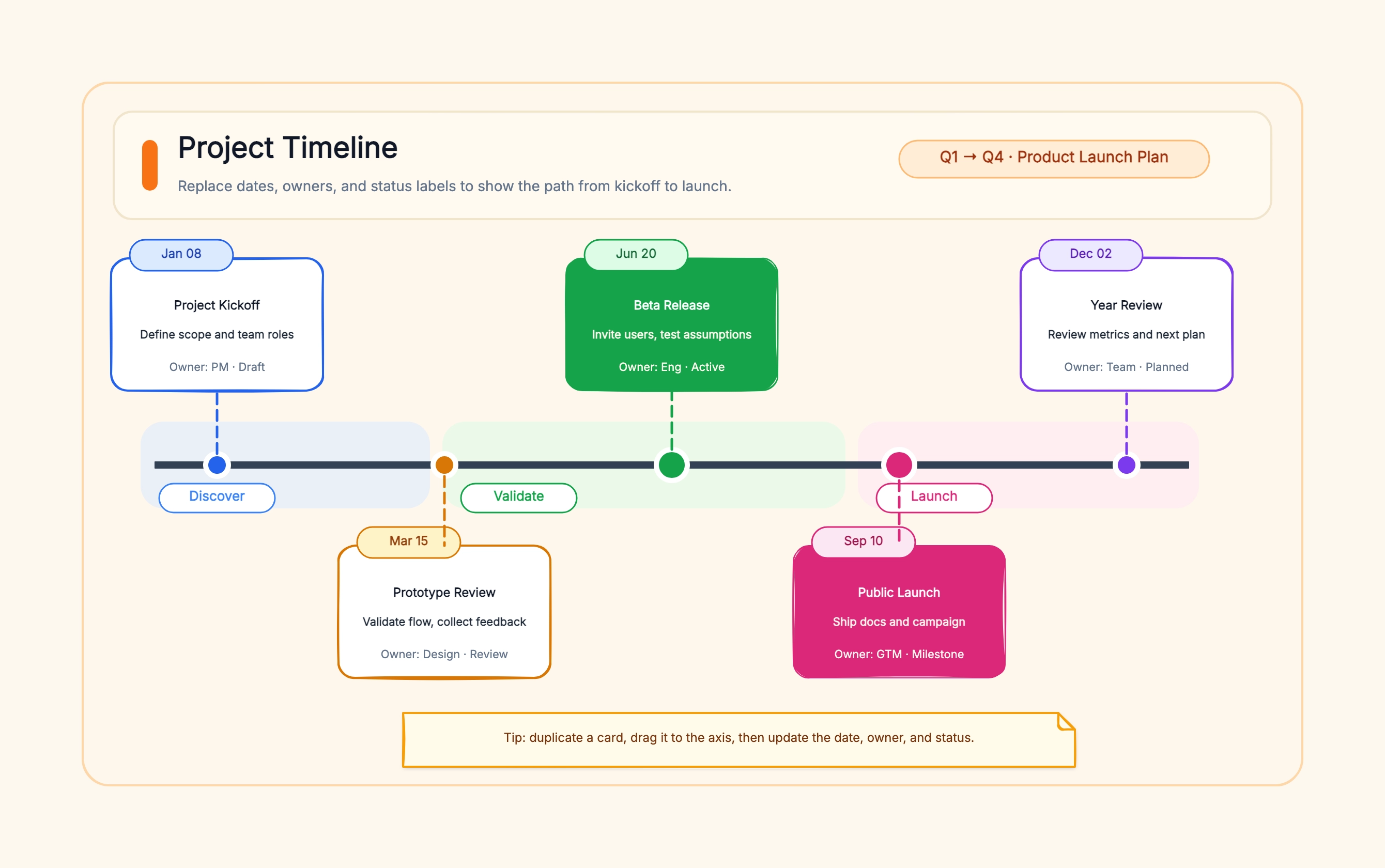
Project delivery timeline
Who uses it: Project manager presenting a delivery schedule to a client or stakeholder
Week 1: Kickoff and requirements
Week 2–3: Design phase
Week 4–7: Development
Week 8: QA and testing
Week 9: Stakeholder review (milestone)
Week 10: Launch
Why this works: A horizontal project timeline makes it easy for non-technical stakeholders to understand how long each phase lasts and how close the launch date really is.
Company history timeline
Who uses it: Founder or marketing team building a brand story for a pitch or anniversary
2015: Founded in a garage
2016: First paying customer
2018: Series A — $5M raised
2020: International expansion
2022: Product line extended
2024: IPO
Why this works: A company history timeline turns a wall of text in an About page into a story arc with a clear start, growth phase, and present moment — much more compelling in a pitch deck.
Product roadmap timeline
Who uses it: Product manager sharing a quarterly plan with engineering and sales
Q1: Core feature set complete
Q2: Beta release to select users
Q2: Feedback integration sprint
Q3: General availability (milestone)
Q3: Partner API launch
Q4: Mobile version
Why this works: Roadmap timelines should show what ships each quarter, not every task — too much detail creates confusion about priorities, while too little leaves engineering without guidance.
Research study schedule
Who uses it: Graduate student or researcher planning a multi-month study for a grant proposal
Month 1: Literature review
Month 2: IRB approval
Month 3–5: Data collection
Month 6: Data analysis
Month 7–8: Draft writing
Month 9: Submission
Why this works: Grant reviewers often scan a timeline first to check feasibility — a clear, realistic schedule with enough time for each phase increases credibility.
Historical event timeline
Who uses it: Teacher, student, or content creator presenting a sequence of historical events
1969: Moon landing
1971: First email sent
1983: Internet protocol (TCP/IP) adopted
1991: World Wide Web launched
2004: Social media era begins
2007: First smartphone
Why this works: Historical timelines work best when events are spaced proportionally to their real dates — a uniform spacing suggests equal time between events, which is usually misleading.
Employee onboarding timeline
Who uses it: HR manager or people ops team standardizing a 90-day onboarding plan
Day 1: IT setup and orientation
Week 1: Team introductions and tool access
Week 2: Shadow key meetings
Week 3–4: First independent task
Month 2: Performance check-in
Day 90: Full ramp milestone
Why this works: A 90-day onboarding timeline sets expectations for both the new hire and their manager — each side knows what 'on track' looks like at each stage.