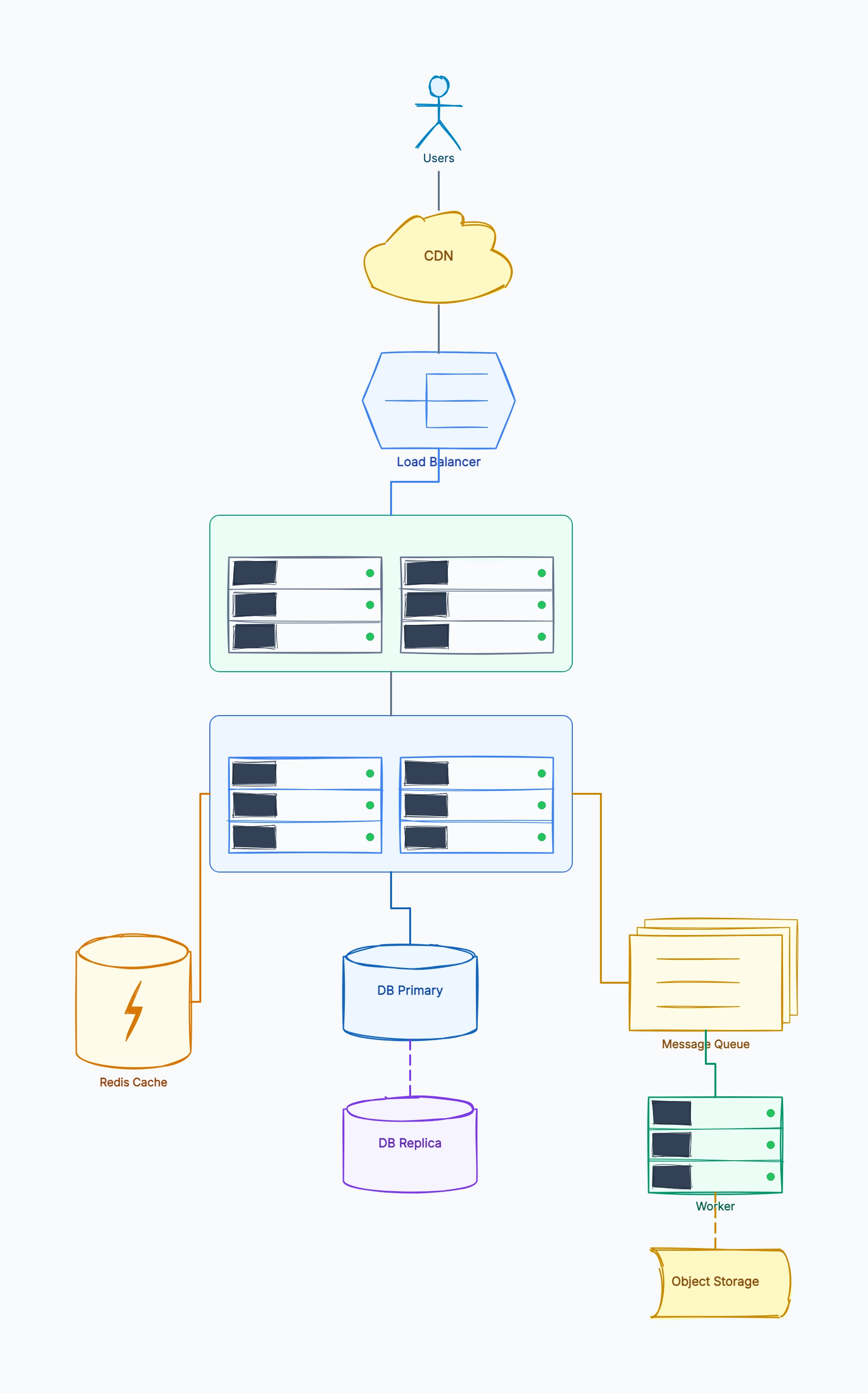
URL shortener
Who uses it: Engineer preparing for a system design interview
Client → LB → API servers (stateless, horizontally scalable)
Write: API → MySQL (id, shortCode, originalUrl, userId)
Read: API → Redis cache → MySQL fallback
Analytics: API → Kafka → Click Consumer → ClickHouse
Short codes: base62 encoding of auto-increment ID
Why this works: The read/write separation and cache-aside pattern are the two key design decisions in this architecture. Showing them explicitly in the diagram makes it easy to discuss trade-offs like cache invalidation and consistency.
Real-time chat service
Who uses it: Backend engineer designing a messaging feature
Client (WebSocket) → Gateway → Message Service
Message Service → Kafka (fan-out to recipients)
Delivery Worker → Push Notification Service (offline users)
Message Storage: Cassandra (time-series, high write throughput)
Presence Service: Redis (online/offline status, TTL-based)
File attachments: S3 + CDN
Why this works: WebSocket connections require sticky routing at the gateway layer — a constraint that's easy to miss without the diagram. Cassandra's time-series suitability for messages vs. a relational DB is a key trade-off worth noting.
E-commerce checkout flow
Who uses it: Platform team designing a reliable payment flow
Client → API Gateway → Order Service
Order Service → Inventory Service (reserve stock)
Order Service → Payment Service → Stripe/PayPal
Order Service → Notification Service → Email/SMS
Saga pattern for distributed transactions (compensating transactions on failure)
Order events → Kafka → Analytics + Fulfillment Service
Why this works: The saga pattern for distributed transactions is the most important design decision here. Showing compensating transactions explicitly in the diagram avoids the common mistake of assuming a two-phase commit is feasible in microservices.
Notification delivery system
Who uses it: Engineer building a multi-channel notification service
Producer services → Notification API → Queue (SQS/Kafka)
Dispatcher Worker: reads queue, checks user preferences
Email Channel → SendGrid (rate-limited, deduplicated)
Push Channel → FCM/APNs
SMS Channel → Twilio
Delivery receipts → DB → Dashboard for monitoring
Why this works: The dispatcher pattern decouples producers from delivery channels. Adding a new channel (e.g., WhatsApp) only requires adding a new channel handler, not changing every producer — a key extensibility benefit visible in the diagram.
Search autocomplete service
Who uses it: Engineer designing a type-ahead search feature
Client → CDN (cache popular prefixes) → Search API
Search API → Trie Service (in-memory, read-heavy)
Trie rebuilds periodically from: Aggregated search logs
Write path: Clickstream → Kafka → Log Aggregator → Trie Updater
Fallback: ElasticSearch for long-tail queries not in Trie
Why this works: The in-memory Trie for hot prefixes vs. ElasticSearch fallback for rare queries is a classic layered caching strategy. The diagram makes it easy to discuss the freshness vs. latency trade-off.
Video upload and processing pipeline
Who uses it: Backend engineer designing a video platform feature
Client → Upload API → S3 (raw video)
S3 event → SQS → Transcoding Workers (EC2 Spot/Lambda)
Transcoding: generate 360p, 720p, 1080p variants
Output → S3 (processed) → CloudFront CDN
Metadata: DynamoDB (videoId, status, formats, thumbnailUrl)
Progress updates → WebSocket → Client polling
Why this works: Using Spot instances for transcoding workers reduces cost by 70% vs. on-demand — a detail that's natural to discuss once the async processing pattern is visible in the diagram.