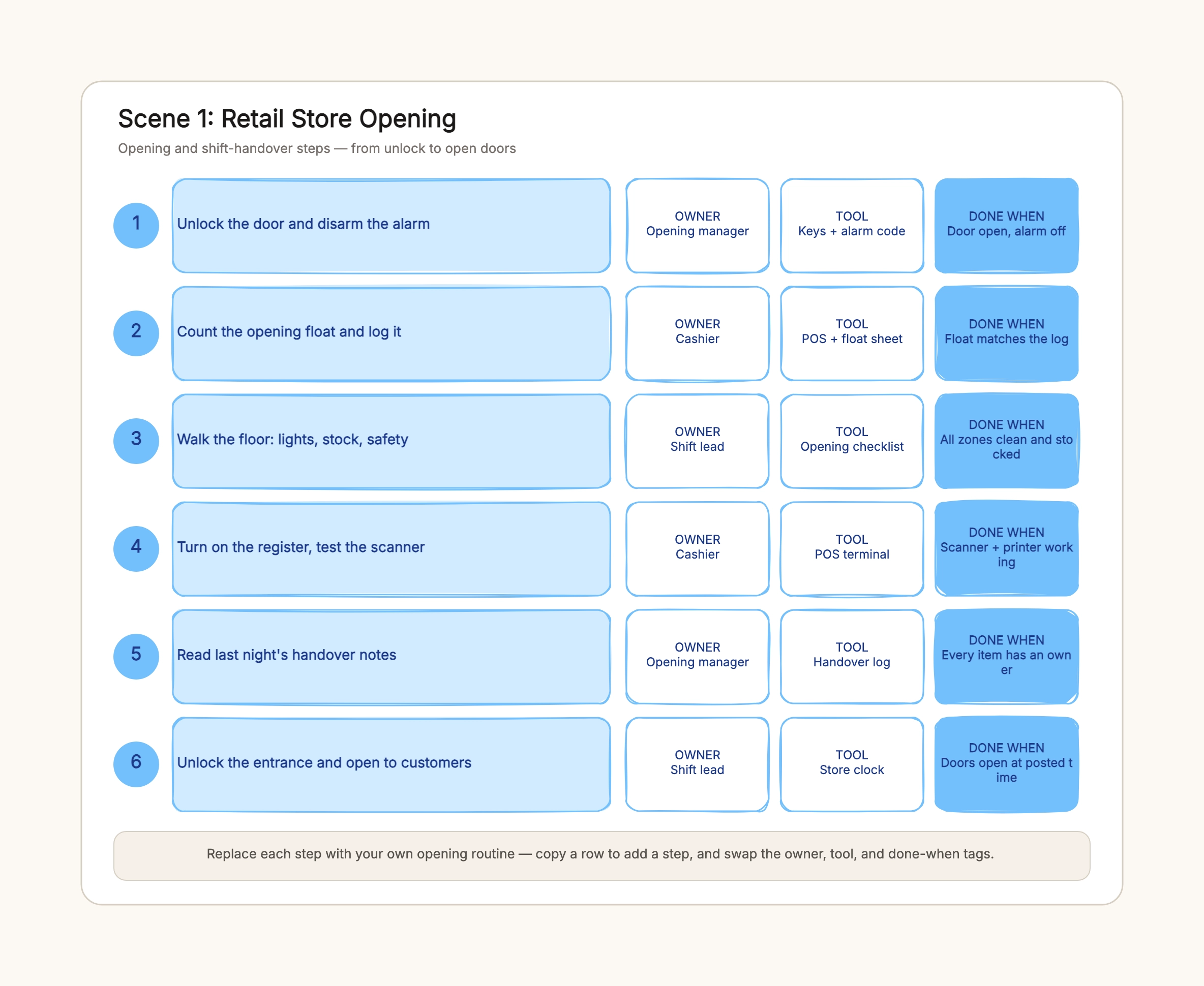
Retail store opening
Who uses it: A store manager or shift lead
Unlock and disarm — owner: opening manager, done: alarm off
Count the float — owner: cashier, tool: POS + float sheet
Walk the floor — owner: shift lead, tool: opening checklist
Test the register — owner: cashier, tool: POS terminal
Open to customers — owner: shift lead, done: on time
Why this works: An opening routine repeats every day, so it is a perfect SOP. Owners are named per step and the done-when tags keep the handover auditable.
Factory machine pre-start
Who uses it: A factory operator or maintenance tech
Clear the zone — owner: operator, done: no hazards
Check guards — owner: operator, tool: guard checklist
Check levels — owner: maintenance tech, tool: gauges
Test e-stop — owner: operator, done: trips and resets
No-load test — owner: operator, done: no vibration
Why this works: A pre-start inspection is a safety-critical sequence. The tool column points to the checklist and gauges, and done-when gives each check a pass condition.
Customer service complaint
Who uses it: A support team lead
Restate the issue — owner: agent, tool: ticket system
Pull the order — owner: agent, tool: CRM + order DB
Diagnose the cause — owner: agent, tool: root-cause notes
Offer a resolution — owner: senior agent, tool: refund policy
Close and follow up — owner: agent, done: follow-up set
Why this works: Complaint handling has clear owners and a compliance-sensitive refund step, so the senior-agent owner and done-when tags keep it accountable.
College club event setup
Who uses it: A student club officer
Book the room — owner: events officer, done: room confirmed
Arrange AV — owner: tech officer, tool: AV checklist
Print signage — owner: design officer, tool: templates
Brief volunteers — owner: president, done: roles assigned
Day-of setup — owner: events officer, done: doors open
Why this works: A student club rotates officers every year, so an SOP preserves the routine. Owners are roles rather than names, so the list survives turnover.
Freelancer client onboarding
Who uses it: A freelance designer or creator
Send intake form — owner: freelancer, tool: form link
Scope the brief — owner: freelancer, done: brief approved
Set milestones — owner: freelancer, tool: project doc
First draft — owner: freelancer, done: client feedback
Handoff files — owner: freelancer, tool: shared drive
Why this works: A solo creator is every owner, so the SOP separates steps by tool and done-when instead — the intake form, brief approval, and file handoff keep the project from stalling.
Product launch checklist SOP
Who uses it: A product manager coordinating a launch
Freeze the scope — owner: PM, done: scope signed
Prep the docs — owner: PM, tool: release notes
Brief support — owner: PM, done: support trained
Schedule the deploy — owner: engineer, tool: deploy runbook
Post-launch review — owner: PM, done: metrics reviewed
Why this works: A launch crosses several owners, so the owner column is the point. The tool column points to the runbook and notes, and done-when makes each handoff explicit.