Back to template

Priority Matrix Examples

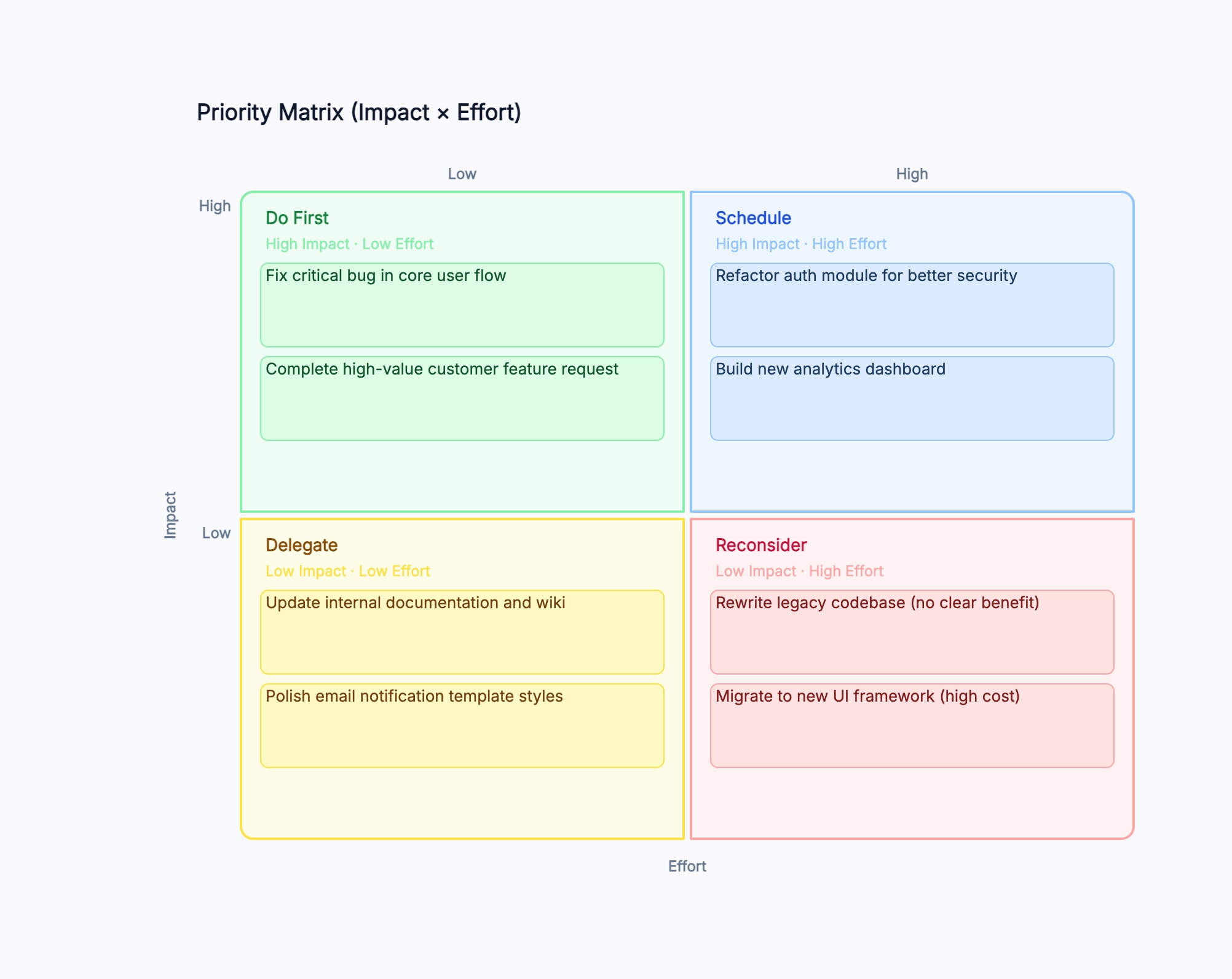
These priority matrix examples show how different teams sort tasks, features, and decisions across four quadrants. Use them as a reference when setting up your own matrix — the quadrant labels can be adapted to match how your team thinks about priority.

Priority Matrix Examples

Real examples

Product feature backlog

Who uses it: Product manager grooming a backlog before quarterly planning

Do First: fix checkout bug (high conversion impact, 1 day), add CSV export (requested by 40% of users, 2 days)
Schedule: redesign onboarding flow (high retention impact, 3 weeks), build API v2 (enables new integrations, 6 weeks)
Delegate: update help center articles (low urgency, 1 day), improve email templates (nice to have, 1 day)
Reconsider: rewrite backend in new language (no user value, 6 months), add dark mode (low demand, 3 weeks)

Why this works: The checkout bug and CSV export in Do First were easy to miss in a flat backlog sorted by creation date. The matrix made the quick wins immediately visible.

Marketing campaign tasks

Who uses it: Marketing manager planning a product launch

Do First: write landing page copy (launch-critical, 1 day), set up tracking links (enables attribution, 2 hours)
Schedule: produce video demo (high conversion, 1 week), launch affiliate program (strong ROI, 2 weeks)
Delegate: update social media bio across platforms (low impact, 30 min), refresh blog header images (aesthetic only)
Reconsider: redesign entire website for launch (high effort, unclear incremental lift)

Why this works: The matrix prevented the team from spending pre-launch time on a website redesign that would not have meaningfully moved conversion rate.

Engineering team sprint planning

Who uses it: Tech lead scoping a two-week sprint

Do First: fix memory leak causing crashes (P0, 4 hours), add rate limiting to public API (security, 1 day)
Schedule: migrate to new database schema (enables new features, 2 weeks), implement full-text search (high request rate, 1 week)
Delegate: update API documentation (needed, not urgent), refactor test utilities (dev experience, low risk)
Reconsider: switch CI/CD pipeline to new vendor (operational risk, 3 weeks, no user value)

Why this works: Rate limiting appeared in Do First after the team agreed it was a security risk (high impact) and already had the implementation pattern from a previous project (low effort).

Startup operations prioritization

Who uses it: Founder deciding what to focus on in the next 30 days

Do First: call the 5 churned customers to learn why (insight, 2 hours), fix broken referral link (revenue loss, 1 hour)
Schedule: set up CRM and sales pipeline (growth infrastructure, 3 days), hire first customer success person (scaling need, 2 weeks)
Delegate: redesign logo (low business impact now), set up fancy office (premature optimization)
Reconsider: build a mobile app (no evidence of demand, 3 months)

Why this works: Calling churned customers was identified as the single highest-information action at low cost — it would inform all other priorities. Without the matrix, the founder was about to spend two weeks on a CRM setup first.

UX research team workload

Who uses it: UX researcher prioritizing studies for the next quarter

Do First: usability test on new checkout flow (launch decision depends on it, 1 week), survey on cancellation reasons (high churn, quick to run)
Schedule: generative research on next-year feature set (strategic value, 6 weeks), competitive UX audit (useful for roadmap, 2 weeks)
Delegate: update persona documents (useful but not urgent), archive old research reports (maintenance)
Reconsider: full accessibility audit (important long-term, but no budget or timeline yet)

Why this works: The checkout usability test surfaced as Do First because a launch date was already set and the team needed findings before it — deadline-driven impact is a valid input to the matrix.

Personal productivity planning

Who uses it: Professional managing a mix of work and side-project tasks

Do First: submit expense report (blocks reimbursement, 15 min), respond to job offer (time-sensitive, 30 min)
Schedule: write quarterly performance review (career impact, 3 hours), finish side-project MVP (personal goal, 2 weeks)
Delegate / Drop: organize old email archive (low value, 4 hours), redesign personal website (nice to have)
Reconsider: learn a new programming language (high effort, unclear ROI vs. current skills)

Why this works: The matrix works for personal use too. It makes the opportunity cost of low-impact tasks visible — the email archive cleanup was taking mental energy without delivering any value.

Tips for better results

  • Use relative ranking within the matrix, not absolute scores. 'Higher impact than X' is enough to place an item — you don't need to estimate exact hours or revenue.
  • If everything ends up in Do First, your impact axis is probably calibrated too loosely. Force a distribution by asking: which three of these have the highest impact compared to the rest?
  • Quadrant labels can be renamed to match your team's language: Do First / Plan / Later / Skip works just as well as the classic labels.
  • Revisit the matrix at each planning cycle — a low-effort item stays low-effort for about a week before estimates drift.

Start editing online

Go back to the template, swap in your own content, and keep the same structure if it fits your project.

Use this template: /editor/new?template=priority-matrix

Use this priority matrix template