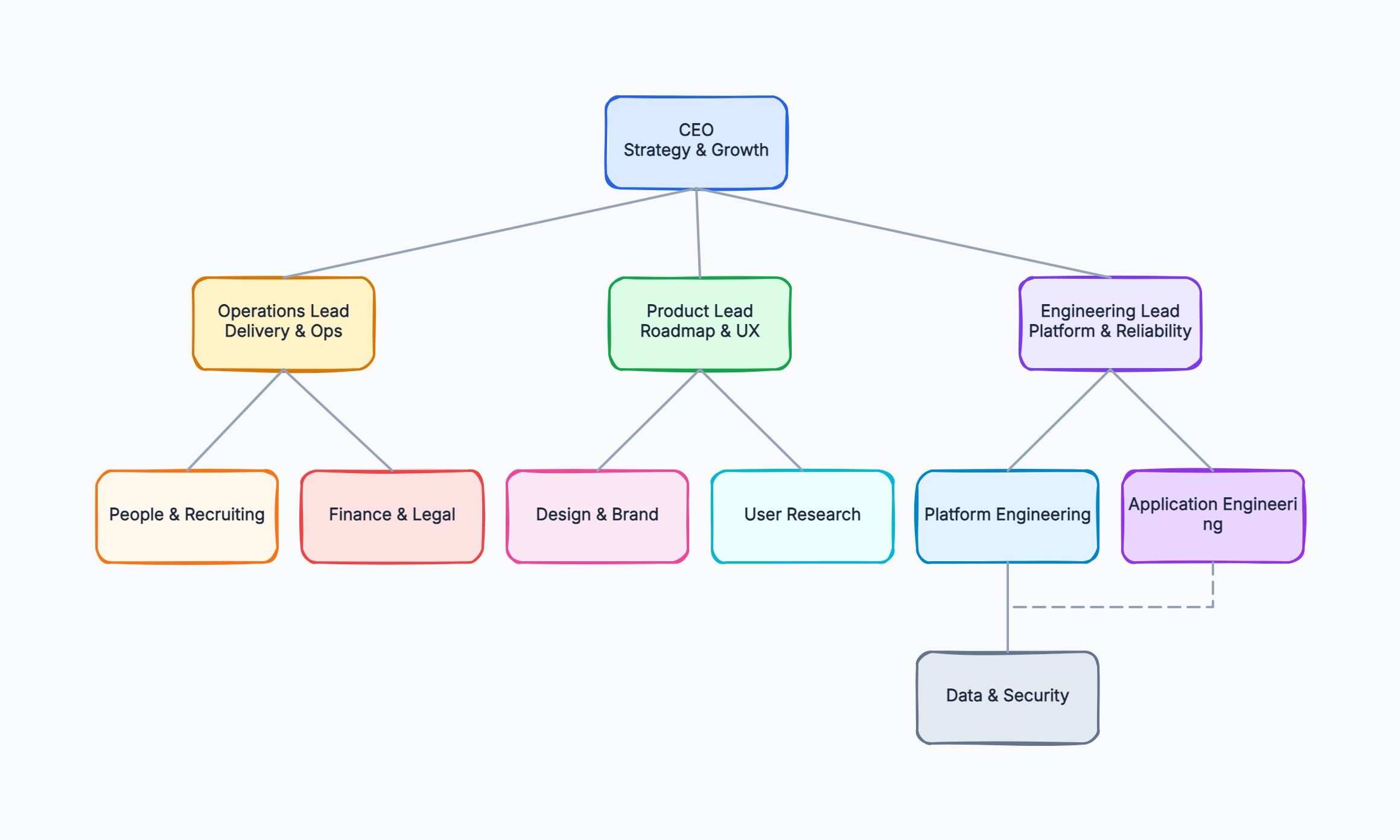
Early-stage startup org chart
Who uses it: Founder or CEO mapping the founding team before a first hire round
Co-founder / CEO
|- Co-founder / CTO
| |- 2 Engineers
|- Head of Product
|- Head of Growth
Why this works: Flat charts with wide spans show investors that the team is lean and every person covers multiple areas, which is expected at seed stage.
Engineering department structure
Who uses it: VP of Engineering documenting team leads and their squads
VP Engineering
|- Frontend Lead
| |- 3 Engineers
|- Backend Lead
| |- 4 Engineers
|- Platform Lead
| |- DevOps, SRE
Why this works: Grouping by technical domain rather than product feature makes it easy to see where engineering capacity sits and where to hire next.
Cross-functional product team
Who uses it: Product manager showing dotted-line relationships in a matrix org
Product Lead (solid line to CPO)
|- Designer (dotted: Design Dept)
|- Engineer × 3 (dotted: Eng Dept)
|- Data Analyst (dotted: Data Dept)
|- Marketing (dotted: Marketing Dept)
Why this works: Matrix charts with two line styles (solid for primary reporting, dotted for team membership) make accountability visible without flattening the whole company structure.
School or university department chart
Who uses it: Student or administrator mapping an academic department for a report
Dean
|- Department Chair A
| |- Faculty × 5
| |- Admin staff
|- Department Chair B
| |- Faculty × 4
Why this works: Academic org charts often follow strict hierarchies, so a top-down layout with consistent box sizes reads faster than a freeform diagram.
Remote-first company chart
Who uses it: HR manager at a distributed company adding time zones to the chart
CEO (US/ET)
|- VP Product (UK/GMT)
| |- PM × 2
|- VP Engineering (EU/CET)
| |- 6 Engineers across 4 time zones
|- Head of Support (APAC/SGT)
Why this works: Adding time zone labels to each box saves remote teams the mental overhead of checking every name before scheduling a call.
Project steering committee
Who uses it: Project manager presenting governance structure to stakeholders
Executive Sponsor
|- Steering Committee
| |- Project Manager
| |- Tech Lead
| |- Business Owner
|- Delivery Team (separate chart)
Why this works: Governance charts are separate from operational org charts — they show who has decision authority for a specific initiative, not who works for whom day to day.