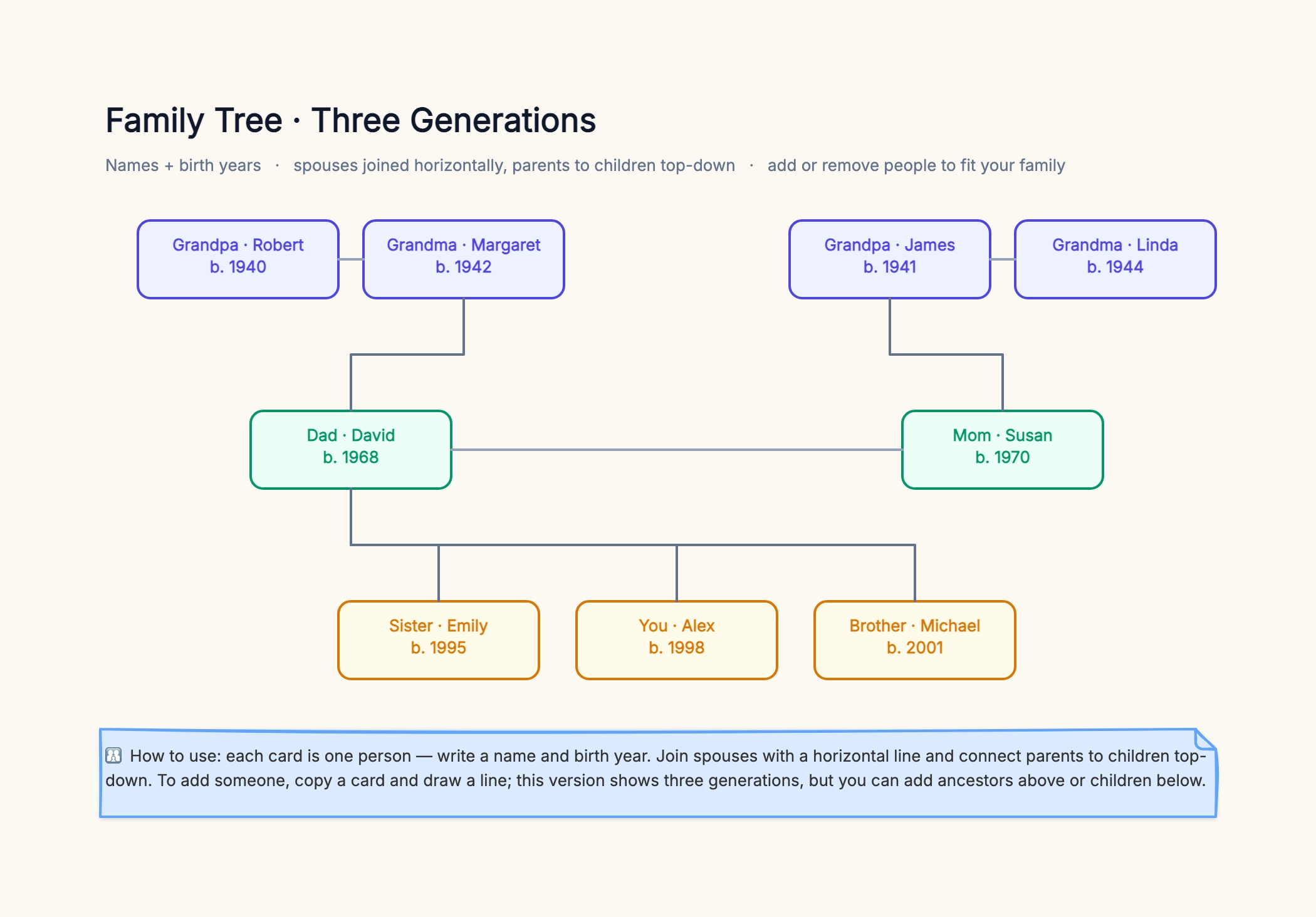
School family tree project
Who uses it: A student who needs to hand in a family tree for class
Three generations: grandparents, parents, and you + siblings
Each card: a name and a birth year
Spouses joined by a line, parents connected to children
A photo or a small drawing added for extra credit
Exported as an image to print or submit online
Why this works: The classic assignment. Three generations is exactly the scope most teachers ask for, and keeping each card to a name and year makes it neat and gradeable. Exporting to PNG means it prints cleanly or uploads to a class portal without any fuss.
Simple family tree for kids
Who uses it: A parent teaching a young child about the family
Big, colorful cards with first names only
Photos of each person instead of dates
Just two or three generations to keep it simple
Grandparents, parents, and the child at the bottom
Filled in together as an activity
Why this works: For young kids, names and faces beat dates. Big color-coded cards and a photo per person make the tree something a child can actually read and help build — turning 'who is this relative?' into a hands-on activity rather than an abstract chart.
Four-generation family tree
Who uses it: Someone mapping an extended family for a reunion
Great-grandparents added as a new top row
Grandparents, parents, and the current generation below
Multiple branches for aunts, uncles, and cousins
Birth (and death) years on the older generations
One large board shared with the whole family
Why this works: Going to four generations means adding a row on top and widening the lower rows for cousins. The move that keeps it readable is discipline: one generation per row, consistent card style, and sharing the board so relatives fill in the branches you don't know.
Genealogy pedigree chart
Who uses it: A family-history researcher tracing direct ancestors
One person at the root, ancestors branching back
Each generation back doubles: 2 parents, 4 grandparents, 8…
Birth/death years and places on each ancestor
Question marks where records are still missing
Notes linking to sources for verified people
Why this works: A pedigree flips the tree to focus on one person's direct ancestors, doubling each generation back. Marking the unknowns with question marks turns the chart into a research to-do list — you can see exactly which ancestor to hunt for next.
Family tree with photos
Who uses it: Someone making a visual keepsake rather than a data chart
A photo for each person alongside their card
Names and years kept short so the tree stays clean
Warm background and consistent card colors
Three generations centered as a display piece
Exported at high resolution to print and frame
Why this works: When the tree is a keepsake, the photos carry it. The trick is restraint: let the images do the emotional work and keep the cards to a name and year, so the result reads as a designed piece rather than a cluttered database.
Family reunion keepsake
Who uses it: An organizer making a shareable tree for a reunion
All descendants of one couple, fanning out top-down
Each branch is one of the couple's children and their family
A shared editable link so relatives add newborns and spouses
Consistent colors per generation
Exported to print as a poster for the event
Why this works: A reunion tree is a descendant chart of everyone from one couple, and its superpower is being editable by the whole family — relatives add the newest babies and new spouses themselves. Print the final version as a poster and it becomes the centerpiece of the event.