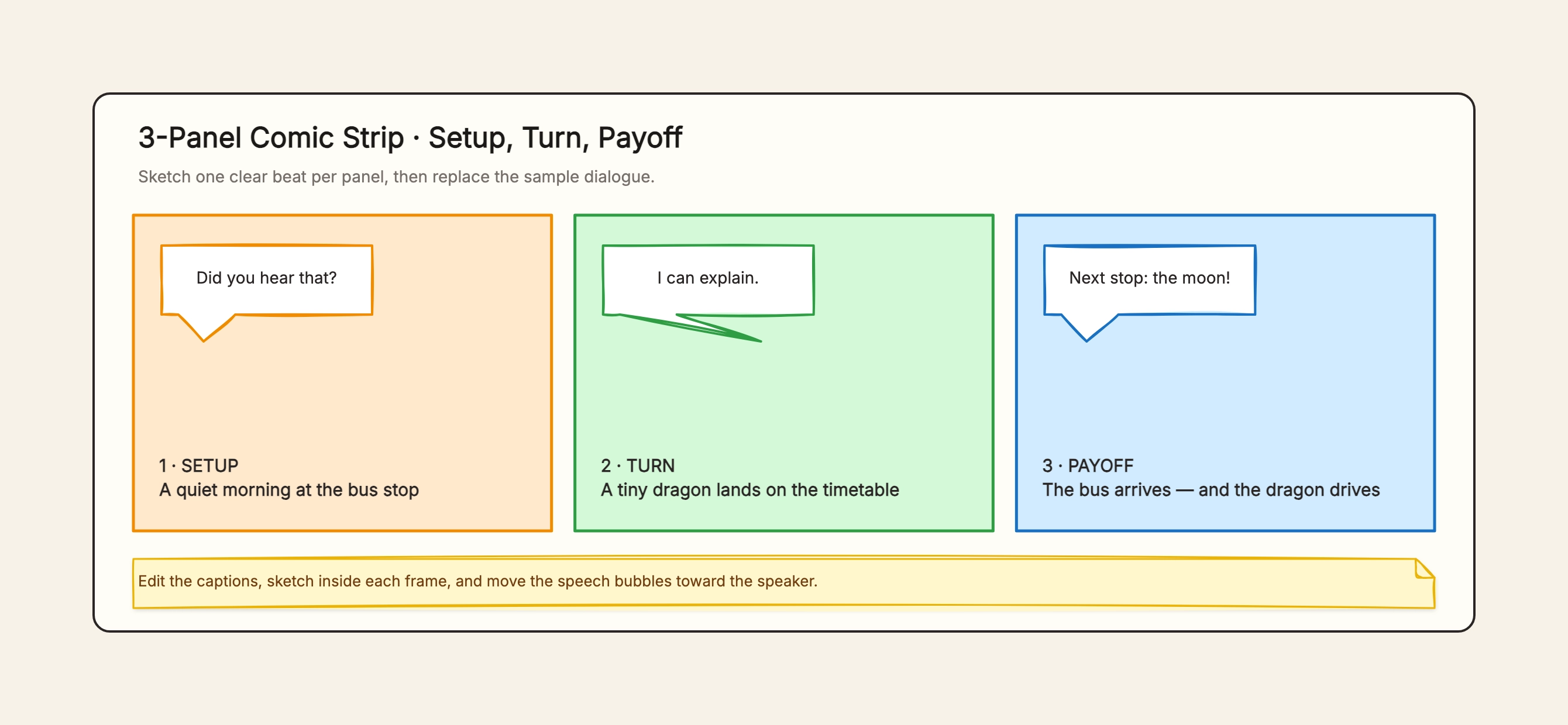
Three-panel surprise
Who uses it: A creator making a compact joke
1: Establish an ordinary routine
2: Introduce one unexpected detail
3: Reveal a consequence that reinterprets the setup
Why this works: The final panel pays off an image planted in the first two, so no extra explanation is needed.
Six-panel reading response
Who uses it: A student summarizing a short story
Character and setting
Goal
Conflict
Attempt
Turning point
Resolution
Why this works: Each panel represents a structural role rather than trying to illustrate every event in the source.
Science process comic
Who uses it: A student explaining evaporation
Water warms
Molecules move faster
Vapor rises
Air cools
Droplets form
Water returns
Why this works: A recurring water-drop character can connect scientific vocabulary to an observable sequence.
Historical cause and effect
Who uses it: A history class
Context
Trigger
Immediate response
Escalation
Decision
Outcome
Why this works: Short captions identify dates while the visuals show actors, actions, and consequences.
Eight-panel action scene
Who uses it: A graphic-story writer
Establish location
Enter
Notice clue
Choose
Act
Setback
Turn
Final image
Why this works: Changing shot distance keeps the longer grid moving and reserves the final frame for a visual button.
Product onboarding comic
Who uses it: A product or support team
User's problem
Failed workaround
Discovers tool
Takes key action
Gets result
Shares outcome
Why this works: The character's path makes an abstract workflow concrete without becoming a feature checklist.