Back to template

Class Diagram Examples

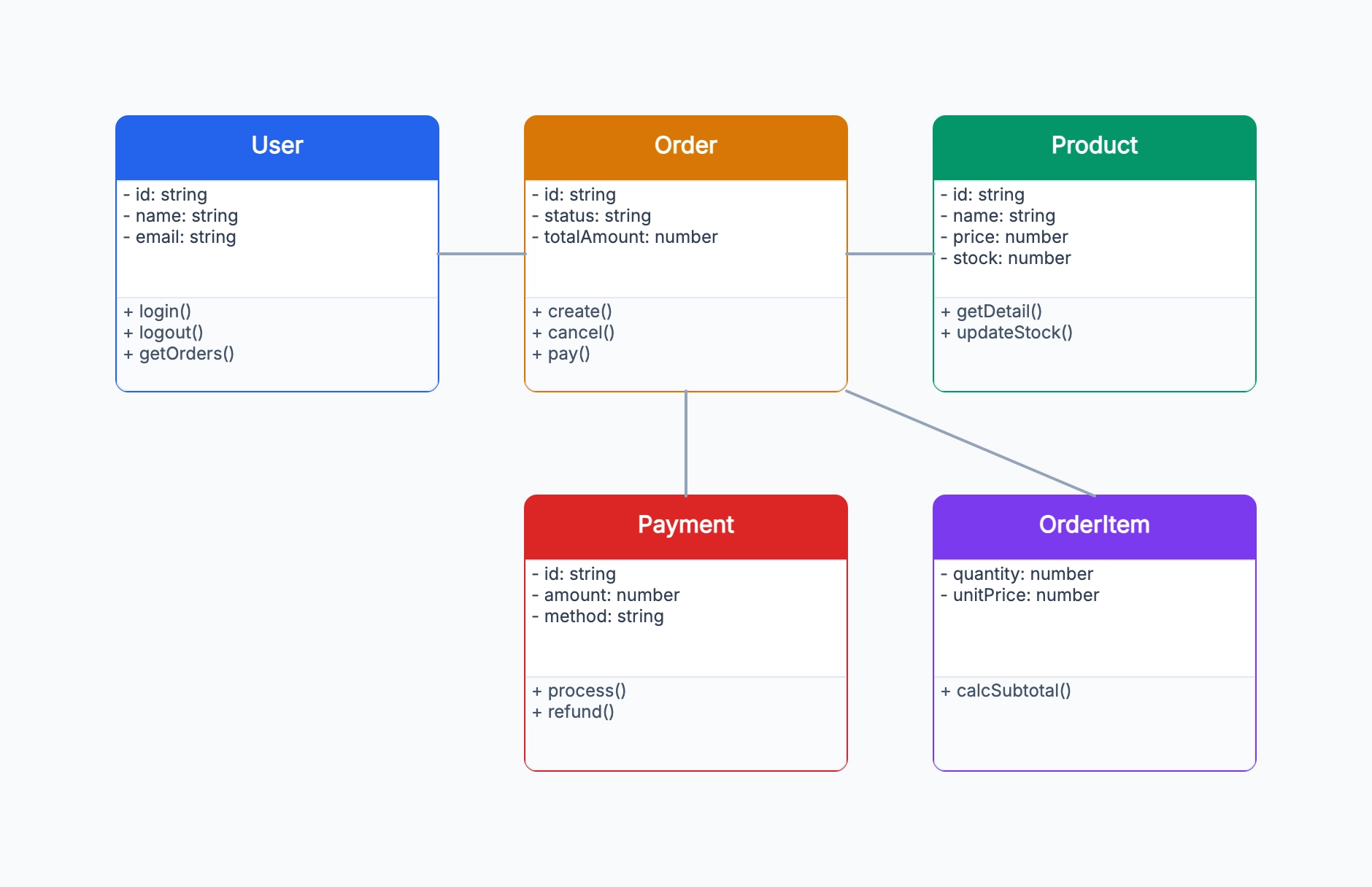
These class diagram examples show how development teams model domain logic, inheritance hierarchies, and service boundaries in different systems. Use them as a reference for your own design work — the patterns are reusable across languages and frameworks.

Class Diagram Examples

Real examples

User authentication system

Who uses it: Backend developer designing an auth service

User { id: UUID, email: string, passwordHash: string }
+ login(email, password): Token
+ logout(token): void
+ resetPassword(email): void
Token { value: string, expiresAt: DateTime, userId: UUID }
Role { name: string, permissions: string[] }
User *── * Role (many-to-many)

Why this works: Modeling authentication before implementing it surfaces design questions early: should Token be a value object or entity? Is Role separate from Permission? The diagram forces these decisions before code is written.

Content management system

Who uses it: Full-stack developer building a blog platform

Article { id, title, body, status: Draft|Published }
+ publish(): void
+ archive(): void
Author { id, name, bio } ──1 Article
Tag { name } *── * Article
Comment { body, createdAt } *── 1 Article
MediaAsset { url, mimeType } *── * Article

Why this works: The status field as an enum on Article and the many-to-many with Tag drove the decision to use a join table rather than a JSON column — a trade-off that would have been easy to miss without the diagram.

Payment processing domain

Who uses it: Platform engineer designing a payment abstraction layer

PaymentMethod (abstract) { id, userId }
← CreditCard { last4, expiry, token }
← BankAccount { accountNumber, routingNumber }
Payment { id, amount, currency, status }
+ process(): Result
+ refund(amount): void
Payment *── 1 PaymentMethod
Refund { id, amount, reason } *── 1 Payment

Why this works: The abstract PaymentMethod class and its concrete subclasses show the strategy pattern clearly. A reviewer can see the polymorphic design intent without reading the code.

Inventory management system

Who uses it: Developer designing a warehouse management backend

Product { sku, name, description }
InventoryItem { quantity, warehouseId, reservedQty }
1 ── * Product
StockMovement { type: In|Out|Transfer, quantity, timestamp }
*── 1 InventoryItem
PurchaseOrder { status, expectedDelivery }
1 ── * PurchaseOrderLine { product, quantity, unitCost }

Why this works: StockMovement as an immutable event log (rather than updating quantity directly) was a key architectural decision that the diagram made obvious to the whole team.

Notification service

Who uses it: Engineer designing a multi-channel notification system

Notification (abstract) { id, userId, createdAt, + send() }
← EmailNotification { subject, htmlBody, recipient }
← PushNotification { title, body, deviceToken }
← SMSNotification { phone, message }
NotificationPreference { userId, channel, enabled }
NotificationTemplate { name, subject, body }

Why this works: The abstract base class enforces a common send() interface. Adding a new channel means subclassing Notification — the diagram communicates this extension point to future contributors.

Microservices domain boundary

Who uses it: Architect defining service boundaries for a large e-commerce platform

OrderService: Order, OrderItem, OrderStatus
CatalogService: Product, Category, PriceRule
UserService: User, Address, PaymentMethod
FulfillmentService: Shipment, Tracking, Warehouse
─── cross-service references use IDs only (no direct object refs)

Why this works: Using a class diagram to show domain boundaries (rather than infrastructure) helped the team enforce that services communicate via IDs and events, not shared object references.

Tips for better study mind maps

  • Keep class diagrams focused on one bounded context or domain area — trying to show an entire system in one diagram produces an unreadable mess.
  • Prefer showing the most important relationships over being exhaustive — a diagram with 30 classes and 50 arrows communicates nothing.
  • Use visibility modifiers consistently (+/-/#) to show the intended public API of a class, not just its internal fields.
  • A class diagram is a design tool, not a source of truth. Keep it updated only for areas where the architecture is still actively evolving.

Start editing online

Go back to the template, swap in your own topics, and keep the same structure if it fits your class or project.

Use this template: /editor/new?template=class-diagram

Use this class diagram template