Back to template

Business Model Canvas Examples

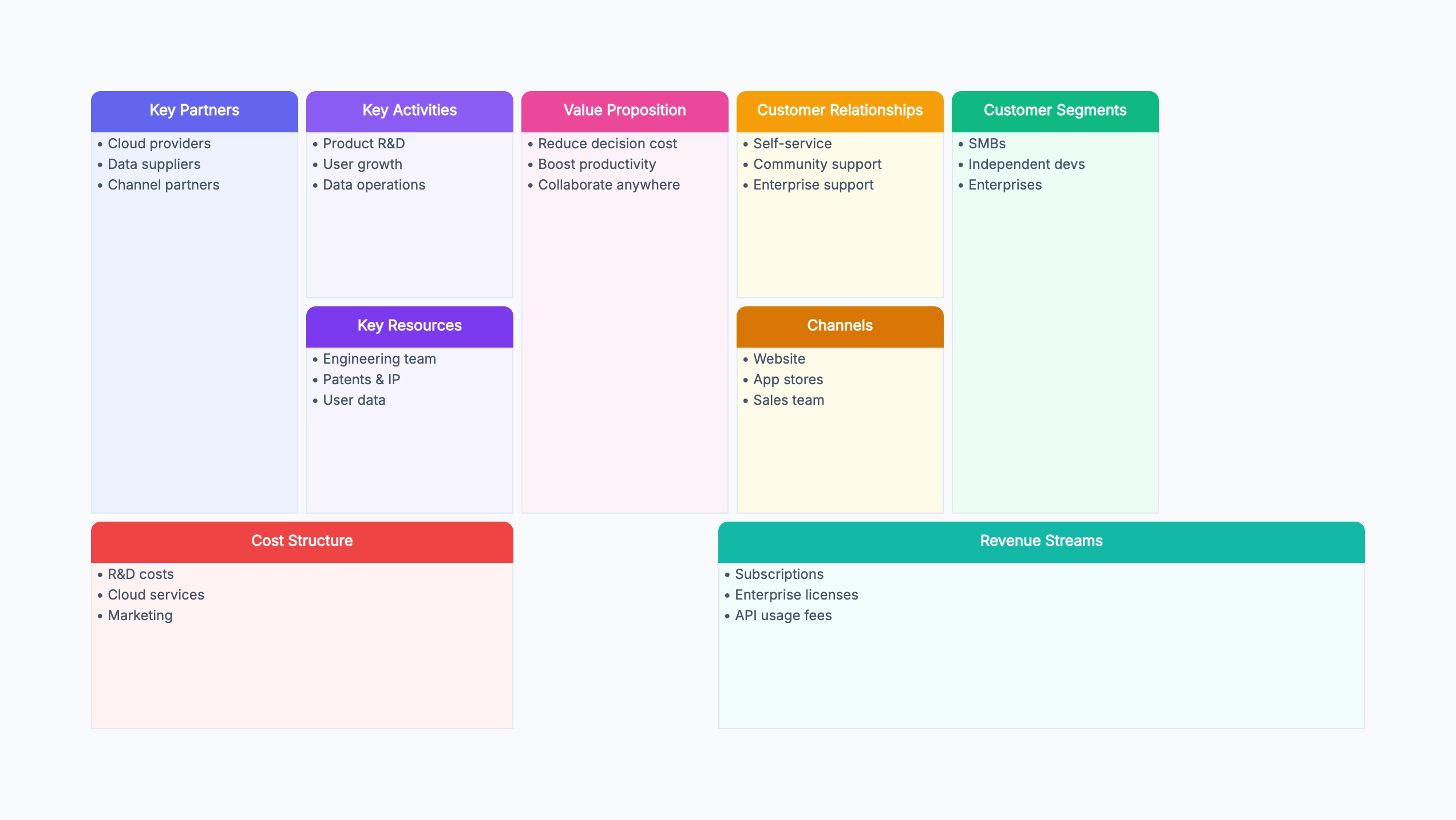
These business model canvas examples show how different organizations map their value creation, delivery, and capture across nine building blocks. Use them as reference when filling in your own canvas — the goal is clarity, not perfection.

Business Model Canvas Examples

Real examples

B2B SaaS subscription tool

Who uses it: Founding team preparing for a seed round pitch

Segments: project managers, ops teams at 10–200 person companies
Value Prop: real-time dashboards that replace weekly status meetings
Channels: PLG via free tier, LinkedIn ads, integration marketplace
Revenue: freemium → $15/user/mo pro → $40/user/mo enterprise
Cost: engineering (60%), cloud infra (15%), sales (25%)

Why this works: Mapping the freemium funnel explicitly in Revenue Streams helped the team see that the free-to-paid conversion rate was the single most important metric to optimize.

Two-sided marketplace

Who uses it: Product team designing a freelance platform

Segments: freelancers (supply) + small businesses (demand)
Value Prop: vetted talent on day 1; milestone-based escrow for trust
Channels: SEO, referral program, LinkedIn outreach
Revenue: 15% take rate on completed projects
Cost: trust & safety, payment processing, customer support

Why this works: Two-sided businesses often need to map both sides of the canvas separately in the Customer Segments and Value Proposition blocks. The take rate model made unit economics easy to model for investors.

Direct-to-consumer e-commerce brand

Who uses it: Founder launching a sustainable products brand

Segments: eco-conscious consumers aged 25–40
Value Prop: carbon-neutral products with transparent supply chain
Channels: Instagram/TikTok ads, influencer partnerships, own website
Revenue: product sales + subscription refill box
Cost: COGS (45%), paid social (30%), fulfillment (15%), overhead (10%)

Why this works: The canvas made the high COGS-to-revenue ratio immediately visible. The subscription refill box was added after seeing that one-time purchase margins alone were unsustainable.

Nonprofit education organization

Who uses it: Executive director preparing an annual strategy review

Segments: underserved students (beneficiaries) + donors/grants (funders)
Value Prop: free coding bootcamp with job placement support
Channels: community partners, social media, school referrals
Revenue: government grants, corporate sponsors, alumni donations
Cost: instructors, curriculum, facilities, outreach

Why this works: Nonprofits benefit from the canvas as much as startups. Mapping funders separately from beneficiaries in Customer Segments revealed a misalignment — funders wanted job placement metrics that the team hadn't been tracking.

Mobile consumer app

Who uses it: Indie developer planning a monetization strategy

Segments: daily commuters + students looking for focus tools
Value Prop: ambient focus music with session tracking and streaks
Channels: App Store optimization, Reddit communities, productivity blogs
Revenue: freemium ($0) → premium ($4.99/mo) → lifetime ($49)
Cost: development, server costs (minimal), app store fee (30%)

Why this works: The lifetime deal option was added after the canvas revealed that a $4.99/mo subscription had poor perceived value for a single-purpose app. Lifetime pricing converted 3× better.

Consulting and professional services firm

Who uses it: Agency founder formalizing the business model after 3 years of operation

Segments: Series A–B startups needing fractional CMO support
Value Prop: senior marketing strategy without full-time hire cost
Channels: founder network referrals, LinkedIn thought leadership
Revenue: monthly retainer + success fee on funded campaigns
Cost: consultant salaries (70%), tools and software (10%), overhead (20%)

Why this works: Filling in the canvas for the first time revealed that 80% of revenue came from three clients. The Key Partners block was empty — which explained the lack of referral pipeline.

Tips for filling in a business model canvas

  • Fill in Customer Segments and Value Proposition first — every other block should connect back to these two.
  • An empty block is diagnostic: if Key Partnerships is blank, ask whether you are missing critical suppliers, distributors, or co-marketing relationships.
  • Revenue Streams and Cost Structure should be reviewed together — if costs exceed realistic revenue projections, the model needs revision before you build.
  • A business model canvas is a hypothesis, not a plan. Revisit it after every major pivot, fundraise, or significant market shift.

How it compares to similar tools

Business model canvas vs business plan

A business plan is a 30-page document asserting a projection; a canvas is one page of hypotheses you intend to test. The canvas wins early because it's cheap to throw away — you'll rewrite it several times before anything is validated. Write the plan once the model has stopped changing every month, not before.

Business model canvas vs lean canvas

The lean canvas swaps four blocks (key partners, activities, resources, customer relationships) for problem, solution, key metrics, and unfair advantage. That makes it better for a brand-new startup where the problem is still unproven. The original canvas is better for an existing business, where operations and partnerships genuinely matter.

Business model canvas vs value proposition canvas

They operate at different zoom levels and are meant to be used together. The business model canvas covers the whole operation across nine blocks; the value proposition canvas zooms into just two of them — customer segments and value propositions — in much greater detail. Start with the business model canvas, then zoom in wherever the fit looks weakest.

One canvas vs one canvas per segment

If you serve two segments with genuinely different revenue models or channels, one canvas will blur them into contradictions — a single "revenue streams" block trying to describe both. Draw one canvas per segment and compare them side by side; the differences are usually where the strategy decision actually is.

Common mistakes to avoid

  • Listing everything instead of what's decisive

    Nine blocks with eight bullets each is 72 items nobody can reason about. Each block should hold the two or three entries that would change the business if they were wrong. A canvas is a prioritization tool; used as an inventory it stops being useful.

  • Confusing features with value propositions

    "Mobile app" and "AI-powered" are features. The value proposition is the customer outcome — what job gets done, what pain disappears. If your value proposition block could be copied onto a competitor's canvas unchanged, it isn't a value proposition yet.

  • Leaving cost structure and revenue streams vague

    "Subscription" and "server costs" don't reveal whether the model works. Note who pays, how often, and which costs are fixed versus variable per customer. This is the pair of blocks that determines whether the business can survive, so vagueness here defeats the whole exercise.

  • Treating it as a one-time deliverable

    A canvas that's filled in during a workshop and filed away has captured assumptions at their least accurate — before any customer contact. Date each version and revise it as you learn; the sequence of canvases is more informative than any single one.

Frequently asked questions

Which block should I fill in first?+

Start with customer segments and value propositions, since every other block depends on who you serve and why they care. Channels, revenue, and cost structure are all consequences of those two. Filling in key resources before knowing the customer usually produces a canvas that describes a company rather than a business model.

How long should filling in a canvas take?+

A first pass should take under an hour — it's meant to surface disagreement quickly, not to be comprehensive. If a workshop runs for a full day, the group is usually debating unknowable facts. Note the disputed items as assumptions to test and move on.

How do I know if my canvas is any good?+

Check that the blocks connect: each channel should reach a listed segment, each revenue stream should map to a stated value proposition, and each cost should support a listed activity or resource. Orphaned entries are the usual sign of a weak model — a cost with no purpose, or a value proposition nobody is paying for.

Does the canvas work for non-profits or internal teams?+

Yes, with one adjustment: separate the beneficiary from the funder, because they're often different parties. Put both in customer segments with distinct value propositions, since what a donor wants and what a beneficiary needs rarely match. Revenue streams then becomes funding sources.

Should the canvas describe today's business or the target state?+

Draw both and put them side by side. A current-state canvas is a shared factual baseline; a target-state canvas is the strategy. The gap between the two is your actual roadmap, and it's much easier to discuss when both are visible at once rather than mixed into one ambiguous canvas.

Start editing online

Go back to the template, swap in your own content, and keep the same structure if it fits your project.

Use this template: /editor/new?template=business-model-canvas

Use this business model canvas template