One-on-one appointments
Who uses it: Team building a doctor/coach/therapist booking app
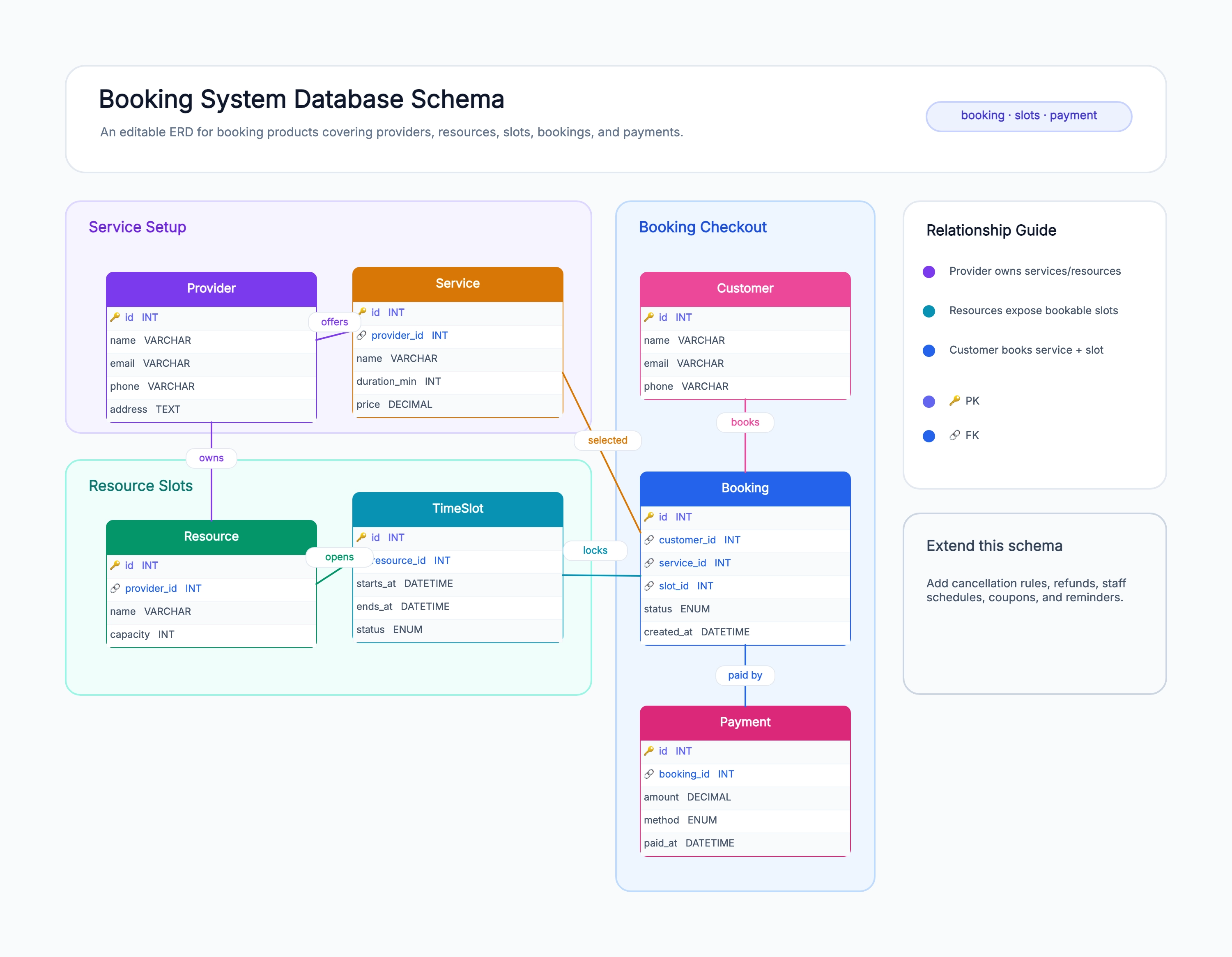
Service = the appointment type (consult, follow-up)
Resource = the practitioner
Slot = a 30-min window on the practitioner's calendar
Booking links customer + slot + service
Status flow: pending → confirmed → completed / no-show
Why this works: One-on-one appointments are the cleanest booking case — one practitioner per slot, one customer per booking. The diagram's slot capacity is effectively 1, which makes double-booking a simple unique constraint.
Group classes / events
Who uses it: Team building a fitness class or workshop booking
Slot has a capacity > 1 (e.g. 15 spots in a yoga class)
Multiple bookings can attach to one slot
Waitlist table for when the slot is full
Cancellation policy frees capacity
Per-class instructor stored on the slot
Why this works: Group classes raise slot capacity above 1 — the diagram allows many bookings per slot and adds a waitlist, because the booking system's main job becomes managing capacity rather than preventing simultaneous holds.
Equipment / property rental
Who uses it: Team building a tool, car, or vacation rental product
Resource = the rentable item (car, room, tool)
Booking spans a date range, not a single slot
Availability query checks for overlapping date ranges
Pickup/return states tracked on the booking
Deposit + final payment split across two Payment rows
Why this works: Rentals replace fixed slots with a date range — the diagram drops TimeSlot in favor of start/end dates on Booking, and the availability check becomes an overlap query against existing bookings.
Multi-resource booking
Who uses it: Team where one booking holds several resources at once
BookingResource junction links one booking to many resources
Example: a meeting room + a projector + catering
All linked resources must be free for the same slot
Availability is the intersection of resource calendars
Cancellation frees every linked resource
Why this works: Multi-resource bookings add a junction table so one booking holds several resources simultaneously — the diagram makes availability an intersection problem, which is the right shape when a single booking spans rooms, equipment, and people.