Back to template

Basketball Play Diagram Examples

These examples focus on the information a coach or player needs at first glance: starting spots, the ball, the first action, and the next read. Use separate diagrams for counters.

Basketball Play Diagram Examples

Real examples

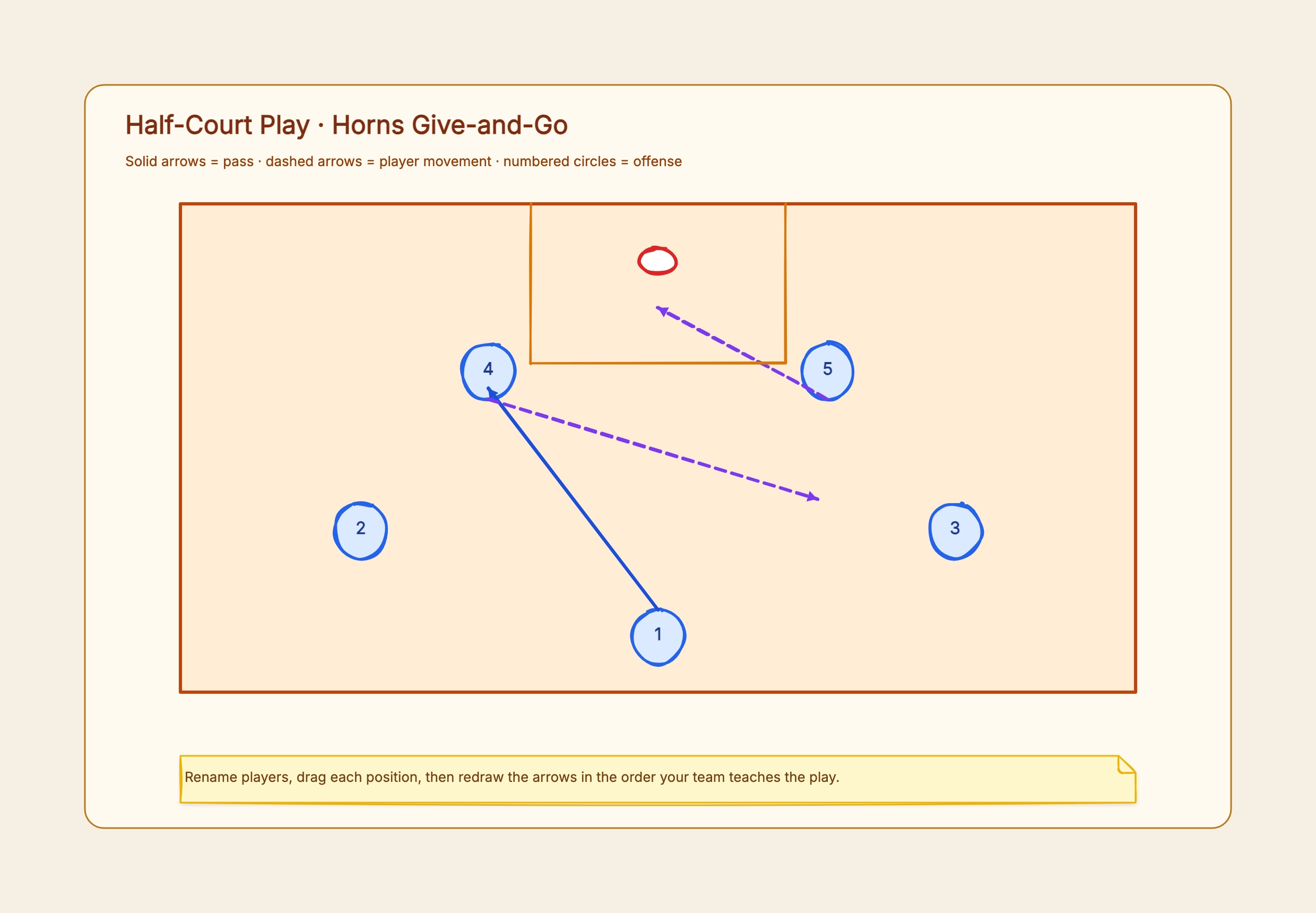
Horns entry

Who uses it: A coach installing a half-court set

Two players at the elbows
Two players spaced in the corners
Ball handler enters to an elbow
Passer cuts or screens away

Why this works: The spacing is visible before the arrows, making the first decision easy to teach.

Sideline inbound

Who uses it: A team preparing an after-timeout play

Inbounder outside the boundary
Four players in a high alignment
Screen angle marked
First read and safety outlet

Why this works: Only two routes are emphasized so the scoring option does not disappear in a web of counters.

1-2-1-1 press break

Who uses it: A youth team learning outlet spacing

Inbounder below the baseline
Two wide outlets
Middle flash
Deep receiver
Pass windows shown in order

Why this works: The diagram prioritizes available passing triangles rather than pretending to prescribe exact running distance.

Zone overload

Who uses it: A team attacking a 2-3 zone

Ball on the wing
Short-corner runner
High-post flash
Weak-side skip option

Why this works: One colored area can mark the overload side while numbered players preserve positional clarity.

Transition lanes

Who uses it: A coach teaching fast-break spacing

Rim runner
Two wide lanes
Ball in middle lane
Trailer behind the play

Why this works: A full-court layout makes width and depth easier to see than a list of running assignments.

Defensive rotation

Who uses it: A team reviewing help responsibilities

Ball-side pressure
Low help
Nail help
Weak-side split
Closeout path

Why this works: Using one defender color and one rotation at a time keeps the diagram readable.
Tips for clearer basketball play diagrams

  • Set spacing before adding routes.
  • Use a stable visual legend across the playbook.
  • Number actions only when sequence is not obvious.
  • Keep counters on duplicated courts.
  • Label the first read and safety option.

How it compares to similar tools

Static set

Best for starting alignment, one primary action, and a small number of reads.

Sequence of courts

Best when timing depends on several passes, screens, or rotations.

Practice animation

Useful for motion over time, but harder to print and annotate than a compact diagram sequence.

Common mistakes to avoid

  • Player labels covered by lines

    Start and end arrows at the edge of player markers, not through their numbers.

  • Ambiguous screen

    Mark the screener, location, and intended angle rather than drawing an unexplained short line.

  • No ball location

    Every play diagram should make the ball's starting point immediately visible.

Frequently asked questions

How many diagrams should one play use?+

Use one court when the sequence is immediately clear. Split the action across two or three courts when routes overlap or later reads depend on timing.

How do I show a pass and a cut?+

Use different line styles and keep them consistent—for example, a solid pass arrow and a dashed movement arrow.

What should a youth basketball diagram include?+

Show starting spots, the ball, one first action, one safety option, and simple labels. Add complexity only after players understand the spacing.

Start editing online

Go back to the template, swap in your own content, and keep the same structure if it fits your project.

Use this template: /editor/new?template=basketball-play-diagram

Create a basketball play diagram