What Is a Mind Map?
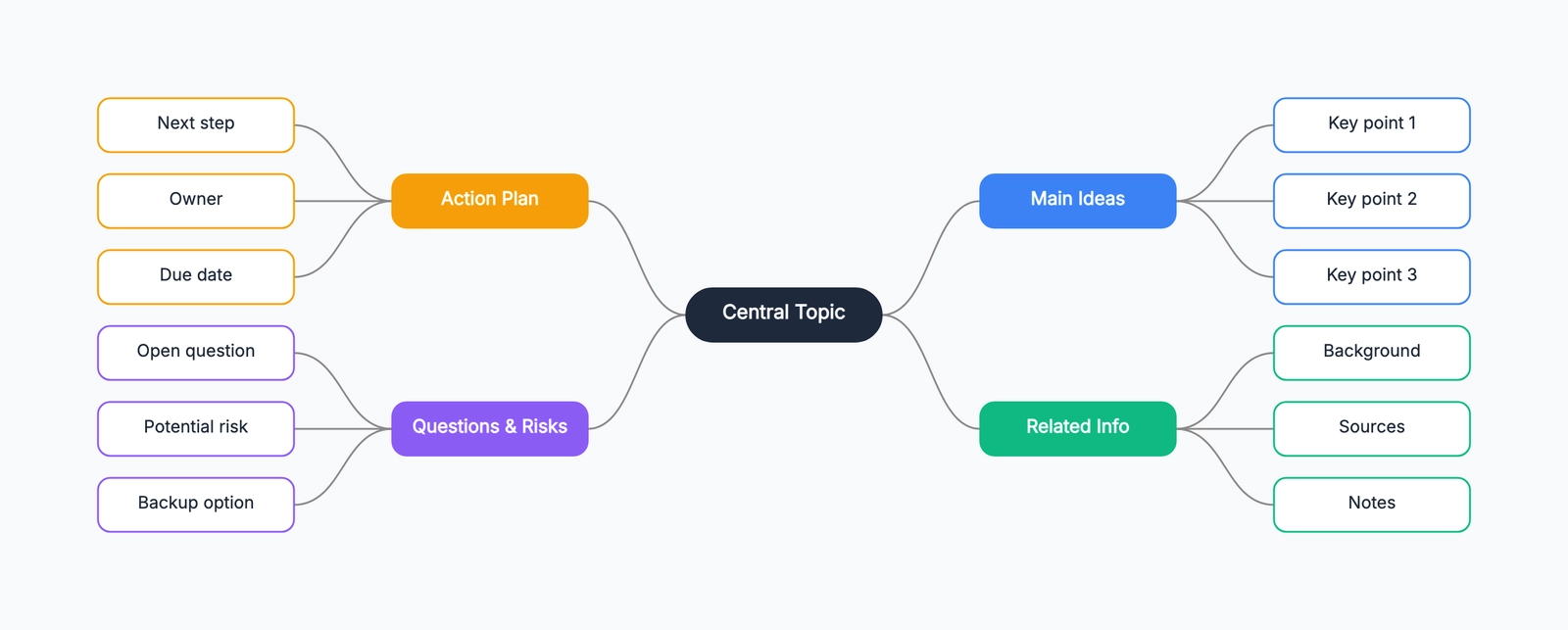
A mind map is a visual diagram that starts with a central idea and branches outward into related topics, subtopics, and details. It mirrors the way the human brain actually thinks — not in a straight line, but in associative leaps across many connected concepts at once. For a deeper dive into the concept, see What Is a Mind Map? A Clear Explanation with Examples.
Instead of a numbered list that forces you into a linear sequence, a mind map lets you see the whole picture at once: what connects to what, what's missing, and where the most important ideas cluster.
When to Use a Mind Map
Brainstorming: Get every idea out of your head before filtering. A mind map lets you capture thoughts freely without committing to a structure too early.
Book or article notes: Capture the main argument, chapter themes, and your own insights all in one diagram. Far easier to review than pages of notes.
Project planning: Break a big goal into sub-tasks, then expand each sub-task with the details that matter. Hierarchy becomes visual.
Presentation prep: Map out your narrative before opening any slide tool. A clear mind map almost writes the talk track for you.
Problem analysis: Lay out every dimension of a complex problem. Gaps and overlaps become obvious when you can see everything at once.
The Structure of a Mind Map
| Level | Description |
|---|---|
| Central node | The core topic — make it big, bold, and obvious |
| First-level branches | The main themes (aim for 3–7) |
| Second-level branches | Specific details or sub-tasks for each theme |
| Third-level branches | Optional deeper detail — use sparingly |
Tip: Once you go beyond three levels, maps get hard to read. If a branch is getting unwieldy, consider splitting it into a separate map.
Tips for Better Mind Maps
Start from the center and work outward. Lock in your central topic first, then branch out — don't start drawing in a corner and try to figure out the center later.
Use keywords, not sentences. Each node should be 2–5 words max. Long phrases make the map cluttered and slow to scan.
Use color to separate themes. Give each first-level branch a distinct color. Your eye will immediately group related ideas together.
Diverge first, then converge. In the brainstorming phase, add everything you think of without judgment. In the editing phase, remove duplicates, merge similar ideas, and prune the noise.
Aim for visual balance. Try to keep branches roughly symmetrical in depth and breadth. An unbalanced map is harder to navigate.
Creating a Mind Map in CodePic
CodePic's mind map template gives you a ready-made structure so you can focus on content, not layout:
- Open the template — The central node and main branches are already in place
- Edit the text — Double-click any node to replace the placeholder with your content
- Adjust colors — Click a node and change the fill color in the right panel to visually separate themes
- Add branches — Drag a connector from any node to extend a new child node
- Export — Export as an image to paste into docs, slides, or share with your team
CodePic's hand-drawn style makes mind maps feel approachable and human — a nice contrast to the sterile look of most diagramming tools.
Mind Map vs. Outline
If you already use numbered outlines to organize your thinking, here's how mind maps compare:
| Outline | Mind Map | |
|---|---|---|
| Structure | Linear, sequential | Radial, non-linear |
| Best for | Step-by-step processes | Divergent thinking, big picture |
| Flexibility | Cumbersome to reorganize | Drag-and-drop rearrangement |
| Visual clarity | Moderate | High |
They're not mutually exclusive. A common workflow: brainstorm with a mind map, then distill it into an outline or document.
Common Mind Mapping Mistakes (and How to Avoid Them)
Mistake 1: Writing full sentences on branches. A mind map works best with single keywords per branch. Full sentences turn the map back into linear text and defeat the purpose. If you catch yourself writing a phrase longer than three words, break it into sub-branches.
Mistake 2: Starting with a perfect structure. Your first draft of a mind map should be messy. The value is in the process of organizing, not in the final product. Start with a brain dump, then reorganize. The second pass is where clarity emerges.
Mistake 3: Ignoring color and images. Tony Buzan's original mind mapping method emphasizes color and imagery for a reason: the brain processes visual cues faster than text. Adding a simple icon or switching branch colors by category makes the map more memorable and easier to navigate later.
Mistake 4: Making the map too large for one view. If your mind map requires scrolling in four directions, it has outgrown its usefulness as a single reference. Split it into multiple maps connected by a central topic, or use it as raw material for a more structured document.
Mind Maps vs Other Brainstorming Methods
Mind Map vs Brainstorming List: A linear list forces you to decide what comes first, second, third — the structure is imposed by the format. A mind map lets ideas radiate without hierarchy. Use a list when order matters (a sequence of steps); use a mind map when relationships matter (everything related to a central topic).
Mind Map vs Sticky Notes on a Wall: Sticky notes are a physical mind map with the added benefit of group participation. The limitation is space — a wall fills up. Digital mind maps grow infinitely and can be restructured with a drag. Use stickies for team sessions; use digital mind maps for solo exploration that you will revisit and refine over time.
Mind Map vs Outline: An outline is hierarchical by design — I, A, 1, a. A mind map is also hierarchical but adds spatial memory (you remember where on the canvas a branch lives) and visual cues. Many people find they can outline faster after mind-mapping first: the mind map dumps ideas; the outline organizes them for delivery.
Mind Mapping for Specific Use Cases
Studying for an exam: Start with the chapter title in the center. Each major heading becomes a primary branch. Key terms, dates, and formulas become sub-branches. After building the map from your notes, close the textbook and redraw it from memory. The gaps will show you exactly what you have not internalized yet.
Planning a project: Put the project name in the center. Primary branches: Timeline, Resources, Risks, Stakeholders, Deliverables. Under each, drill down until every branch ends in a concrete action or decision. Share the map with your team — it doubles as a project charter that everyone can point to during standups.
Writing an article or essay: Center: your thesis statement. Primary branches: Introduction, Argument 1, Argument 2, Counterargument, Conclusion. Under each argument branch, add evidence, examples, and sources. The map becomes your outline; writing is just connecting the dots.
Start Mapping
The best mind map is the one you actually use. Don't wait for the perfect structure — open the mind map template, put your topic in the center, and start branching.
Using CodePic for Mind Mapping
CodePic's mind map template gives you a pre-structured canvas with a central node and radiating branches. Unlike paper, you can drag and reorganize branches as your thinking evolves. Unlike rigid diagram tools, the hand-drawn sketch style keeps the focus on ideas rather than formatting. The template is free, requires no account, and produces shareable links — useful for sending a brainstorm summary to your team after a solo planning session. Give yourself ten uninterrupted minutes with the template and a single topic. You will be surprised by how much was already in your head, waiting for the right structure to surface it.
Tools for Mind Mapping
You do not need special software to create a useful mind map. The original method uses pen and paper — and for solo brainstorming, paper is still one of the fastest options because there is zero friction between thought and mark. The limitation is editing: restructuring a paper mind map means redrawing it.
Digital mind maps solve the editing problem. You can drag branches, recolor sections, and add images without starting over. Tools range from dedicated mind mapping applications to general-purpose whiteboards and diagram editors. The key feature to look for is the ability to reorganize without friction — if moving a branch requires five clicks, you will stop reorganizing, and the map will suffer for it.
CodePic's mind map template takes the middle path: a structured starting point on an infinite canvas with a hand-drawn sketch aesthetic. It is free, requires no account, and produces shareable links — ideal for sending a brainstorm summary to teammates after a planning session.